Coding assistants such as Continue, Cline and Claude Code can run against a model on your own PC through Ollama, which keeps your code off someone else's servers. They are also some of the most demanding local AI jobs: a coding agent reads whole files, error logs and project notes, so it needs a long context window as well as a capable model, and both have to fit in your graphics card's memory. The picks are based on NVIDIA and AMD's official specifications and on Ollama's model pages and documentation, all read on 28 November 2026.
Why coding needs more memory than chat
Ollama's own documentation says tasks that need a large context, "like web search, agents, and coding tools", should be set to at least 64,000 tokens. By default it gives much less: 4K tokens on cards with under 24GiB of memory and 32K on cards with 24GiB to 48GiB. Raising the context uses more memory, so the model file is only part of the story. Our explainer on context length and VRAM shows why, and our guide to setting Ollama's context length shows how to change it.
These are the coding models we keep coming back to, with their Ollama download sizes:
Model (Ollama) | Download | Context window | Comfortable on |
|---|
gpt-oss 20B | 14GB | 128K | 16GB cards, with little room left |
Devstral Small 2 24B | 15GB | 384K | 24GB or 32GB cards |
Qwen3-Coder 30B | 19GB | 256K | 24GB or 32GB cards |
Qwen3-Coder-Next (q4_K_M) | 52GB | 256K | 64GB or more across two cards or unified memory |
The "comfortable on" column is our reading of the download sizes, not a measurement. Our guide to the best local coding models covers what each model is good at.
The cards compared
Card | Memory | Bus | Vendor AI figure | Power | Recommended PSU |
|---|
NVIDIA GeForce RTX 5090 | 32GB GDDR7 | 512-bit | 3,352 AI TOPS | 575W | 1,000W |
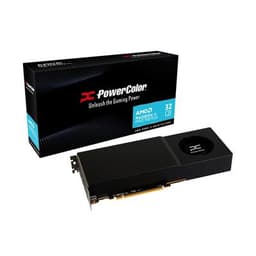
AMD Radeon AI Pro R9700 | 32GB GDDR6 (640GB/s) | 256-bit | 383 TOPS (INT8 matrix) | 300W | 750W |
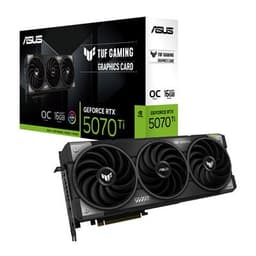
NVIDIA GeForce RTX 5070 Ti | 16GB GDDR7 | 256-bit | 1,406 AI TOPS | 300W | 750W |
NVIDIA GeForce RTX 5060 Ti 16GB | 16GB GDDR7 | 128-bit | 759 AI TOPS | 180W | 600W |
NVIDIA's "AI TOPS" and AMD's INT8 figure are each company's own peak numbers, measured differently, so don't compare them across brands. Power is NVIDIA's total graphics power and AMD's total board power. Partner cards can use different clocks and power limits, so check the exact model you buy.
Best overall: NVIDIA GeForce RTX 5090
The RTX 5090 is the simplest way to run a serious coding model with a long context on one card. Its 32GB of GDDR7 on a 512-bit bus holds Qwen3-Coder 30B's 19GB download with about 13GB to spare by our arithmetic, which by our reckoning should leave room for a 64K context. Qwen3-Coder 30B has 30 billion parameters but only 3.3 billion active at once, according to its Ollama page, and supports 256K tokens natively.
It also uses NVIDIA's CUDA, which is the most widely supported platform across local AI apps such as Ollama and LM Studio. The costs are size and power: NVIDIA rates it at 575W and recommends a 1,000W power supply. Our guide to choosing a PSU for a local AI PC will help. The NVIDIA GeForce RTX 5090 Founders Edition is in our database.
Best 32GB alternative: AMD Radeon AI Pro R9700
AMD's Radeon AI Pro R9700 gives you the same 32GB as the RTX 5090 for far less power. AMD lists 32GB of GDDR6 on a 256-bit bus with 640GB/s of peak bandwidth, a 300W total board power and a 750W minimum PSU. It's a double-slot card on PCIe 5.0 x16, and AMD lists ECC memory support on Linux only.
That 32GB holds Devstral Small 2 (15GB) or Qwen3-Coder 30B (19GB) with room to spare for context, by our arithmetic. Devstral Small 2 needs Ollama 0.13.3 or later, according to its Ollama page, which also lists a 384K context window. As a double-slot card, it's practical to fit two in a suitable board, giving you 64GB, enough by our arithmetic for Qwen3-Coder-Next's 52GB q4_K_M download with about 12GB left over; its Ollama page says it has 80B total parameters with 3B active per token. Our guide to running a local LLM on two GPUs covers splitting a model, and our best motherboards for dual-GPU local AI guide covers the board.
The catch is software. AMD cards rely on ROCm or Vulkan rather than CUDA, and support varies between apps; we explain the trade-offs in CUDA vs ROCm vs Vulkan for local AI and the setup in our guide to running local AI on an AMD Radeon GPU. The PowerColor AI Pro R9700 32GB is in our database.
Best 16GB card: NVIDIA GeForce RTX 5070 Ti
If 32GB is out of budget, a fast 16GB card is the next step. The RTX 5070 Ti has 16GB of GDDR7 on a 256-bit bus, twice the bus width of the RTX 5060 Ti 16GB, and NVIDIA rates it at 1,406 AI TOPS, 300W and a 750W recommended PSU. Memory bandwidth largely sets how fast a model writes once it's loaded, as our memory bandwidth explainer explains.
On 16GB, gpt-oss 20B is the realistic coding model. Its Ollama page says OpenAI quantised the mixture-of-experts weights to MXFP4, about 4.25 bits per parameter, so the 20B model can run on systems with as little as 16GB of memory. The 14GB download leaves only about 2GB for context, so keep the context modest, or try KV cache quantisation in Ollama to stretch it. Qwen3-Coder 30B's 19GB file won't fit fully on a 16GB card; our guide to running MoE models on low VRAM explains how to split it with system memory, at a cost in speed. In our database: ASUS RTX 5070 Ti 16GB TUF Gaming OC and MSI RTX 5070 Ti 16GB Ventus 3X OC.
Best budget card: NVIDIA GeForce RTX 5060 Ti 16GB
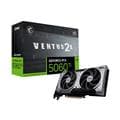
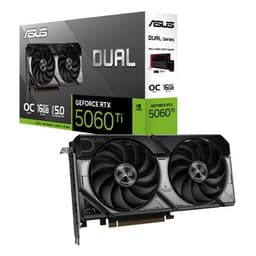
The RTX 5060 Ti is the lowest-tier card in NVIDIA's RTX 5060 and 5070 families to offer 16GB, but NVIDIA lists it in 16GB and 8GB versions, so make sure you buy the 16GB model. It runs the same coding models as the RTX 5070 Ti, but on a 128-bit bus, so expect slower text generation. It's also much easier to power: NVIDIA rates it at 180W with a 600W recommended PSU, and its spec lists a single 8-pin power connector. In our database: MSI RTX 5060 Ti 16GB Ventus 2X OC Plus and ASUS RTX 5060 Ti 16GB Dual OC.
What about 12GB cards?
We'd avoid a 12GB card if coding is the main job. gpt-oss 20B's 14GB download and Devstral Small 2's 15GB download are both bigger than 12GB, so part of the model would have to run from system memory, before you add any context. Smaller coding models do fit, and our best 12GB graphics cards for local AI guide covers the options, but 16GB is the sensible minimum for an agent working across a project.
Setting it up
For local AI beyond coding, see our wider guides to the best GPUs for local LLMs, the best 16GB graphics cards and the best 32GB graphics cards for local AI.