The picks are based on NVIDIA, AMD and Intel's official specifications, memory bandwidth figures credited to TechRadar where NVIDIA doesn't list them, Ollama's hardware support documentation, and approximate UK prices from SpecPrice, all checked on 24 November 2026.
Sixteen gigabytes of graphics memory is where local AI gets comfortable on one card. It's enough to hold a quantised language model in the 12 to 14 billion parameter range with room left for context, and it's plenty for most image generation models. It's also where the most choice is: six current-generation gaming cards from NVIDIA and AMD, plus a low-power workstation card from Intel, all ship with exactly 16GB.
The catch is that 16GB cards are not all equal. Memory bandwidth decides how quickly a card can generate text once a model fits, and it ranges from 224GB/s to 960GB/s across this list. Software support differs too: NVIDIA's CUDA works with almost every local AI app, while AMD cards rely on ROCm or Vulkan. We explain the trade-offs in CUDA vs ROCm vs Vulkan for local AI.
The 16GB cards compared
Card | Memory | Bus | Bandwidth | Vendor AI figure | Power | Recommended PSU | Approx. UK price (24 Nov 2026) |
|---|
RTX 5080 | 16GB GDDR7 | 256-bit | 960GB/s (TechRadar) | 1,801 AI TOPS | 360W | 850W | from about £1,530 |
RTX 5070 Ti | 16GB GDDR7 | 256-bit | 896GB/s (TechRadar) | 1,406 AI TOPS | 300W | 750W | from about £1,250 |
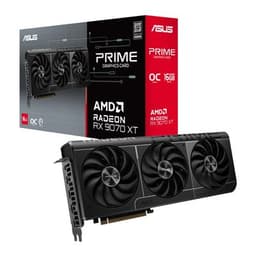
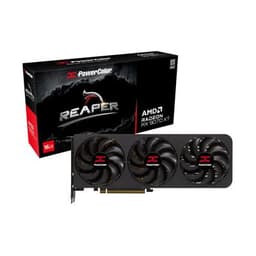
RX 9070 XT | 16GB GDDR6 | 256-bit | 640GB/s | 389 TOPS (INT8) | 304W | 750W | from about £800 |
RX 9070 | 16GB GDDR6 | 256-bit | 640GB/s | 289 TOPS (INT8) | 220W | 650W | from about £739 |
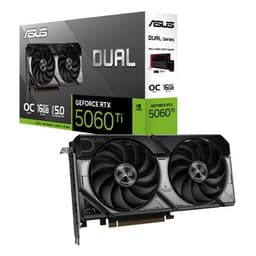
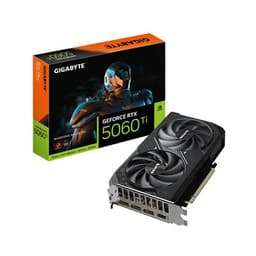
RTX 5060 Ti 16GB | 16GB GDDR7 | 128-bit | Not listed by NVIDIA | 759 AI TOPS | 180W | 600W | from about £690 |
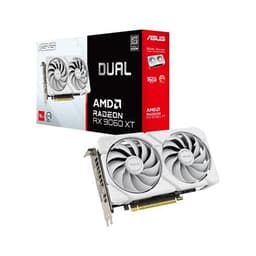
RX 9060 XT 16GB | 16GB GDDR6 | 128-bit | 320GB/s | 205 TOPS (INT8) | 160W | 450W | from about £600 |
Arc Pro B50 | 16GB GDDR6 (ECC) | 128-bit | 224GB/s | 170 TOPS (INT8) | 70W | 280W | No UK price found |
NVIDIA's "AI TOPS" and AMD and Intel's INT8 TOPS are each company's own peak figures, measured in different ways, so don't compare them directly across brands. Power is NVIDIA's total graphics power, AMD's typical board power and Intel's total board power. Prices are the cheapest listings shown by SpecPrice on 24 November 2026 and will change, especially in the run-up to Black Friday on 27 November.
How we picked
We started with every current card that has 16GB of memory as standard, then ranked them on the things that matter most for running models at home:
Memory bandwidth, because generating text is mostly limited by how fast the card can read the model's weights. Our memory bandwidth explainer covers why.
Software support, because a card that your app can't use properly is no good however fast it looks on paper.
Power and size, because many local AI machines run for hours at a time.
Price per gigabyte of bandwidth, using the UK listings above.
Best overall: NVIDIA GeForce RTX 5070 Ti
The RTX 5070 Ti pairs 16GB of GDDR7 with a 256-bit memory bus, and TechRadar lists its bandwidth at 896GB/s, only about 7% below the RTX 5080's 960GB/s. NVIDIA rates it at 1,406 AI TOPS with 8,960 CUDA cores, at 300W total graphics power and a 750W recommended power supply.
That combination is why it's our top pick. It has nearly the bandwidth of the most expensive 16GB card on the list, full CUDA support for tools such as Ollama, LM Studio, ComfyUI and PyTorch, and it costs about £280 less than the cheapest RTX 5080 we found. Ollama lists every GeForce RTX 50 series card from the RTX 5060 to the RTX 5090 as supported. We compare it directly with its bigger sibling in RTX 5070 Ti vs RTX 5080 for local AI.
Who it's for: anyone who wants the fastest practical 16GB card for language models, image and video generation, and who has a case and power supply to suit a 300W card.
Best AMD card: AMD Radeon RX 9070 XT
The RX 9070 XT matches the RTX 5070 Ti's 16GB and 256-bit bus but uses GDDR6, giving it AMD's listed bandwidth of up to 640GB/s. AMD rates its 128 AI accelerators at 389 TOPS for INT8 (779 with structured sparsity). Typical board power is 304W, with a 750W minimum power supply recommendation.
It's around £450 cheaper than the RTX 5070 Ti at the prices we found, and its bandwidth is still twice that of the 128-bit cards further down this list. AMD's ROCm 10.2 installer lists the RX 9070 XT as supported, and Ollama lists it for ROCm on Linux. On Windows, Ollama's ROCm support list currently covers RX 7000 series cards rather than the RX 9000 series, so Ollama on Windows runs RX 9000 cards through its Vulkan back end. Our guide to running local AI on an AMD Radeon GPU covers setup. See RX 9070 XT vs RTX 5070 Ti for local AI for the head-to-head.
Who it's for: buyers who want the most bandwidth per pound and are happy to check that their apps support AMD.
Fastest 16GB card: NVIDIA GeForce RTX 5080
If you want the quickest 16GB card available, it's the RTX 5080. It has 10,752 CUDA cores, 1,801 AI TOPS by NVIDIA's measure, 16GB of GDDR7 on a 256-bit bus, and 960GB/s of bandwidth according to TechRadar. It's also the hungriest card here, at 360W total graphics power with an 850W recommended power supply.
The problem is value. It costs about 22% more than the RTX 5070 Ti at the prices we found, for about 7% more bandwidth and the same 16GB of memory, so it won't fit any bigger models. If your budget stretches to RTX 5080 money, it's worth looking at our best 24GB graphics cards for local AI too.
Who it's for: people who also game at high resolutions and want the fastest 16GB card regardless of cost.
Best value NVIDIA card: NVIDIA GeForce RTX 5060 Ti 16GB
The RTX 5060 Ti 16GB is the cheapest way to get 16GB of memory with CUDA. NVIDIA lists 4,608 CUDA cores, 759 AI TOPS, 16GB of GDDR7 on a 128-bit bus, 180W total graphics power and a 600W recommended power supply. NVIDIA doesn't publish a bandwidth figure on its GeForce specification page.
Its narrow 128-bit bus means it can't match the 256-bit cards for text generation speed, but it fits the same models as an RTX 5080 for well under half the price, and its modest power draw suits smaller cases. Make sure you buy the 16GB model, not the 8GB version with the same name. We've compared it with its closest rivals in RX 9060 XT 16GB vs RTX 5060 Ti 16GB for local AI and RTX 5060 Ti 16GB vs RTX 5070 Ti for local AI.
Who it's for: budget builders who want CUDA's software support and 16GB of memory.
Cheapest 16GB card: AMD Radeon RX 9060 XT 16GB
At about £600, the RX 9060 XT 16GB was the cheapest current 16GB gaming card we found. AMD lists 16GB of GDDR6 on a 128-bit bus with up to 320GB/s of bandwidth, 64 AI accelerators rated at 205 TOPS for INT8, 160W typical board power and a 450W minimum power supply, the lowest of any gaming card here. It uses a single 8-pin power connector.
AMD's ROCm 10.2 installer and Ollama's Linux list both include the RX 9060 XT. As with the RX 9070 XT, Ollama on Windows uses Vulkan for this card. Read RX 9060 XT 8GB vs 16GB before you buy, because the 8GB model is sold under the same name.
Who it's for: anyone who wants 16GB for the least money and can live with lower bandwidth.
Also consider: AMD Radeon RX 9070
The RX 9070 has the same 16GB of GDDR6, 256-bit bus and 640GB/s of bandwidth as the RX 9070 XT, with fewer stream processors (3,584 against 4,096), 289 TOPS for INT8 and a lower 220W typical board power with a 650W minimum power supply. Because text generation leans so heavily on bandwidth, it's an interesting option for language models. However, the cheapest listing we found was only about £60 below the RX 9070 XT, so check prices when you buy. If the gap is small, the XT is the better buy.
Best low-power option: Intel Arc Pro B50
The Arc Pro B50 is the outlier. Intel's workstation card has 16GB of GDDR6 with ECC support on a 128-bit bus, 224GB/s of bandwidth and 170 TOPS for INT8, but its total board power is just 70W and it doesn't need a power connector. Intel recommends a 280W power supply. It's a compact two-slot card that suits small or always-on machines.
Its low bandwidth makes it the slowest card here for text generation, and Intel's AI software stack isn't supported as widely as CUDA. We couldn't find a current UK listing on SpecPrice. For more on this card, see Arc Pro B50 vs RTX 5060 Ti 16GB for local AI.
Who it's for: small-form-factor and always-on builds where power and heat matter more than speed.
What 16GB will and won't run
As a rough rule, a model quantised to 4 bits needs a little over half a gigabyte of memory per billion parameters, plus extra for the context window. That means 16GB comfortably fits models up to around 14 billion parameters at 4-bit with a sensible context length. Larger models will either spill into system memory, which is much slower, or need a 24GB or 32GB card. Our GGUF quantisation explainer explains how model size, quantisation and memory use relate.
If you're building a new machine around one of these cards, check the power supply too. Our guide to choosing a PSU for a local AI PC covers sizing for long, sustained loads. If you're tempted by a second-hand card instead, read our used GPU buying guide for local AI.
Our verdict
The NVIDIA GeForce RTX 5070 Ti is the best 16GB graphics card for local AI in 2026, with 896GB/s of bandwidth (TechRadar's figure) and full CUDA support for about £280 less than an RTX 5080. The AMD Radeon RX 9070 XT gives you 640GB/s of bandwidth for around £800 if your software supports AMD. On a tighter budget, the RTX 5060 Ti 16GB is the cheapest way into 16GB with CUDA, and the RX 9060 XT 16GB is the cheapest 16GB card overall. The Intel Arc Pro B50 is the pick for low-power builds. UK prices are approximate and were checked on 24 November 2026.