ASUS's ZenWiFi range now spans Wi-Fi 7 mesh systems from the compact dual-band ZenWiFi BD4 to the quad-band ZenWiFi BQ16 and BQ16 Pro, with the tri-band ZenWiFi BT8 in between. The model names don't tell you much, and the differences that matter for a gaming PC, such as 10Gbps ports, 6GHz bands and how many wired devices you can plug in, are buried in spec sheets. We've compared four ZenWiFi Wi-Fi 7 systems using ASUS's own specification pages.
The range at a glance
Model | Bands | ASUS speed class | Max link rate per band | Ethernet ports | Antennas | RAM |
|---|
ZenWiFi BD4 | Dual-band (2.4/5GHz) | not stated | 688 + 2,882Mbps | 2x 2.5G (WAN/LAN auto-detect) | 4 internal | 512MB |
ZenWiFi BT8 | Tri-band (2.4/5/6GHz) | BE14000 | 688 + 4,323 + 8,643Mbps | 2.5G WAN, 2.5G LAN, 2x 1G LAN | 7 internal | 1GB |
ZenWiFi BQ16 | Quad-band (2.4/5/5/6GHz) | BE25000 | 1,376 + 5,764 + 5,764 + 11,529Mbps | 10G WAN/LAN, 10G LAN, 1G WAN/LAN, 2x 1G LAN | 12 internal | 2GB |
ZenWiFi BQ16 Pro | Quad-band (2.4/5/6/6GHz) | BE30000 | 1,376 + 5,764 + 11,529 + 11,529Mbps | 10G WAN/LAN, 10G LAN, 1G WAN/LAN, 2x 1G LAN | 12 internal | 2GB |
All four are Wi-Fi 7 (802.11be) systems that support ASUS's AiMesh and can work as a wireless router, access point or AiMesh node, according to ASUS's spec pages. The BT8, BQ16 and BQ16 Pro list 320MHz channel width; the BD4 tops out at 160MHz because it has no 6GHz band. For background on why that matters, see our guide to 2.4GHz vs 5GHz vs 6GHz Wi-Fi.
Best for most homes with a gaming PC: ASUS ZenWiFi BT8
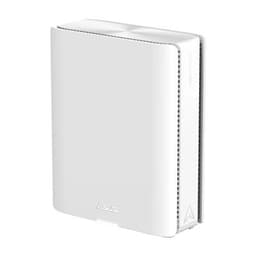
The ASUS ZenWiFi BT8 is the sensible middle of the range. It's a tri-band BE14000 system with a 6GHz band that ASUS rates at up to 8,643Mbps with 3x3 radios and 320MHz channels, a 5GHz band at up to 4,323Mbps and 2.4GHz at up to 688Mbps. Each unit has a 2.5G WAN port, a 2.5G LAN port, two 1G LAN ports and a USB 3.0 port, which is enough to wire a desktop PC with a 2.5GbE network adapter at full speed and still connect a console or NAS.
ASUS also lists Dual WAN, mobile tethering for backup internet, LAN link aggregation and Adaptive QoS on the BT8. ASUS lists it in one-pack and two-pack configurations; the units measure 159 x 72 x 186mm.
Pick it if you want 6GHz Wi-Fi 7 and 2.5GbE wired ports without paying for 10Gbps hardware you may not use.
Best for multi-gig broadband and 10GbE: ASUS ZenWiFi BQ16
The ASUS ZenWiFi BQ16 is a quad-band BE25000 system with two 5GHz bands at up to 5,764Mbps each, a 6GHz band at up to 11,529Mbps and 2.4GHz at up to 1,376Mbps, all with 4x4 radios. The second 5GHz band is the main difference from tri-band systems: in a mesh, one band can carry traffic between the units while others serve your devices, which helps when satellites can't be wired.
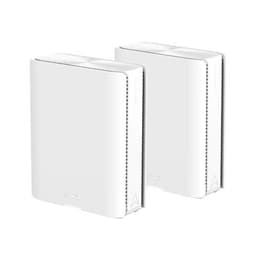
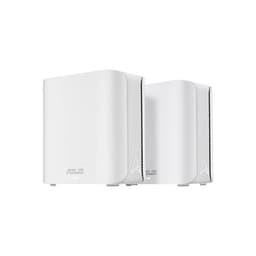
The ports are the other reason to buy it. Each unit has a 10G WAN/LAN port and a 10G LAN port, plus a 1G WAN/LAN port and two 1G LAN ports. That covers broadband faster than 2.5Gbps on the WAN side and a 10GbE PC or NAS on the LAN side; our 10GbE vs 2.5GbE comparison explains whether you need it. ASUS lists 2GB of RAM, 12 internal antennas, a 1,341g weight and 214 x 174.2 x 72mm dimensions per unit, and one-, two- and three-pack options. In our database you'll find the single unit and the ZenWiFi BQ16 two-pack.
Pick it if you have multi-gig broadband, a 10GbE desktop or NAS, or a larger home where satellites rely on wireless backhaul.
Most 6GHz capacity: ASUS ZenWiFi BQ16 Pro
The ASUS ZenWiFi BQ16 Pro shares the BQ16's ports, 2GB of RAM, 12 antennas, 1,341g weight and dimensions, but changes the band mix. ASUS's global spec page lists two 6GHz bands at up to 11,529Mbps each, one 5GHz band at up to 5,764Mbps and 2.4GHz at up to 1,376Mbps, for a BE30000 rating. That suits homes with lots of 6GHz-capable devices, but older Wi-Fi 6 and Wi-Fi 5 devices can't use 6GHz, so they get one 5GHz band rather than two. ASUS lists it in one- and two-pack configurations. Band support can vary by region, so check the UK listing before you buy.
Pick it if most of your devices, including your PC's Wi-Fi card, support 6GHz and you want the most 6GHz capacity in the range.
Best budget and compact pick: ASUS ZenWiFi BD4
The ASUS ZenWiFi BD4 is the entry point. It's a dual-band Wi-Fi 7 system with 2x2 radios on 5GHz (up to 2,882Mbps) and 2.4GHz (up to 688Mbps), a 1.5GHz quad-core processor, 512MB of RAM and two 2.5G ports that automatically detect WAN or LAN. At 140 x 70 x 140mm it's the smallest unit here. It has no 6GHz band and no USB port, and ASUS doesn't list Dual WAN or link aggregation for it.
Pick it if you want Wi-Fi 7 features such as 4096-QAM on a tighter budget, mainly use 5GHz devices, or can wire the units together with Ethernet backhaul.
How to choose
Match the ports to your broadband and PC. Up to 2.5Gbps broadband and a 2.5GbE PC suit the BD4 or BT8; faster broadband or 10GbE kit points to the BQ16 or BQ16 Pro.
Check your devices' Wi-Fi. The BT8 and both BQ16 models only pay off with 6GHz if your PC, phone and laptop support Wi-Fi 6E or Wi-Fi 7. Our best Wi-Fi 7 PCIe card guide covers desktop upgrades.
Wire the backhaul if you can. Every model has a 2.5G or 10G port that can link units; see how to set up mesh Wi-Fi with Ethernet backhaul.
Keep firmware current. ASUS lists auto firmware update on all four systems; our guide to updating router firmware applies across the range.
For other brands, see our best mesh Wi-Fi systems; if you only need one box, see best ASUS Wi-Fi 7 routers, and our mesh Wi-Fi vs Wi-Fi extender explainer covers when mesh is worth it.