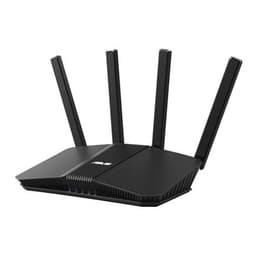
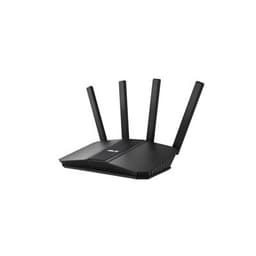
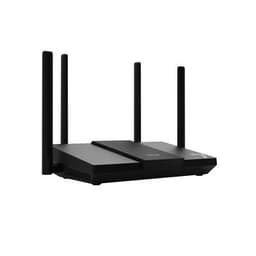
ASUS's UK range of Wi-Fi 7 routers runs from compact BE3600 models to the quad-band ROG Rapture GT-BE98. The biggest thing to know before you buy is that every RT-BE router we checked on ASUS's UK site is dual-band: they run Wi-Fi 7 on 2.4GHz and 5GHz only, with no 6GHz band. That makes the wired ports, processor and memory the real differences between them.
Quick picks
Pick | Router | Class | Bands | Wired ports (ASUS spec) | Why it's here |
|---|
Best overall | ASUS RT-BE88U | BE7200 | 2.4GHz + 5GHz | 10G WAN/LAN, 10G SFP+, 2.5G WAN/LAN, 3x 2.5G LAN, 4x 1G LAN | Most ports, 4x4 on both bands, 2GB RAM |
Best value 10G | ASUS RT-BE86U | BE6800 | 2.4GHz + 5GHz | 10G WAN/LAN, 2.5G WAN/LAN, 3x 2.5G LAN | 10G port for less, 1GB RAM |
Best all-2.5G pick | ASUS RT-BE82U | BE6500 | 2.4GHz + 5GHz | 2.5G WAN, 4x 2.5G LAN | Every port is 2.5G |
Best budget | ASUS RT-BE58U | BE3600 | 2.4GHz + 5GHz | 2.5G WAN/LAN, 1G WAN/LAN, 3x 1G LAN | 2.5G WAN, USB port, 1GB RAM |
Best with 6GHz | ROG Rapture GT-BE98 | Quad-band, up to 25Gbps | 2.4GHz + two 5GHz + 6GHz | Dual 10G, quad 2.5G | The only pick here with 6GHz and 320MHz channels |
Best overall: ASUS RT-BE88U
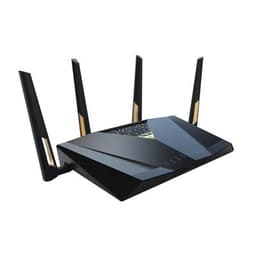
The ASUS RT-BE88U is the ASUS router we'd shortlist first for a wired-heavy home or gaming setup. ASUS rates it at up to 5764Mbps on 5GHz and 1376Mbps on 2.4GHz, with 4x4 streams on both bands and four external antennas. It has a 2.6GHz quad-core processor, 256MB of flash and 2GB of RAM.
Its ports are the standout. ASUS lists one 10Gbps WAN/LAN port, one 10Gbps SFP+ port, one 2.5Gbps WAN/LAN port, three 2.5Gbps LAN ports, four gigabit LAN ports and a USB 3.2 Gen 1 port. That's enough to wire up a PC, a NAS and a console at multi-gig speeds without adding a switch. ASUS also lists AiProtection Pro security, WireGuard and OpenVPN client and server support, AiMesh and gaming features such as a gaming port and Mobile Game Mode.
The catch: like the other RT-BE models here, it has no 6GHz band, so channel width tops out at 160MHz. If you need help comparing the bands, see 2.4GHz vs 5GHz vs 6GHz Wi-Fi.
Best value 10G: ASUS RT-BE86U
The RT-BE86U keeps the 5764Mbps 5GHz rating, 4x4 5GHz radio and 2.6GHz quad-core processor, but its 2.4GHz band drops to 3x3 and 1032Mbps. Memory is 1GB of RAM rather than 2GB.
On the back you get one 10G WAN/LAN port, one 2.5G WAN/LAN port and three 2.5G LAN ports, plus USB 3.2 Gen 1 and USB 2.0. ASUS also adds an LED on/off button. It loses the RT-BE88U's SFP+ cage and gigabit ports, but if you only need one 10G device and a few 2.5G ones, it's the better value of the two. Our 10GbE vs 2.5GbE Ethernet guide explains when 10G is worth it.
Best all-2.5G pick: ASUS RT-BE82U
The RT-BE82U has no 10G port, but every one of its five ports is 2.5G: one WAN and four LAN. That suits homes with several 2.5G PCs or a 2.5G switch. ASUS rates it at up to 5764Mbps on 5GHz (4x4) and 688Mbps on 2.4GHz (2x2), with a 2.0GHz quad-core processor, 1GB of RAM and a USB 3.2 Gen 1 port. If you need more 2.5G ports later, our best 2.5GbE switch guide can help.
Best budget: ASUS RT-BE58U
The RT-BE58U is ASUS's BE3600 option. ASUS rates it at up to 2882Mbps on 5GHz and 688Mbps on 2.4GHz, both 2x2, with a 2.0GHz quad-core processor and 1GB of RAM. Ports are one 2.5G WAN/LAN, one 1G WAN/LAN, three 1G LAN and a USB 3.2 Gen 1 port.
ASUS also sells two cheaper BE3600 models. The RT-BE55 has the same Wi-Fi ratings but 512MB of RAM, a 2.5G WAN, four gigabit LAN ports and no USB. The RT-BE50 has 256MB of RAM, a 2.5G WAN and three gigabit LAN ports. For most homes, the RT-BE58U's extra memory and USB port make it the safer budget choice.
Best with 6GHz: ROG Rapture GT-BE98
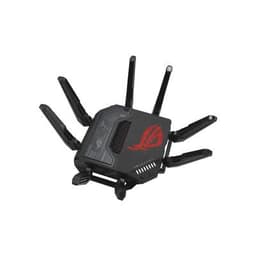
If you want the full Wi-Fi 7 feature set, including the 6GHz band and 320MHz channels, the ROG Rapture GT-BE98 is the ASUS router to look at. ASUS describes it as a quad-band router with up to 25Gbps of combined Wi-Fi speed: up to 11529Mbps on 6GHz, 5764Mbps on each of two 5GHz bands and 1376Mbps on 2.4GHz. It has a quad-core 2.6GHz processor, eight external antennas, dual 10G ports and quad 2.5G ports, and ASUS says the 10G LAN port can act as a dedicated gaming port.
It's a flagship gaming router, so it only makes sense if you have 6GHz-capable devices, such as a PC with a Wi-Fi 7 PCIe card, and a multi-gig internet or home network.
How we chose
We compared ASUS's listed Wi-Fi ratings, radio streams, processors, memory and wired ports. We haven't measured range or throughput, and we don't quote prices because they change quickly. For a wider choice, see our best Wi-Fi 7 router and best TP-Link Wi-Fi 7 router guides, and how to choose a Wi-Fi 7 router for the basics.
Our verdict
The ASUS RT-BE88U is the best ASUS Wi-Fi 7 router for most enthusiasts: its 10G, SFP+ and 2.5G ports, 4x4 radios and 2GB of RAM cover almost any home setup. Choose the RT-BE86U if you only need one 10G port, the RT-BE82U for five 2.5G ports, the RT-BE58U on a budget, and the ROG Rapture GT-BE98 only if you want 6GHz and 320MHz channels, because every RT-BE model here is dual-band.