Every Radeon RX 9070 XT uses the same AMD GPU: 4,096 stream processors, 16GB of GDDR6 on a 256-bit bus and 64MB of Infinity Cache. What changes between board partners is the cooler, the size, the factory clocks, the power connectors and the outputs, and those are the things that decide whether a card fits your case, your power supply and your monitor set-up. We've compared five partner cards that are in the Forge PC database using each maker's official specification page, alongside AMD's reference figures.
What every RX 9070 XT shares
AMD's specification page for the RX 9070 XT lists 64 compute units, 64 ray accelerators and 128 AI accelerators, a 2,400MHz game frequency and up to 2,970MHz boost, 16GB of GDDR6 at up to 20Gbps (up to 640GB/s of bandwidth) and 64MB of Infinity Cache. AMD rates typical board power at 304W and recommends a 750W power supply as a minimum for the reference specification. Factory-overclocked cards raise the clocks a little and, as you'll see below, often raise the recommended PSU and the number of power connectors with them.
The cards at a glance
Card | Boost / game clock (default) | Length | Slots | Power connectors | Recommended PSU | Outputs |
|---|
PowerColor Reaper RX 9070 XT | 2,970 / 2,400MHz | 289mm | 2 | 2x 8-pin | 750W | 3x DP 2.1a, 1x HDMI 2.1b |
ASUS Prime RX 9070 XT OC | 3,010 / 2,460MHz | 312mm | 2.5 | 3x 8-pin | 750W | 3x DP 2.1a, 1x HDMI 2.1b |
Gigabyte RX 9070 XT Gaming OC | 3,060 / 2,520MHz | 288mm | not listed | 3x 8-pin | 850W | 2x DP 2.1a, 2x HDMI 2.1b |
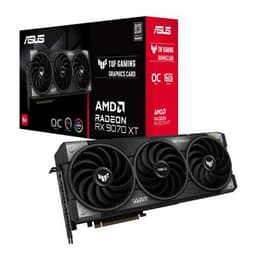
ASUS TUF Gaming RX 9070 XT OC | 3,060 / 2,520MHz | 330mm | 3.125 | 3x 8-pin | 850W | 3x DP 2.1a, 1x HDMI 2.1b |
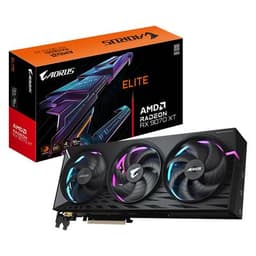
Aorus RX 9070 XT Elite | 3,100 / 2,570MHz | 339mm | not listed | 3x 8-pin | 850W | 2x DP 2.1a, 2x HDMI 2.1b |
All clocks are the makers' "up to" figures in their default modes. ASUS also lists a slightly higher OC mode through its GPU Tweak III software. The spread in boost clock from the slowest to the fastest card here is 130MHz, or about 4%; how much of that turns into frame rate depends on the game and on how well each cooler sustains its clocks, which only testing shows.
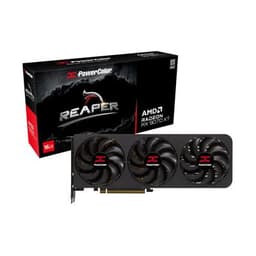
Best compact and easiest to power: PowerColor Reaper RX 9070 XT
The PowerColor Reaper RX 9070 XT sticks to AMD's reference clocks, and that brings practical advantages. It's the only card here that PowerColor lists with two 8-pin connectors rather than three, it's a true two-slot design at 289mm x 111mm x 41mm (304mm x 127mm x 42mm with the bracket), and PowerColor's minimum system power requirement is 750W, matching AMD's reference figure. PowerColor lists a triple-fan cooler with dual ball bearing fans, a copper base that contacts the GPU and VRAM, Honeywell PTM7950 phase-change thermal material and fans that start at 60°C and stop below 50°C.
Pick it if you're fitting an RX 9070 XT into a mid-size case, already own a decent 750W unit with two spare 8-pin leads, or simply don't want to pay for factory overclocks.
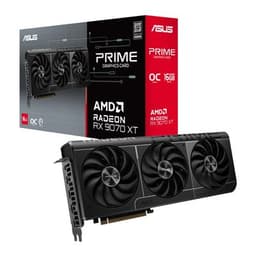
Best value step up from reference: ASUS Prime RX 9070 XT OC
The ASUS Prime RX 9070 XT OC raises the default boost to 3,010MHz and game clock to 2,460MHz while keeping ASUS's recommended PSU at 750W. It measures 312 x 130 x 50mm and ASUS lists it as a 2.5-slot card with three 8-pin connectors, so check that your power supply has three separate PCIe leads or suitable cables. Outputs are three DisplayPort 2.1a and one HDMI 2.1b, with support for up to four displays.
Pick it if you want a modest factory overclock without stepping up to an 850W PSU recommendation.
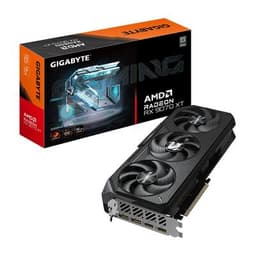
Best for HDMI users: Gigabyte RX 9070 XT Gaming OC
The Gigabyte RX 9070 XT Gaming OC is the shortest card here at 288mm long (132mm wide, 56mm thick), yet Gigabyte gives it a 3,060MHz boost and 2,520MHz game clock, the same as ASUS's TUF in default mode. The trade-off is power: Gigabyte recommends an 850W PSU and three 8-pin connectors. It also has two HDMI 2.1b and two DisplayPort 2.1a outputs rather than the usual three-plus-one split, which suits a set-up with a TV or an HDMI-only monitor alongside a desktop screen.
Pick it if you want a factory-overclocked card that's still under 300mm, or you need two HDMI outputs.
Best premium cooler: ASUS TUF Gaming RX 9070 XT OC
The ASUS TUF Gaming RX 9070 XT OC is a big card: 330 x 140 x 62.5mm and 3.125 slots thick. ASUS lists a 3,060MHz default boost (up to 3,080MHz in OC mode), three 8-pin connectors, an 850W recommended PSU and ARGB lighting with Aura Sync. ASUS also includes a graphics card holder in the box, which is useful for a card this size; see our guide to fixing GPU sag for why it matters.
Pick it if you have a roomy case and want ASUS's largest cooler for this GPU.
Fastest factory clocks: Aorus RX 9070 XT Elite
The Aorus RX 9070 XT Elite has the highest listed clocks of the five, with up to 3,100MHz boost and 2,570MHz game clock. It's also the longest at 339mm (136mm wide, 59mm thick), needs three 8-pin connectors and an 850W PSU, and like the Gaming OC uses two HDMI 2.1b and two DisplayPort 2.1a outputs. Gigabyte includes a VGA holder in the box.
Pick it if you want the highest out-of-the-box clocks here and your case has room for a 339mm card.
How to choose
Measure your case. Compare your case's maximum graphics card length with each card's length, and leave room for power cables. The spread here is 288mm to 339mm.
Check your power supply. Two of these cards keep a 750W recommendation; three ask for 850W. Count your PCIe 8-pin leads, too: four of the five need three.
Count your outputs. If you use two HDMI devices, the Gigabyte and Aorus cards suit you best; the others offer three DisplayPort outputs.
Turn on Resizable BAR. PowerColor lists AMD Smart Access Memory support, and our guide to enabling Resizable BAR explains the BIOS setting.
If you're still deciding on the GPU itself, see RX 9070 vs RX 9070 XT, RX 9070 XT vs RTX 5070 Ti, our best graphics cards and our explainer on Founders Edition vs partner graphics cards. Our guide to reading a graphics card spec sheet explains game and boost clocks.