Tools such as Ollama and LM Studio make it easy to run large language models (LLMs) on your own PC, with no subscription and no data leaving your machine. The catch is hardware. Choosing a graphics card for local AI is different from choosing one for gaming: the amount of video memory (VRAM) decides which models you can run at all, and memory bandwidth largely decides how fast they reply.
Forge PC hasn't tested these cards for AI workloads. Our picks are based on manufacturers' official specifications, published guidance on model memory use, and software support documentation, all credited below. Prices are the lowest new UK prices on SpecPrice's tracker, updated 12 November 2026 at 13:40 GMT, and are approximate.
The short version
Best value 16GB card: AMD Radeon RX 9070 (about £732). 16GB with 640GB/s of bandwidth, the most bandwidth per pound of the current 16GB cards.
Best for easy CUDA software support on a budget: NVIDIA GeForce RTX 5060 Ti 16GB (about £660).
Cheapest way into 16GB: AMD Radeon RX 9060 XT 16GB (about £580), but it has the lowest bandwidth here.
Fast 16GB NVIDIA card: RTX 5070 Ti (about £1,215).
Cheapest new 32GB card: AMD Radeon AI PRO R9700 (about £1,610). The RTX 5090 also has 32GB, but cost about £7,000 on 12 November.
Avoid for AI: the RTX 5070. It costs more than an RX 9070 but has only 12GB.
How much VRAM do you need?
A language model's weights have to fit in memory, plus some extra for the conversation (the "context") and the software itself. Most people run "quantised" models, which store each weight in fewer bits to save space.
llamaperf's VRAM guide gives a useful rule of thumb: weights take roughly the number of parameters (in billions) multiplied by bits per weight, divided by eight, in gigabytes. Its estimates for the popular Q4_K_M quantisation, including an 8K-token context and runtime overhead, are:
Model size | Approximate VRAM at Q4_K_M, 8K context (llamaperf) | Card size that fits |
|---|
7B | 6.9GB | 8GB (tight), 12GB or more comfortable |
13B | 10.4GB | 12GB minimum, 16GB comfortable |
30B | 20.8GB | 24GB or 32GB |
70B | 43.9GB | More than any single consumer card |
Real models vary, and longer conversations need more memory, so treat these as estimates. If a model doesn't fit, most tools can split it between the graphics card and system RAM, but it slows down a lot.
Our rule of thumb: 16GB is the sensible minimum for a new card bought for local AI. It covers small and mid-sized models with room for context. 32GB opens up the 30B-class models that many people find noticeably more capable.
Why bandwidth matters too
Once a model fits, the speed at which it generates text depends heavily on how quickly the card can read its memory. llmhardware.io's guide puts it simply: choose VRAM first, then memory bandwidth decides speed. Here are the official figures:
Card | VRAM | Memory bandwidth | Lowest UK price, 12 Nov 2026 |
|---|
Radeon RX 9060 XT 16GB | 16GB GDDR6 | 320GB/s | £579.98 |
GeForce RTX 5060 Ti 16GB | 16GB GDDR7 | 448GB/s | £659.99 |
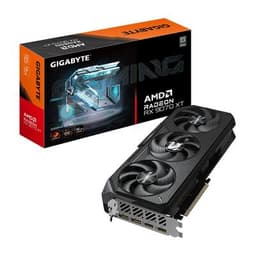
Radeon RX 9070 | 16GB GDDR6 | 640GB/s | £731.99 |
GeForce RTX 5070 | 12GB GDDR7 | 672GB/s | £814.99 |
Radeon RX 9070 XT | 16GB GDDR6 | 640GB/s | £819.98 |
GeForce RTX 5070 Ti | 16GB GDDR7 | 896GB/s | £1,215.00 |
GeForce RTX 5080 | 16GB GDDR7 | 960GB/s | £1,499.99 |
Radeon AI PRO R9700 | 32GB GDDR6 | 640GB/s | £1,609.99 |
GeForce RTX 5090 | 32GB GDDR7 | 1,792GB/s | £6,999.98 |
Bandwidth figures are from NVIDIA's and AMD's specification pages. Bandwidth isn't the only factor, and software optimisation matters, but it's a good guide when comparing cards with enough memory for your model.
Software support: NVIDIA vs AMD
NVIDIA's CUDA is the default for most AI software. Ollama's hardware support page lists the whole RTX 50 series as supported.
AMD support depends on your operating system. Ollama's documentation lists the RX 9070 XT, RX 9070, RX 9060 XT and Radeon AI PRO R9700 as supported through AMD's ROCm library on Linux. Its Windows ROCm list currently covers only RX 7000-series and Radeon PRO W7000 cards. Ollama adds that extra GPU support on Windows and Linux comes through Vulkan, which is enabled by default. In practice, that means a Radeon RX 9000 card can be used on Windows, but setup and support are less straightforward than with NVIDIA. llmhardware.io likewise advises NVIDIA if software maturity matters most to you.
Our picks
Best value 16GB: AMD Radeon RX 9070 (about £732)
The RX 9070 has 16GB of memory and 640GB/s of bandwidth, the same as the RX 9070 XT, for about £88 less on 12 November. It also has more bandwidth than the RTX 5060 Ti 16GB for about £72 more. If you're comfortable with Linux, or with Ollama's Vulkan support on Windows, it's the best balance of capacity, speed and price in this list. AMD recommends a 650W power supply.
Best budget CUDA card: NVIDIA GeForce RTX 5060 Ti 16GB (about £660)
The 16GB RTX 5060 Ti has less bandwidth than the RX 9070, but it gets you NVIDIA's software ecosystem at the lowest price for a 16GB GeForce card. Make sure you buy the 16GB model: the 8GB version is cheaper but far less useful for AI. NVIDIA's required system power is 600W.
Cheapest 16GB: AMD Radeon RX 9060 XT 16GB (about £580)
The RX 9060 XT is the cheapest new 16GB card in the UK, so it can hold the same models as the more expensive cards. Its 320GB/s of bandwidth is the lowest here, so expect slower replies than from an RX 9070 or RTX 5060 Ti with the same model.
Fast NVIDIA option: GeForce RTX 5070 Ti (about £1,215)
The RTX 5070 Ti has 896GB/s of bandwidth, double that of the RTX 5060 Ti, with the same 16GB. It's for people who mainly run models that fit in 16GB and want them to respond faster, and who also game. It costs nearly £400 more than an RX 9070 XT with the same capacity.
Cheapest 32GB: AMD Radeon AI PRO R9700 (about £1,610)
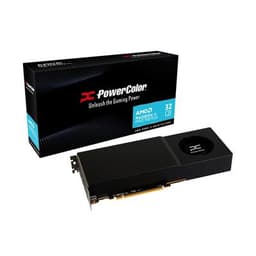
The R9700 is AMD's workstation card for AI, with 32GB of GDDR6 at 640GB/s. On 12 November SpecPrice found it at one UK shop for £1,609.99, compared with about £7,000 for the cheapest RTX 5090. That makes it by far the cheapest new way to get 32GB on one card. AMD rates its total board power at 300W and recommends at least a 750W power supply. It uses a 12V-2x6 power connector. Bear in mind that Ollama lists it as supported via ROCm on Linux, not on Windows.
What about the RTX 5090 and used cards?
The RTX 5090 is the fastest card here with 32GB and 1,792GB/s of bandwidth, but at about £7,000 it's beyond almost any home AI budget.
Older 24GB cards such as the RTX 4090 and RX 7900 XTX were not listed new at UK shops on SpecPrice on 12 November. The RTX 3090 (24GB) was listed new at a single shop for about £2,140. The used market is outside the scope of this guide. If you buy second-hand, check the seller's returns policy and your consumer rights.
Other things to get right
System RAM: if a model spills over from VRAM, it uses system memory. Our RAM guide explains current options. Given DDR5 prices, it's usually better value to buy a card with enough VRAM than to rely on spill-over.
Power supply: check the card maker's recommendation and your PSU's connectors.
Gaming as well? If the PC is also for games, our best graphics card guide and how much VRAM you need cover the gaming side.
Our verdict
For local AI, buy memory first and bandwidth second. In the UK in November 2026, the Radeon RX 9070 is the best-value 16GB card, provided you're happy with AMD's software situation, especially on Windows. The RTX 5060 Ti 16GB is the safe choice if you want the widest CUDA software support for the least money. If you need 32GB on one card, the Radeon AI PRO R9700 costs a fraction of an RTX 5090, though its ROCm support in Ollama is Linux-only. Whatever you choose, avoid 8GB and 12GB cards if local AI is a main reason for buying.