Our picks are based on each manufacturer's official specifications and on the hardware support documented by Ollama, read on 25 November 2026. We haven't included prices because they change too quickly to be useful here; check UK retailers such as Scan, Overclockers and Box before you buy.
For local AI, the amount of video memory (VRAM) on a graphics card matters more than almost anything else. If a model and its context fit entirely in VRAM, it runs on the GPU at full speed. If they don't, part of the work spills to the CPU and system RAM, and replies slow down sharply.
A 12GB card sits in a useful middle ground. It holds noticeably bigger models than an 8GB card, without the cost of the 16GB and 24GB cards in our other guides. Here are the 12GB cards worth considering, and what each one is best for.
The 12GB cards compared
Spec (manufacturer) | RTX 5070 | RX 9070 GRE | Arc B580 | RTX 3060 12GB |
|---|
Architecture | Blackwell | RDNA (RX 9000 series) | Xe2 (Battlemage) | Ampere |
Memory | 12GB GDDR7 | 12GB GDDR6 | 12GB GDDR6 | 12GB GDDR6 |
Memory interface | 192-bit | 192-bit | 192-bit | 192-bit |
Memory bandwidth | Not listed by NVIDIA | Up to 432GB/s | 456GB/s | Not listed by NVIDIA |
AI hardware (maker's figure) | 5th-gen Tensor Cores, 988 AI TOPS | 96 AI accelerators, 274 INT8 TOPS (549 with sparsity) | 160 XMX engines, 233 INT8 TOPS | 3rd-gen Tensor Cores |
Board power | 250W | 220W | 190W | 170W |
Recommended PSU | 650W | 650W | 600W | 550W |
PCIe | PCIe 5.0 | PCIe 5.0 x16 | PCIe 4.0 x8 | PCIe 4.0 |
Ollama GPU support | CUDA | ROCm on Linux; Vulkan on Windows | Vulkan | CUDA |
Each manufacturer measures AI performance in its own way, so the TOPS figures in the table aren't directly comparable between brands. Treat them as a rough guide only.
How we picked
Exactly 12GB of VRAM. Cards with 16GB or more are covered in our best 16GB and best 24GB guides.
Software support. We checked Ollama's official hardware support page for each card. Ollama supports NVIDIA cards through CUDA, selected AMD cards through ROCm, and provides additional support for other GPUs, including Intel's, through Vulkan.
Official specifications only. Memory, power and AI figures come from NVIDIA, AMD and Intel. We haven't used or invented speed figures.
What 12GB will and won't run
Ollama's model library lists download sizes that show what fits. Using the default downloads, which Ollama's tag lists show are 4-bit (q4_K_M) versions, Qwen3 8B is 5.2GB, Gemma 3 12B is 8.2GB and Qwen3 14B is 9.3GB, so all three fit in 12GB with some memory left over for context. Qwen3 30B is 19GB, so it won't fit in 12GB without part of it running from system RAM. Our guide to GGUF quantisation explains what 4-bit means.
Context also uses VRAM. Ollama's documentation says it defaults to a 4k context on PCs with less than 24GB of VRAM, and recommends at least 64,000 tokens for tasks such as web search, agents and coding tools. On a 12GB card you'll often have to choose between a bigger model and a longer context. Our explainer on context length and VRAM shows how the two trade off, and our VRAM guide compares 12GB with 8GB, 16GB and 24GB.
Best overall: NVIDIA GeForce RTX 5070
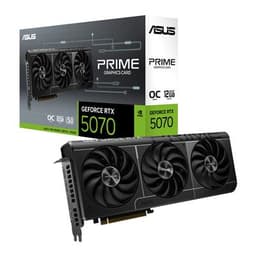
The RTX 5070 is the only card here with GDDR7 memory. NVIDIA lists 12GB of GDDR7 on a 192-bit bus, 5th-generation Tensor Cores rated at 988 AI TOPS, 6,144 CUDA cores, a 250W total graphics power and a 650W recommended system power.
Its biggest advantage for local AI is NVIDIA's CUDA platform. Ollama supports NVIDIA cards with compute capability 5.0 or newer and driver version 550 or newer, and lists the RTX 5070 under compute capability 12.0. There's no need to choose between ROCm and Vulkan, as there is with some AMD cards.
The catch is that the RTX 5070 Ti, with 16GB, costs more but holds bigger models. Our RTX 5070 vs RTX 5070 Ti for local AI comparison covers whether the step up is worth it.
Choose it if you want the easiest, most widely supported 12GB card for AI and gaming.
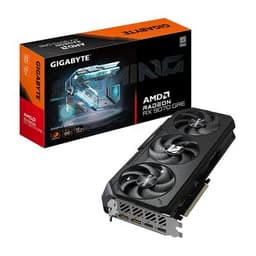
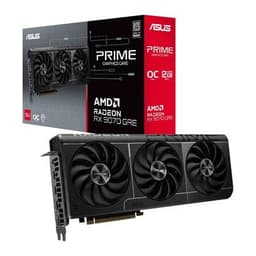
Best AMD card: AMD Radeon RX 9070 GRE
The RX 9070 GRE is part of AMD's Radeon RX 9000 series, with 12GB of GDDR6 on a 192-bit bus, up to 432GB/s of memory bandwidth, 48MB of Infinity Cache and 96 AI accelerators. AMD rates it at 274 INT8 TOPS, or 549 with structured sparsity, with a 220W typical board power and a 650W minimum PSU recommendation.
Software support depends on your operating system. Ollama's hardware page lists the RX 9070 GRE among the cards it supports through ROCm on Linux, but not on its ROCm list for Windows. On Windows, Ollama provides extra AMD support through Vulkan, and Ollama says most GPU vendors' Windows drivers come bundled with Vulkan support. Our guide to running local AI on an AMD Radeon GPU covers both routes.
Choose it if you prefer AMD, plan to use Linux, or want a modern card that's also strong for gaming.
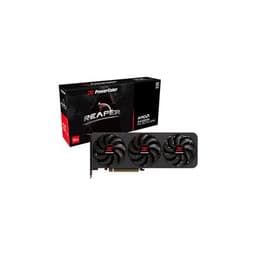
Best low-power card: Intel Arc B580
The Arc B580 is Intel's 12GB card. Intel lists 12GB of GDDR6 on a 192-bit bus, 456GB/s of memory bandwidth, 160 XMX matrix engines rated at 233 INT8 TOPS, a 190W total board power and a 600W minimum power supply.
Intel lists support for OpenVINO and the Intel Extension for PyTorch. Ollama supports Intel cards through its Vulkan backend rather than a dedicated one, as it has for NVIDIA (CUDA) and many AMD cards (ROCm), and support in other apps varies, so check before you buy; our guide to running local AI on an Intel Arc GPU explains the options. Note that it uses a PCIe 4.0 x8 connection.
Choose it if you want a new 12GB card with the lowest board power of the current models here and are happy to check app support first.
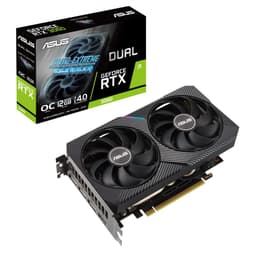
Best older card: NVIDIA GeForce RTX 3060 12GB
The RTX 3060 comes from NVIDIA's RTX 30 series, two generations before the RTX 50 series, but the 12GB version is still interesting for local AI because it pairs 12GB of memory with CUDA support. NVIDIA lists 3,584 CUDA cores, 3rd-generation Tensor Cores, a 170W graphics card power and a 550W required system power. Ollama lists it under compute capability 8.6.
Be careful which version you buy. NVIDIA's specification page shows the RTX 3060 in both 12GB (192-bit) and 8GB (128-bit) versions, and only the 12GB card makes sense for AI. If you're buying second-hand, our used GPU for local AI guide lists what to check. Our Arc B580 vs RTX 3060 12GB comparison weighs it against Intel's newer card.
Choose it if you want CUDA and 12GB of VRAM, are happy with an older card and find a good second-hand example.
When to skip 12GB
If you want to run 30B-class models, which at 19GB for Qwen3 30B won't fit in 12GB, or use long contexts for coding agents, 12GB will feel tight. A 16GB card such as the RTX 5060 Ti 16GB or RX 9060 XT 16GB gives you more headroom; see our best 16GB graphics cards for local AI. Our best GPUs for local LLMs guide covers every budget.
Our verdict
The NVIDIA GeForce RTX 5070 is the best 12GB graphics card for local AI in 2026, thanks to its GDDR7 memory and NVIDIA's CUDA platform, which Ollama supports directly without a choice of ROCm or Vulkan. Choose the AMD Radeon RX 9070 GRE if you prefer AMD, especially on Linux where Ollama supports it through ROCm. The Intel Arc B580 is the lowest-power new card here, and an older 12GB RTX 3060 still gives you CUDA with 12GB of VRAM. All four comfortably hold 8B to 14B models at 4-bit; if you need more than that, go to 16GB.