Our picks are based on NVIDIA's and AMD's official specifications, Ollama's hardware support documentation and the model sizes listed in Ollama's library, all read on 25 November 2026. We haven't included prices because they change too quickly; check UK retailers such as Scan, Overclockers and Box before you buy.
Most people who start experimenting with local AI already own, or are about to buy, a mainstream gaming graphics card, and many of those have 8GB of video memory (VRAM). That's enough to run genuinely useful chat and coding models, but it's also the point where you'll first hit limits. This guide picks the best 8GB cards for local AI, explains exactly what 8GB will and won't run, and shows when a 16GB card is the smarter buy.
Why VRAM matters most
When a model and its context (the conversation so far) fit entirely in your graphics card's VRAM, the GPU does all the work and replies are quick. When they don't fit, tools such as Ollama put part of the model on the CPU and system RAM, and generation slows down sharply. For local AI, VRAM capacity is usually a bigger limit than raw GPU speed.
What fits in 8GB?
These are the download sizes Ollama's library lists for the default 4-bit builds of some popular models. The model file has to fit in VRAM with some room to spare for context, so on an 8GB card you should aim for downloads of roughly 6GB or less:
Model (Ollama tag) | Download size | Fits fully in 8GB? |
|---|
qwen3:4b | 2.5GB | Yes, with lots of room for context |
gemma3:4b | 3.4GB | Yes, and it can read images |
llama3.1:8b | 4.9GB | Yes |
deepseek-r1:8b | 5.2GB | Yes, with less room for context |
gemma3:12b | 8.2GB | No, part would run on the CPU |
qwen3:14b | 9.3GB | No, part would run on the CPU |
In practice, 8GB is the home of 4B to 8B models at 4-bit. These are good for general chat, summaries, simple coding help and running a private assistant in your browser or editor. Models of 12B to 14B need 12GB or more to run fully on the GPU. Our guide to running a local LLM on 8GB of VRAM covers settings that help squeeze more out of a smaller card.
Context matters too. Ollama's documentation says it uses a 4K context by default on GPUs with less than 24GB of VRAM. Raising it lets a model handle longer documents and conversations, but uses more VRAM, which is in short supply on an 8GB card.
The 8GB cards compared
Spec (NVIDIA) | GeForce RTX 5060 Ti 8GB | GeForce RTX 5060 |
|---|
Architecture | Blackwell | Blackwell |
CUDA cores | 4,608 | 3,840 |
AI TOPS (NVIDIA figure) | 759 | 614 |
Memory | 8GB GDDR7 (also sold as 16GB) | 8GB GDDR7 |
Memory interface | 128-bit | 128-bit |
Total graphics power | 180W | 145W |
Required system power (NVIDIA) | 600W | 550W |
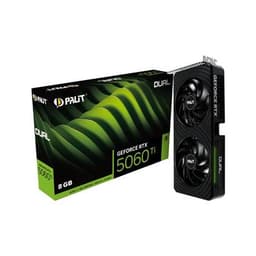
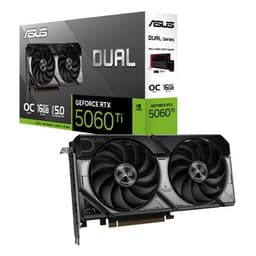
Best 8GB card overall: NVIDIA GeForce RTX 5060 Ti 8GB
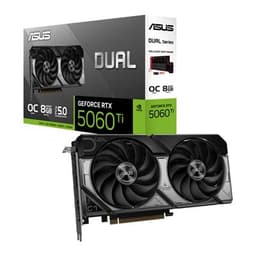
The RTX 5060 Ti is the fastest current NVIDIA card you can buy with 8GB. NVIDIA lists 4,608 CUDA cores, fifth-generation Tensor Cores rated at 759 AI TOPS and 8GB of GDDR7 memory on a 128-bit bus. NVIDIA rates its total graphics power at 180W and recommends a 600W power supply for a full system.
For local AI, the main attraction is NVIDIA's CUDA platform. Ollama's hardware support page says it supports NVIDIA GPUs with compute capability 5.0 and newer on driver version 550 or later, and NVIDIA cards are widely supported by local AI tools, from Ollama to ComfyUI.
The big caveat is that NVIDIA also sells the RTX 5060 Ti with 16GB, using the same GPU. For local AI, the 16GB version is the much better buy if your budget stretches, because it can run 12B to 14B models fully on the GPU. Our comparison of the RTX 5060 Ti 8GB and 16GB goes into the differences. Buy the 8GB version only if the price gap really matters to you, or if gaming is your main use and local AI is a side interest.
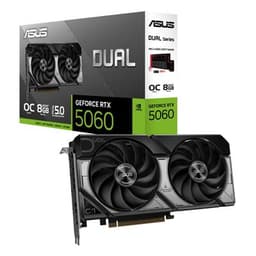
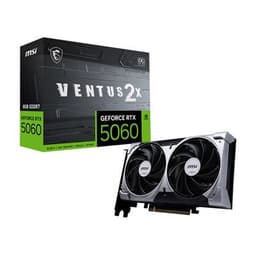
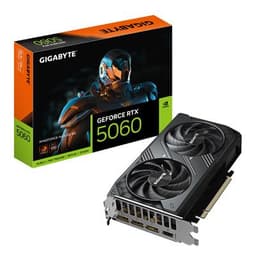
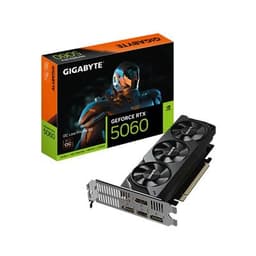
Best value and lowest power: NVIDIA GeForce RTX 5060
The RTX 5060 is the cheapest way into NVIDIA's current Blackwell generation. It has 3,840 CUDA cores, 614 AI TOPS by NVIDIA's measure and the same 8GB of GDDR7 on a 128-bit bus as the 5060 Ti 8GB. Because both cards have the same amount of memory, they can hold the same models; the 5060 Ti simply has more processing power.
The RTX 5060 is also the most efficient choice here, with NVIDIA quoting 145W total graphics power and a 550W recommended system power supply. That makes it a sensible upgrade for an older or smaller PC, or for a machine you plan to leave running as an always-on AI server. If you mostly want to run 4B to 8B models for chat, summaries and coding help, it does the same job as the 5060 Ti 8GB within the limits of 8GB of VRAM.
When to buy 16GB instead
If local AI is a main reason you're buying a graphics card, 8GB is the minimum we'd consider rather than the ideal. These two 16GB cards are the most obvious step up:
NVIDIA GeForce RTX 5060 Ti 16GB
This is the same GPU as the RTX 5060 Ti 8GB, with twice the memory. NVIDIA's specifications list the RTX 5060 Ti with 16GB or 8GB of GDDR7. Doubling the VRAM means 12B to 14B models at 4-bit, such as gemma3:12b (8.2GB) and qwen3:14b (9.3GB), can run fully on the GPU with room left for context, and image generators get more room for larger models.
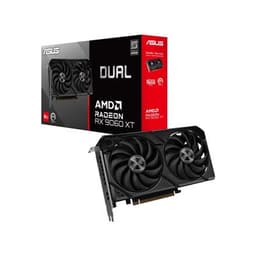
AMD Radeon RX 9060 XT 16GB
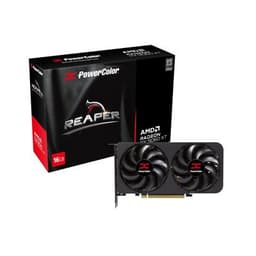
AMD's specifications list the RX 9060 XT with up to 16GB of GDDR6 on a 128-bit bus, up to 320GB/s of memory bandwidth, 32 compute units with 64 AI accelerators and a typical board power of 160W, with a 450W minimum PSU recommendation. Ollama's hardware support page lists the RX 9060 XT among its supported AMD Radeon cards. It's a good alternative if you prefer AMD, though check that the specific AI apps you want to use support Radeon cards. Our guide to the best 16GB graphics cards for local AI covers more options, and the best 12GB cards sit in between.
Tips for getting the most from 8GB
Stick to 4-bit models of 8B or smaller. Ollama's default tags use 4-bit Q4_K_M builds; for example, its gemma3:4b tag is the same file as gemma3:4b-it-q4_K_M.
Keep the context sensible. Only raise it when you need to, and check that the model still runs fully on the GPU afterwards with ollama ps.
Close other GPU-heavy apps. Games, video editors and even some browsers use VRAM, which leaves less for the model.
Consider a smaller model before a slower one. A 4B model running entirely on the GPU is often more pleasant to use than a 12B model split between the GPU and CPU.
Our verdict
The NVIDIA GeForce RTX 5060 Ti 8GB is the best 8GB graphics card for local AI in 2026, combining NVIDIA's CUDA support with the most processing power at this memory size. The GeForce RTX 5060 is the best value and lowest-power option, and holds exactly the same models because it also has 8GB. Either card will comfortably run 4B to 8B models at 4-bit, but 8GB is a firm limit: if local AI is a big reason for your upgrade, the RTX 5060 Ti 16GB or Radeon RX 9060 XT 16GB is the better long-term buy.