Specifications come from NVIDIA's product pages, checked on 25 November 2026. We haven't quoted UK prices, because graphics card prices are moving a lot at the moment and vary widely between partner models.
If you want to run chatbots, coding assistants or image generators on your own PC, an NVIDIA card is the path of least resistance. CUDA is what most local AI tools are built around first, and Ollama's documentation lists every current GeForce RTX 50 card and the RTX PRO 4000 Blackwell as supported. We've already covered the best Intel Arc cards and the best AMD cards for local AI; this guide completes the set.
The rule that matters most is simple: memory capacity decides what you can run, and memory bandwidth decides how fast text appears. Raw compute matters more for image generation and for processing long prompts, but a card that can't hold a model in its memory will either refuse to load it or slow to a crawl as the work spills over to system RAM.
NVIDIA for local AI at a glance
Card | Memory | Memory bus | AI TOPS (NVIDIA) | Board power | NVIDIA's minimum PSU |
|---|
GeForce RTX 5060 Ti 16GB | 16GB GDDR7 | 128-bit | 759 | 180W | 600W |
GeForce RTX 5070 | 12GB GDDR7 | 192-bit | 988 | 250W | 650W |
GeForce RTX 5070 Ti | 16GB GDDR7 | 256-bit | 1,406 | 300W | 750W |
GeForce RTX 5080 | 16GB GDDR7 | 256-bit | 1,801 | 360W | 850W |
GeForce RTX 5090 | 32GB GDDR7 | 512-bit | 3,352 | 575W | 1,000W |
RTX PRO 4000 Blackwell | 24GB GDDR7 (ECC) | 672GB/s bandwidth | n/a | 145W | n/a |
GeForce figures are for NVIDIA's Founders Edition or reference design; partner cards can differ. NVIDIA bases its minimum power supply figures on a PC with a Ryzen 9 9950X. AI TOPS is NVIDIA's own headline figure for its Tensor cores. It isn't a measure of chatbot speed and shouldn't be compared directly with other brands' numbers; our TOPS vs TFLOPS explainer explains why. A wider memory bus generally means more bandwidth with the same type of memory, which is why the bus column is a better clue to text-generation speed, as our memory bandwidth explainer sets out.
Best for most people: GeForce RTX 5070 Ti 16GB
Why it's our pick: the RTX 5070 Ti pairs 16GB of GDDR7 with a 256-bit memory bus, the same memory set-up as the more expensive RTX 5080. For language models, where memory capacity and bandwidth do most of the work, that makes it the sensible stopping point for most buyers. 16GB is enough for popular 7B to 14B-parameter models in 4-bit quantised form with a reasonable context window, and for image models such as FLUX.2 [klein] 4B.
NVIDIA lists 300W total graphics power and a 750W minimum power supply. That's manageable in a normal gaming PC, so the 5070 Ti is also a strong gaming card if the machine does double duty. Our specs database has partner versions such as the MSI RTX 5070 Ti 16GB Ventus 3X OC.
Bear in mind: 16GB still runs out on larger models and very long contexts. Our guide to LLM context length and VRAM shows how quickly the KV cache eats memory. Our RTX 5060 Ti 16GB vs RTX 5070 Ti comparison weighs it against the cheaper 16GB option.
Best budget choice: GeForce RTX 5060 Ti 16GB
Why it's our pick: it's the lowest-tier current GeForce RTX 50 card with 16GB of memory, so it can load the same models as the RTX 5070 Ti. NVIDIA lists 180W board power and a 600W minimum power supply, which makes it an easy upgrade for an existing PC. See the MSI RTX 5060 Ti 16GB Ventus 2X OC Plus in our database for a typical partner card.
Bear in mind: the 128-bit memory bus is half the width of the 5070 Ti's, so expect text to appear more slowly once a model is loaded. And make sure you buy the 16GB version: NVIDIA also sells an 8GB RTX 5060 Ti, and 8GB is a real limit for local AI. If you're stuck with an 8GB card, our guide to running a local LLM on 8GB of VRAM shows what's possible.
Best for the biggest models: GeForce RTX 5090 32GB
Why it's our pick: the RTX 5090 is the only GeForce card with 32GB of memory, and it has a 512-bit memory bus, twice the width of the 5070 Ti and 5080. That combination lets it hold larger quantised models, or mid-sized models with long context windows, entirely in graphics memory. NVIDIA's AI TOPS figure is also far higher than any other GeForce card, which helps with image and video generation. Full specs for the NVIDIA GeForce RTX 5090 Founders Edition are in our database.
Bear in mind: NVIDIA lists 575W total graphics power and a 1,000W minimum power supply, so this card needs a serious PSU, good airflow and a case with room for it. Read our guide to choosing a PSU for a local AI PC before buying, and our RTX 5090 vs RTX 4090 comparison if you're considering a used 24GB card instead.
Best 24GB option: NVIDIA RTX PRO 4000 Blackwell
Why it's our pick: if 16GB isn't enough but the RTX 5090's power draw is too much, the RTX PRO 4000 Blackwell sits in between. NVIDIA lists 24GB of GDDR7 with error-correcting code (ECC), 672GB/s of memory bandwidth and a maximum power consumption of just 145W, in a single-slot card. That makes it a good fit for compact workstations or for putting two cards in one PC.
Bear in mind: it's a professional workstation card rather than a GeForce gaming card, so check driver, cooling and warranty details with the seller before buying. Our RTX PRO 4000 Blackwell vs RTX 5070 Ti comparison goes into the trade-offs in detail.
Worth it only for gaming: RTX 5080 and RTX 5070
RTX 5080: NVIDIA's figures give it more compute than the 5070 Ti, but the same 16GB of memory on the same 256-bit bus. For language models that means no bigger models and, with the same memory set-up, no big jump in text-generation speed. It makes sense if you want the extra gaming performance; for AI alone, put the difference towards a 24GB or 32GB card instead. Our RTX 5070 Ti vs RTX 5080 comparison covers this in more depth. (RTX 5080 Founders Edition specs)
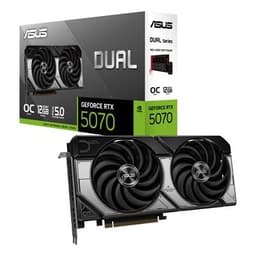
RTX 5070: a capable gaming card, but its 12GB of memory on a 192-bit bus limits the models you can run. If AI matters at all, the 16GB RTX 5060 Ti or RTX 5070 Ti is the better buy; see our RTX 5070 vs RTX 5070 Ti comparison. (ASUS RTX 5070 12GB Dual OC specs)
Software: why NVIDIA is the easy option
Ollama's hardware documentation says it supports NVIDIA GPUs with compute capability 5.0 and above, with driver version 550 or newer, and lists the RTX 50 series and RTX PRO Blackwell cards among them. CUDA is also the most widely supported acceleration path in local AI tools generally. That's the main reason to choose NVIDIA over a similarly priced AMD or Intel card with more memory: fewer compatibility problems and more tutorials written for your hardware. Our CUDA vs ROCm vs Vulkan explainer covers the alternatives.
How to choose
Mostly chatbots and coding assistants with 7B to 14B models: RTX 5070 Ti 16GB, or the RTX 5060 Ti 16GB on a tighter budget.
Larger models or long documents: RTX 5090 32GB, or the RTX PRO 4000 Blackwell 24GB if power and size matter.
Gaming first, AI occasionally: RTX 5080 or RTX 5070, accepting the memory limits.
Avoid for AI: 8GB cards, including the 8GB RTX 5060 Ti and RTX 5060.
On a budget and happy to buy used: our guide to used GPUs for local AI covers older 24GB cards such as the RTX 3090.
Our verdict
The GeForce RTX 5070 Ti is the best NVIDIA card for local AI for most people, because 16GB on a 256-bit bus gives you the same memory set-up as the RTX 5080 for less power. Choose the RTX 5060 Ti 16GB if budget comes first, the 32GB RTX 5090 for the biggest models, and the 145W RTX PRO 4000 Blackwell if you want 24GB without a huge power supply. Avoid 8GB cards if local AI is the reason you're upgrading.