Specifications come from AMD's product pages and software support from Ollama's hardware documentation, both checked on 24 November 2026. We've picked on the things that decide what you can run locally: how much VRAM a card has, how fast that memory is, and how well the software supports it.
AMD graphics cards are a sensible choice for running AI models on your own PC. Current Radeon cards come with 16GB, 24GB or 32GB of VRAM, and popular tools such as Ollama can use them through AMD's ROCm platform or the cross-vendor Vulkan API. There's one important catch, which we'll cover first.
The Windows ROCm catch
Ollama's hardware documentation, which is a useful guide to the state of AMD support, lists two different sets of cards:
On Linux, Ollama's ROCm v7 support covers the RX 9070 XT, 9070 GRE, 9070, 9060 XT and 9060, the RX 7000 series, several RX 6000 cards and the Radeon AI PRO R9700 and R9600D.
On Windows, its ROCm list covers only the RX 7900 XTX, 7900 XT, 7900 GRE, 7800 XT, 7700 XT, 7600 XT and 7600, plus Radeon PRO W7000 cards.
That doesn't mean newer cards don't work on Windows. Ollama says it also supports GPUs through Vulkan, that Vulkan is enabled by default when the backend is installed, and that most vendors' Windows drivers include Vulkan support. But if you want ROCm specifically on an RX 9000-series card, plan to use Linux. Our CUDA vs ROCm vs Vulkan explainer covers the differences, and our guide to running local AI on an AMD Radeon GPU walks through setup.
Our picks at a glance
Card | VRAM | Memory bus | Bandwidth | Board power | Best for |
|---|
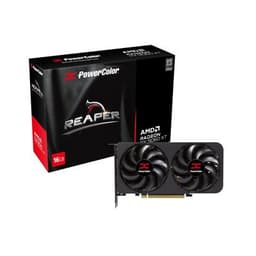
Radeon RX 9060 XT 16GB | 16GB GDDR6 | 128-bit | Up to 320GB/s | 160W | Budget 16GB entry point |
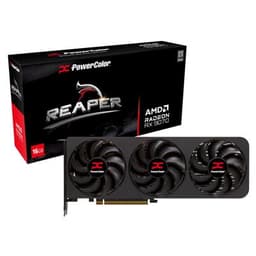
Radeon RX 9070 | 16GB GDDR6 | 256-bit | Up to 640GB/s | 220W | Best value 16GB card for LLMs |
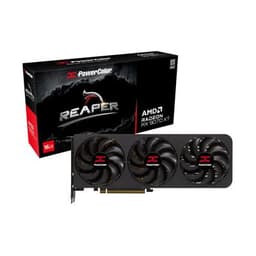
Radeon RX 9070 XT | 16GB GDDR6 | 256-bit | Up to 640GB/s | 304W | Gaming plus AI, image generation |
Radeon AI PRO R9700 | 32GB GDDR6 | 256-bit | 640GB/s | 300W | Bigger models on one card |
Radeon RX 7900 XTX | 24GB GDDR6 | Not listed | Up to 960GB/s | 355W | Windows ROCm, 24GB |
All figures are AMD's reference specifications; partner cards can differ in clocks, power and size.
Best budget AMD card for local AI: Radeon RX 9060 XT 16GB
The RX 9060 XT 16GB is the cheapest way into a 16GB Radeon card from the current generation. AMD lists 32 compute units, 64 AI accelerators, 16GB of GDDR6 on a 128-bit bus, up to 320GB/s of memory bandwidth and a 160W typical board power, with a 450W minimum power supply recommendation.
16GB is the amount that matters here: it gives room for mid-sized quantised language models and for most image generation workflows. The trade-off is bandwidth. Text generation speed in local LLMs depends heavily on memory bandwidth, as our memory bandwidth explainer shows, and this card has half the bandwidth of the RX 9070. Make sure you buy the 16GB version, not the 8GB one.
Best value AMD card for local LLMs: Radeon RX 9070
The RX 9070 is our pick for most people buying a Radeon mainly for local language models. On paper it has the same memory setup as the more expensive RX 9070 XT: 16GB of GDDR6 on a 256-bit bus at up to 640GB/s. Where it gives ground is compute, with 56 compute units and 112 AI accelerators against the XT's 64 and 128, and AMD rates its FP16 matrix throughput at 145 TFLOPS against 195 for the XT.
Because language model text generation tends to be limited by memory bandwidth, the RX 9070's lower compute should matter less for chatting with LLMs than for compute-heavy jobs such as image generation. It also has a 220W typical board power against 304W for the XT, and AMD recommends a 650W power supply rather than 750W.
Best AMD card for gaming and AI: Radeon RX 9070 XT
If the same card has to handle games and AI image generation as well as chat, the RX 9070 XT is the one to get. AMD lists 64 compute units, 128 AI accelerators, a 2,970MHz boost clock and 195 TFLOPS of FP16 matrix performance (389 TFLOPS with structured sparsity), with the same 16GB and 640GB/s as the RX 9070. The cost is power: 304W typical board power and a 750W minimum PSU recommendation. Our RX 9060 XT 16GB vs RX 9070 XT comparison goes into more detail.
Best AMD card for bigger models: Radeon AI PRO R9700
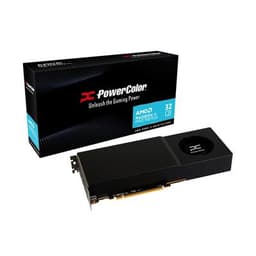
The Radeon AI PRO R9700 is the card to buy if 16GB isn't enough. AMD lists the same 64 compute units, 128 AI accelerators and 53.9 billion transistors as the RX 9070 XT, but double the memory: 32GB of GDDR6 on a 256-bit bus at 640GB/s, with ECC support on Linux. AMD rates it at 300W total board power with a 750W minimum PSU, and it uses a 12V-2x6 power connector.
32GB lets you run larger quantised models, or keep longer context, on a single card instead of splitting a model between two. It's sold as a workstation card, so check UK prices against an RX 9070 XT and buy it only if you know you need the memory. See our R9700 vs RX 9070 XT comparison and our best 32GB graphics cards for local AI guide.
Best AMD card for Windows ROCm: Radeon RX 7900 XTX
The previous-generation RX 7900 XTX is still worth considering, especially second-hand. AMD lists 24GB of GDDR6 and up to 960GB/s of memory bandwidth, the highest of any card here, plus 96 compute units. It's also on Ollama's Windows ROCm list, which none of the RX 9000 cards are. The downsides are its age, its older-generation design (AMD rates FP16 matrix performance at 123 TFLOPS, below the RX 9070's 145), and power: 355W typical board power and an 800W minimum PSU recommendation. Our RTX 3090 vs RX 7900 XTX comparison looks at it against NVIDIA's most popular used 24GB card.
How we chose
We started from AMD's current and recent desktop cards with at least 16GB of VRAM, because that's the practical minimum for comfortable local AI in 2026. We then weighed memory capacity first, memory bandwidth second, and software support third, using Ollama's documented ROCm lists as a guide. We left out 8GB cards, and we haven't included prices because they move quickly; check UK retailers such as Scan, Overclockers and Box before you buy.
Our verdict
For most people running local language models on a Radeon card, the RX 9070 is the best buy: it has the same 16GB and 640GB/s memory bandwidth as the RX 9070 XT at a much lower board power. Choose the RX 9070 XT if you also game or generate images, the RX 9060 XT 16GB if budget is tight, and the Radeon AI PRO R9700 if you need 32GB on one card. A used RX 7900 XTX still makes sense for 24GB and ROCm on Windows. On RX 9000-series cards, plan on Vulkan under Windows or ROCm under Linux.