MSI's current motherboards are sold under three main names: PRO, MAG (which includes the Tomahawk line) and MPG. Across AMD's AM5 and Intel's LGA 1851 sockets that adds up to a lot of models, and the differences that matter are usually the chipset, the number and speed of M.2 slots, networking and whether you get USB4 or Thunderbolt. We've picked six boards using MSI's official specification pages. We haven't listed prices because they change daily.
Quick picks
All specs below are from MSI's product specification pages.
Best for most AM5 builds: MSI MAG B850 Tomahawk Max WiFi II
The B850 Tomahawk Max WiFi II gives most Ryzen builders everything they need without paying for an X870 board. MSI lists four DDR5 slots with up to 256GB, memory overclocking support up to DDR5-8400 (with JEDEC speeds of 4800 to 5600 MT/s), a PCIe 5.0 x16 graphics card slot from the CPU, and four M.2 slots with M.2_1 running at PCIe 5.0 x4. You also get four SATA ports, 5G LAN, Wi-Fi 7 and Realtek's ALC4080 audio codec.
What you don't get compared with the X870 Tomahawk is USB4. If you don't need 40Gbps USB-C, this is the board to start with. For a closer look at the two, see MAG X870 Tomahawk WiFi vs MAG B850 Tomahawk Max WiFi II.
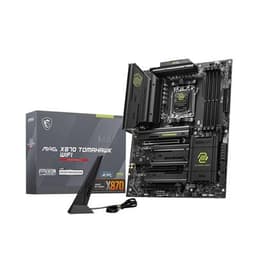
Best AM5 with USB4: MSI MAG X870 Tomahawk WiFi
The X870 Tomahawk WiFi has a very similar core spec to the B850 model: four DDR5 slots up to 256GB, DDR5-8400 memory overclocking support, a PCIe 5.0 x16 slot, four M.2 slots with a PCIe 5.0 x4 M.2_1, four SATA, 5G LAN, Wi-Fi 7 and ALC4080 audio. The headline addition is USB4, with two USB 40Gbps Type-C ports on the back panel.
There's a catch worth knowing. MSI says the rear USB 40Gbps ports and the M.2_2 slot share PCIe 5.0 x4 bandwidth: both run at PCIe 5.0 x2 when a drive is installed in M.2_2, and switching M.2_2 to x4 in the BIOS disables the USB 40Gbps ports. Our guide to checking M.2 slot lane sharing explains how to read these notes. For more X870 options, see best X870 motherboard.
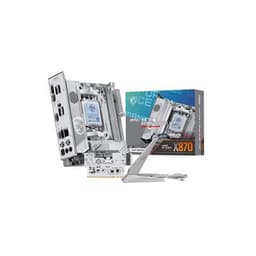
Best Mini-ITX: MSI MPG X870I Edge Ti Evo WiFi
For small form factor AM5 builds, the MPG X870I Edge Ti Evo WiFi packs in X870 features on a Mini-ITX board. Like most Mini-ITX boards it has two DDR5 slots, with up to 128GB, and MSI lists memory overclocking support up to DDR5-10000. There's a single PCIe 5.0 x16 slot, M.2_1 at PCIe 5.0 x4, and MSI's spec page also lists two chipset-connected PCIe 4.0 x4 M.2 slots (M.2_2 and M.2_3). Connectivity includes two rear USB 40Gbps Type-C ports, 5G LAN, Wi-Fi 7 and ALC4080 audio.
Check your case's cooler and graphics card clearances carefully, as you would with any Mini-ITX build. More compact options are in our best Mini-ITX AM5 motherboard guide.
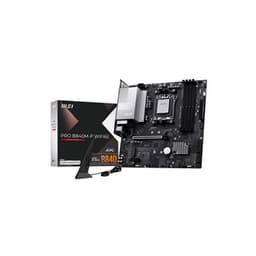
Best budget AM5: MSI PRO B840M-P WiFi6E
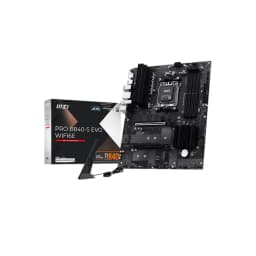
If you're building a budget Ryzen PC, the PRO B840M-P WiFi6E keeps the basics covered on AMD's entry-level B840 chipset. It's a Micro-ATX board with four DDR5 slots (up to 256GB), DDR5-8000 memory overclocking support, two M.2 slots with M.2_1 at PCIe 4.0 x4, four SATA ports, 2.5G LAN and Wi-Fi 6E.
The trade-offs are what you'd expect from B840: the graphics card slot is PCIe 4.0 x16 rather than 5.0, and there's no PCIe 5.0 M.2 slot. For a mid-range graphics card and a PCIe 4.0 SSD, that's not a problem. See B840 vs B850 for the chipset differences.
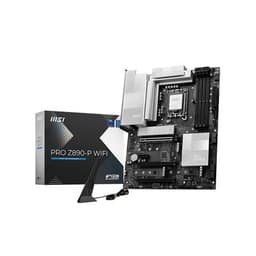
Best for Intel Core Ultra: MSI PRO Z890-P WiFi
For an LGA 1851 Core Ultra 200S build, the PRO Z890-P WiFi offers a lot of connectivity on a PRO-series board. MSI lists four DDR5 slots with up to 256GB, memory overclocking support up to 9200 MT/s, a PCIe 5.0 x16 graphics slot, and four M.2 slots: M.2_1 at PCIe 5.0 x4 and three at PCIe 4.0 x4, one of which also supports SATA mode. There are also four SATA ports, a rear Thunderbolt 4 port, 5G LAN and Wi-Fi 7. Audio is Realtek's ALC897 codec rather than the ALC4080 on the MAG boards above.
Our B860 vs Z890 comparison explains the chipset differences, including overclocking.
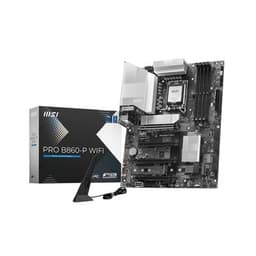
Best value Intel: MSI PRO B860-P WiFi
If you don't need the Z890 chipset, the PRO B860-P WiFi keeps the Z890-P's key features at a lower tier. MSI lists four DDR5 slots up to 256GB, memory overclocking support up to 8800 MT/s, a PCIe 5.0 x16 graphics slot, and three M.2 slots, with M.2_1 at PCIe 5.0 x4. It also has four SATA ports, a rear Thunderbolt 4 port, 5G LAN, Wi-Fi 7 and ALC897 audio.
Compared with the Z890-P on MSI's spec pages, you lose one M.2 slot and the memory overclocking ceiling drops from 9200 to 8800 MT/s. More options are in our best B860 motherboard guide.
How to choose an MSI motherboard
Start with your CPU's socket. AM5 boards are for Ryzen 7000, 8000 and 9000 desktop chips; LGA 1851 boards are for Intel Core Ultra 200S desktop chips (MSI's Z890 and B860 pages say Intel Core Ultra Processors (Series 2)). MSI's AM5 boards above list support for Ryzen 9000, 8000 and 7000 series processors.
Check the BIOS for newer CPUs. A board on the shelf may need a BIOS update before it supports the newest processors. See how to update your BIOS safely.
Count your M.2 drives and read the lane-sharing notes. Faster slots can share bandwidth with USB4 ports or other slots, as on the X870 Tomahawk.
Decide whether you need Wi-Fi. Every board here includes Wi-Fi and Bluetooth; our Wi-Fi vs non-Wi-Fi motherboard guide explains when a cheaper non-Wi-Fi version makes sense.
For other brands, see best Gigabyte motherboard, best B850 motherboard and best AM5 motherboard.