AMD's B850 chipset is the sensible middle ground for most AM5 builds. AMD describes the B850 platform as offering overclocking support, DDR5 memory with AMD EXPO and PCIe 5.0 connectivity for NVMe storage, and every board here gives you a PCIe 5.0 x16 graphics slot and at least one PCIe 5.0 M.2 slot with a Ryzen 9000 or 7000 processor. We've picked these boards by comparing the manufacturers' official specification pages.
If you're not sure whether you need B850 or X870, start with our B850 vs X870 comparison.
Quick picks
Board | Size | M.2 slots | Networking | Best for |
|---|
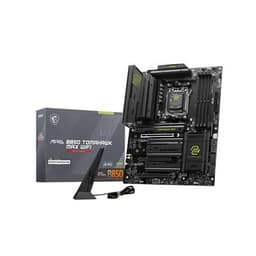
MSI MAG B850 TOMAHAWK WIFI | ATX | 3 (1x PCIe 5.0) | 5G LAN, Wi-Fi 7 | Best all-rounder |
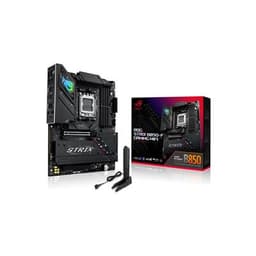
ASUS ROG STRIX B850-F GAMING WIFI | ATX | 4 (2x PCIe 5.0) | Intel 2.5Gb, Wi-Fi 7 | Most fast storage |
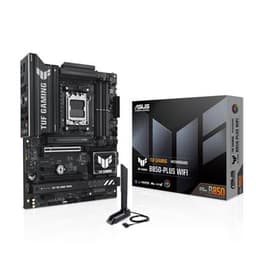
ASUS TUF GAMING B850-PLUS WIFI | ATX | 3 (1x PCIe 5.0) | 2.5Gb, Wi-Fi 7 | Plenty of rear USB |
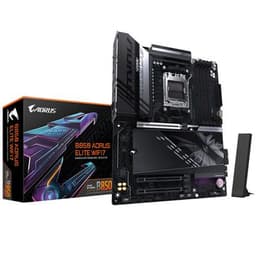
GIGABYTE B850 AORUS ELITE WIFI7 | ATX | 3 (1x PCIe 5.0) | 2.5GbE, Wi-Fi 7 | Tool-free building |
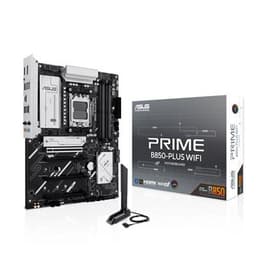
ASUS PRIME B850-PLUS WIFI | ATX | PCIe 5.0 M.2_1 plus more | 2.5Gb, Wi-Fi 6E | A simpler ATX board |
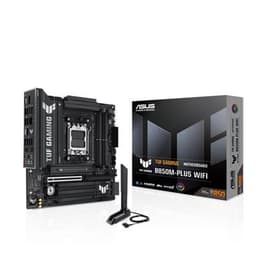
ASUS TUF GAMING B850M-PLUS WIFI | Micro-ATX | 3 (1x PCIe 5.0) | 2.5Gb, Wi-Fi 6E | Best micro-ATX |
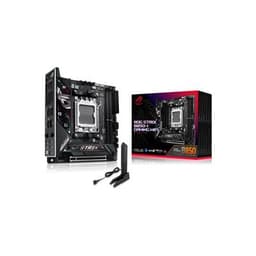
ASUS ROG STRIX B850-I GAMING WIFI | Mini-ITX | 2 (both PCIe 5.0) | Intel 2.5Gb, Wi-Fi 7 | Best mini-ITX |
1. MSI MAG B850 TOMAHAWK WIFI: best all-rounder
MSI's Tomahawk stands out for networking: it has a Realtek 8126VB 5G LAN port as well as Wi-Fi 7 with Bluetooth 5.4. It has four DDR5 slots (up to 256GB), a PCIe 5.0 x16 slot from the CPU, three M.2 slots with M.2_1 supporting PCIe 5.0 x4, and four SATA ports. The rear panel includes a USB 20Gbps Type-C port, plus Clear CMOS and Flash BIOS buttons. See our guide to updating your BIOS safely.
2. ASUS ROG STRIX B850-F GAMING WIFI: most fast storage
If you plan to run more than one PCIe 5.0 SSD, this is the board to look at. ASUS lists four M.2 slots, and with a Ryzen 7000 or 9000 CPU both M.2_1 and M.2_2 support PCIe 5.0 x4. The trade-off is only two SATA ports. It has Intel 2.5Gb Ethernet, Wi-Fi 7, 12 rear USB ports including a USB 20Gbps Type-C port, optical S/PDIF out, and BIOS FlashBack and Clear CMOS buttons. ASUS notes the chipset-connected PCIe x16 slot (which runs at x4) shares bandwidth with M.2_3.
3. ASUS TUF GAMING B850-PLUS WIFI: lots of rear USB
The TUF B850-PLUS WIFI has three M.2 slots (M.2_1 at PCIe 5.0 x4), four SATA ports, Realtek 2.5Gb Ethernet and Wi-Fi 7. Its rear panel has 10 USB ports, including one USB 20Gbps Type-C. ASUS notes that the second PCIe x16 slot is disabled when M.2_3 is in use, so plan your expansion cards and SSDs together.
4. GIGABYTE B850 AORUS ELITE WIFI7: easiest to build with
GIGABYTE's board focuses on build convenience: EZ-Latch Plus gives quick-release, screwless PCIe and M.2 slots, and EZ-Latch Click provides screwless M.2 heatsinks. It has three M.2 slots (one PCIe 5.0, two PCIe 4.0), a PCIe 5.0 x16 slot, 2.5GbE and Wi-Fi 7, six fan headers and a 14+2+2 phase digital VRM. GIGABYTE quotes DDR5 overclocking up to 8200MT/s.
5. ASUS PRIME B850-PLUS WIFI: a simpler ATX option
The PRIME B850-PLUS WIFI keeps the essentials: a PCIe 5.0 x16 slot, a PCIe 5.0 x4 M.2_1 slot, Realtek 2.5Gb Ethernet and Wi-Fi 6E rather than Wi-Fi 7. It has eight rear USB ports, four of them 10Gbps (including one Type-C), plus a BIOS FlashBack button. Our Wi-Fi 7 vs Wi-Fi 6E comparison explains when the newer standard helps.
6. ASUS TUF GAMING B850M-PLUS WIFI: best micro-ATX
For smaller cases, the TUF B850M-PLUS WIFI keeps three M.2 slots (M.2_1 at PCIe 5.0 x4) and four SATA ports in a 24.4 x 24.4cm micro-ATX board, according to ASUS. It has Realtek 2.5Gb Ethernet, Wi-Fi 6E and 12 rear USB ports, including USB 20Gbps Type-C. There's only one extra PCIe x1 slot besides the graphics slot.
7. ASUS ROG STRIX B850-I GAMING WIFI: best mini-ITX
On a small board, ASUS lists both M.2 slots on the B850-I at PCIe 5.0 x4 with a Ryzen 7000 or 9000 CPU. It has Intel 2.5Gb Ethernet, Wi-Fi 7, two SATA ports and eight rear USB ports, including USB 20Gbps Type-C. For case ideas see best mini-ITX case, and for other small boards see best mini-ITX AM5 motherboard.
How to choose
Storage: count the M.2 slots you need now and later, and check which ones share bandwidth with PCIe slots. Our guide to checking M.2 slot speed helps.
Networking: most homes are fine with 2.5Gb Ethernet; the Tomahawk's 5G LAN needs a router or switch that supports more than 2.5Gb to go faster.
Memory: pair the board with a kit from our best DDR5 RAM for AM5 guide.
Size: make sure your case supports the board's form factor.
For X870 and X870E boards too, see our best AM5 motherboard guide.
Our verdict
The MSI MAG B850 TOMAHAWK WIFI is our pick for most builds on paper, thanks to 5G LAN, Wi-Fi 7 and a PCIe 5.0 M.2 slot. Choose the ROG STRIX B850-F if you want two PCIe 5.0 SSDs, the TUF B850M-PLUS WIFI for micro-ATX, and the ROG STRIX B850-I for mini-ITX. Check current UK prices before you buy.