Gigabyte sells the same GPU in several coolers, and the names (WINDFORCE, WINDFORCE MAX, EAGLE, GAMING, Low Profile, SFF) don't tell you much about size or power needs. This guide picks the best Gigabyte card for each type of build using only Gigabyte's official specification pages: card length, thickness, recommended power supply, power connectors and outputs. Prices move daily, so we haven't listed any.
Quick picks
Pick | Card | Memory | Length x height x thickness | Recommended PSU | Power connector |
|---|
Best for most gaming PCs | GeForce RTX 5070 WINDFORCE OC SFF 12G | 12GB GDDR7, 192-bit | 282 x 110 x 50mm | 750W | 1x 16-pin |
Best high-end Nvidia | GeForce RTX 5070 Ti EAGLE OC SFF 16G | 16GB GDDR7, 256-bit | 304 x 126 x 50mm | 750W | 1x 16-pin |
Best AMD | Radeon RX 9070 XT GAMING OC 16G | 16GB GDDR6, 256-bit | 288 x 132 x 56mm | 850W | 3x 8-pin |
Best mid-range value | GeForce RTX 5060 Ti WINDFORCE MAX OC 16G | 16GB GDDR7, 128-bit | 208 x 120 x 40mm | 650W | 1x 8-pin |
Best budget | GeForce RTX 5060 WINDFORCE MAX OC 8G | 8GB GDDR7, 128-bit | 199 x 116 x 40mm | 550W | 1x 8-pin |
Best low-profile | GeForce RTX 5060 OC Low Profile 8G | 8GB GDDR7, 128-bit | 182 x 69 x 36mm | 550W | 1x 8-pin |
Gigabyte lists card size as L (length), W and H. In the table, the middle figure is Gigabyte's W (how tall the card is) and the last is H (how thick it is, which decides how many slots it covers).
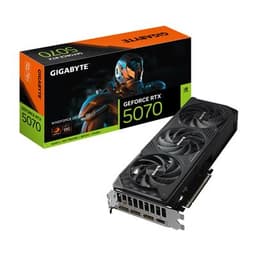
Best for most gaming PCs: Gigabyte RTX 5070 WINDFORCE OC SFF 12G
The Gigabyte RTX 5070 12GB Windforce OC is the sensible middle of Gigabyte's range. Gigabyte lists 6,144 CUDA cores, 12GB of 28Gbps GDDR7 on a 192-bit bus and a 2,542MHz core clock, against 2,512MHz for the reference card. It's 282mm long and 50mm thick, recommends a 750W power supply and uses a single 16-pin connector, with a 12V-2x6 to dual 8-pin adapter in the box, so a PSU without a native 16-pin cable can use two 8-pin PCIe cables instead. Outputs are three DisplayPort 2.1b and one HDMI 2.1b.
Choose it if you want a mainstream Nvidia card for a gaming build without the size of the bigger models. For how the RTX 5070 compares with AMD's closest card in independent testing, read RX 9070 vs RTX 5070.
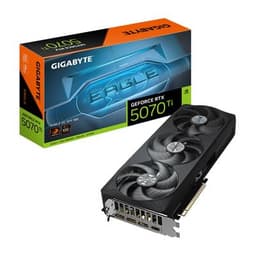
Best high-end Nvidia: Gigabyte RTX 5070 Ti EAGLE OC SFF 16G
The Gigabyte RTX 5070 Ti 16GB Eagle OC steps up to 8,960 CUDA cores and 16GB of GDDR7 on a 256-bit bus, with a 2,542MHz core clock (reference 2,452MHz). It's the longest card here at 304mm, still 50mm thick, and Gigabyte again recommends 750W with one 16-pin connector and a 12V-2x6 to dual 8-pin adapter. Gigabyte also includes its "Versatile VGA holder", a support bracket that's worth fitting on a card this long; see how to fix GPU sag.
Choose it if you want a faster Nvidia GPU with 16GB of video memory and features such as DLSS. Check your case's GPU clearance first using how to check a graphics card fits your case.
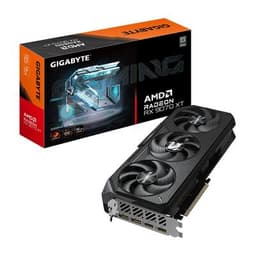
Best AMD: Gigabyte RX 9070 XT GAMING OC 16G
The Gigabyte RX 9070 XT 16GB Gaming OC is our pick for AMD buyers. It has 4,096 stream processors and 16GB of 20Gbps GDDR6 on a 256-bit bus. Gigabyte rates the boost clock at up to 3,060MHz (reference 2,970MHz) and the game clock at up to 2,520MHz (reference 2,400MHz).
It's the most demanding card here to fit and power: 288mm long, 132mm tall and 56mm thick, with three 8-pin connectors and an 850W recommended PSU. In return you get two DisplayPort 2.1a and two HDMI 2.1b outputs, which is handy if you run a TV and a monitor. For the head-to-head with Nvidia's closest card, see RX 9070 XT vs RTX 5070 Ti, and for other brands' versions, best RX 9070 XT graphics card.
Best mid-range value: Gigabyte RTX 5060 Ti WINDFORCE MAX OC 16G
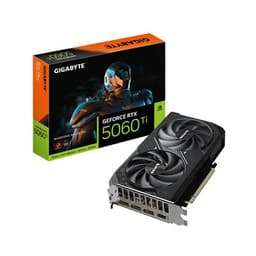
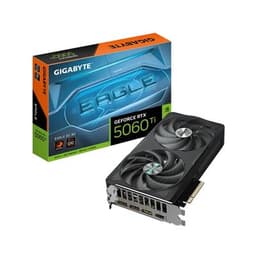
The Gigabyte 5060 Ti 16GB is the 16GB WINDFORCE MAX OC model. Gigabyte lists 4,608 CUDA cores, 16GB of GDDR7 on a 128-bit bus and a 2,587MHz core clock (reference 2,572MHz). At 208mm long and 40mm thick it fits far more cases than the RTX 5070 cards, and it needs only one 8-pin connector and a 650W recommended PSU.
Gigabyte also sells the Gigabyte 5060 Ti 8GB Eagle OC (215mm, 2,617MHz core clock, same 650W and 8-pin requirements). We'd pay extra for the 16GB card: more video memory gives more headroom for high texture settings and local AI. Our RTX 5060 Ti 8GB vs 16GB comparison explains the trade-off.
Best budget: Gigabyte RTX 5060 WINDFORCE MAX OC 8G
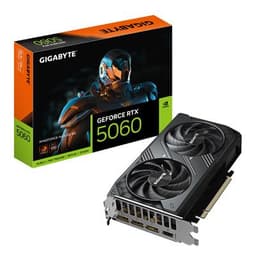
The Gigabyte RTX 5060 8GB Windforce Max OC is the cheapest way into Gigabyte's RTX 50 range here. It has 3,840 CUDA cores, 8GB of GDDR7 on a 128-bit bus and a 2,512MHz core clock (reference 2,497MHz). It's 199mm long and 40mm thick, recommends a 550W PSU and uses one 8-pin connector, so it suits budget builds and upgrades for PCs with modest power supplies, as long as the PSU has an 8-pin PCIe cable. Outputs are three DisplayPort 2.1b and one HDMI 2.1b.
The 8GB limit is the catch. If you can stretch, the 16GB RTX 5060 Ti is the safer long-term buy; see RTX 5060 vs RTX 5060 Ti 16GB.
Best low-profile: Gigabyte RTX 5060 OC Low Profile 8G
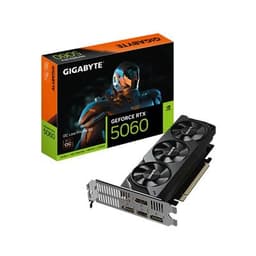
The Gigabyte RTX 5060 8GB OC W/LP is the card for slim office PCs and small cases. It uses the same RTX 5060 chip and 2,512MHz core clock as the WINDFORCE MAX, but Gigabyte lists it at 182mm long, 69mm tall and 36mm thick, and includes a low-profile bracket in the box. It still needs an 8-pin connector and a 550W recommended PSU, so check that a slim prebuilt's power supply can provide both before buying. Outputs are two DisplayPort 2.1b, one DisplayPort 1.4a and one HDMI 2.1b. For other options, see best low-profile graphics card.
How to choose a Gigabyte card
Measure first. Gigabyte's lengths run from 182mm to 304mm and thickness from 36mm to 56mm. Compare the L figure with your case's maximum GPU length, and allow room for cables.
Check the power supply. Gigabyte's recommendations here range from 550W to 850W. The RTX 5070 and 5070 Ti use one 16-pin (12V-2x6) connector with an adapter included, while the RX 9070 XT GAMING OC needs three separate 8-pin cables. Our PSU wattage guide helps you check your system.
Don't pay for the name alone. Gigabyte's "OC" clocks above are small increases over the reference figures, typically tens of MHz on the Nvidia cards here, so cooler size, noise and fit matter more than the label.
Compare other brands. See our guides to the best MSI graphics card, best ASUS graphics card and best graphics card overall.