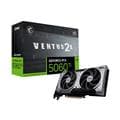
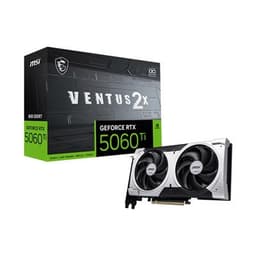
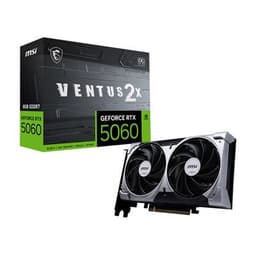
MSI sells GeForce RTX 50-series cards in several ranges, and this guide focuses on its Ventus cards, which come with two or three fans. This guide compares six Ventus cards, from the RTX 5060 to the RTX 5080, and explains which suits which kind of gaming PC. For performance, check independent reviews of the GPU you're considering.
MSI Ventus RTX 50 cards at a glance
Card | Memory | Memory bus | CUDA cores | Power (MSI) | Recommended PSU | Power connector | Length |
|---|
RTX 5060 8G Ventus 2X OC | 8GB GDDR7 | 128-bit | 3,840 | 145W | 550W | 8-pin | 197mm |
RTX 5060 Ti 8G Ventus 2X OC Plus | 8GB GDDR7 | 128-bit | 4,608 | 180W | 600W | 8-pin | 227mm |
RTX 5060 Ti 16G Ventus 2X OC Plus | 16GB GDDR7 | 128-bit | 4,608 | 180W | 600W | 8-pin | 227mm |
RTX 5070 12G Ventus 2X OC | 12GB GDDR7 | 192-bit | 6,144 | 250W | 650W | 16-pin | 236mm |
RTX 5070 Ti 16G Ventus 3X OC | 16GB GDDR7 | 256-bit | 8,960 | 300W | 750W | 16-pin | 303mm |
RTX 5080 16G Ventus 3X OC | 16GB GDDR7 | 256-bit | 10,752 | 360W | 850W | 16-pin | 303mm |
All six have three DisplayPort 2.1b outputs and one HDMI 2.1b output, and MSI lists a maximum digital resolution of 7680 x 4320 for each. Every card in the table is a PCI Express Gen 5 card, but MSI notes that the RTX 5060 and both RTX 5060 Ti models use eight lanes (x8) in an x16 slot. That's worth knowing if you're fitting one in an older PCIe 3.0 board; our PCIe x16 vs x8 graphics card explainer covers when it matters.
Best for most 1440p gaming PCs: MSI RTX 5070 Ti 16G Ventus 3X OC
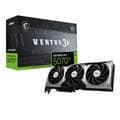
The MSI RTX 5070 Ti 16GB Ventus 3X OC is the pick for a high-refresh 1440p or entry 4K build. MSI lists 8,960 CUDA cores, 16GB of GDDR7 at 28Gbps on a 256-bit bus and a 2,482MHz boost clock (2,497MHz in MSI Center's Extreme Performance mode). That 16GB of memory gives more headroom for high texture settings than the 12GB RTX 5070.
The trade-offs are size and power. At 303 x 121 x 49mm it's a long card, so check your case's GPU clearance, and MSI rates it at 300W with a 750W recommended power supply and a single 16-pin connector (MSI recommends an ATX 3.1 PSU). Our best 850W power supplies guide gives you some margin above that recommendation.
Best value step-up: MSI RTX 5070 12G Ventus 2X OC
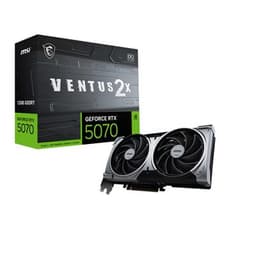
If the 5070 Ti stretches your budget or your case, the MSI RTX 5070 12GB Ventus 2X OC is much easier to fit. It's 236mm long with two fans, MSI rates it at 250W and recommends a 650W power supply. You get 6,144 CUDA cores and 12GB of GDDR7 on a 192-bit bus. It's a sensible card for 1440p, but 12GB is the main compromise against the 16GB cards. Our best GPU for 1440p guide compares it with AMD's alternatives.
Best for 4K and heavy workloads: MSI RTX 5080 16G Ventus 3X OC
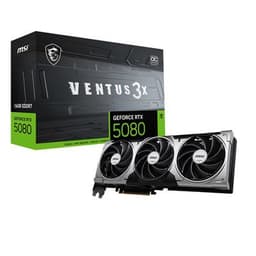
The MSI RTX 5080 16GB Ventus 3X OC is the highest-specified of the six Ventus cards covered here. It has 10,752 CUDA cores, 16GB of faster 30Gbps GDDR7 on a 256-bit bus and a 2,640MHz boost clock. It's the same 303mm length as the 5070 Ti, but MSI rates it at 360W and recommends an 850W power supply. Choose it if you play at 4K with high settings or use your GPU for creative work. Make sure the 16-pin cable is fully seated; see our guide to connecting a 12V-2x6 cable safely.
Best for 1080p and smaller cases: MSI RTX 5060 Ti 16G Ventus 2X OC Plus
The MSI RTX 5060 Ti 16GB Ventus 2X OC Plus is the one to buy for a mainstream 1080p gaming PC. It uses a standard 8-pin power connector, MSI rates it at 180W with a 600W recommended PSU, and at 227mm long it's short enough for many compact cases (check your case's GPU clearance).
There's also an 8GB version with the same 4,608 CUDA cores, clocks, power rating and size. We'd pay the extra for 16GB unless the budget is very tight, because memory capacity is the one thing you can't upgrade later. Our RTX 5060 Ti 8GB vs 16GB comparison explains the difference in detail.
Best budget MSI card: MSI RTX 5060 8G Ventus 2X OC
The MSI RTX 5060 8GB Ventus 2X OC is the smallest and least power-hungry card here: 197mm long, 145W and a 550W recommended PSU, with one 8-pin connector. MSI lists 3,840 CUDA cores and 8GB of GDDR7 on a 128-bit bus. It suits a budget 1080p build or an upgrade for an older PC with a modest power supply, but with 8GB of memory you may need to lower texture settings in some newer games. If you're choosing between this and the next card up, see RTX 5060 vs RTX 5060 Ti 16GB.
What "Ventus", "2X", "3X", "OC" and "Plus" mean
Ventus is the name of the MSI range covered here; MSI's other ranges have their own specification pages.
2X / 3X is the number of fans. The two-fan cards here are 197-236mm long; the three-fan cards are 303mm.
OC appears in all six model names. For each card, MSI lists a standard boost clock and a slightly higher "Extreme Performance" clock that you get by using MSI Center.
Plus is part of the RTX 5060 Ti Ventus model names; compare the spec pages rather than assuming it means a big difference.
How to choose
Check the length. Measure your case's GPU clearance against MSI's card dimensions (197mm to 303mm here).
Check your power supply. Match MSI's recommended wattage and the connector: the RTX 5060 and 5060 Ti use an 8-pin, the 5070 and up use a 16-pin.
Decide on memory. 8GB is entry level in 2026; 12GB to 16GB gives more headroom.
Check independent reviews for performance, noise and temperatures of the exact card.
Our how to choose a graphics card guide goes through each of these steps. To compare MSI with other brands, see our best ASUS graphics cards and best Sapphire graphics cards guides, or our overall best graphics cards.
Our verdict
For most people building a 1440p gaming PC, the MSI RTX 5070 Ti 16G Ventus 3X OC is the MSI card to buy: 16GB of memory on a 256-bit bus and 8,960 CUDA cores, provided your case takes a 303mm card and you have a 750W power supply. If you need a smaller card or a cheaper upgrade, the RTX 5060 Ti 16G Ventus 2X OC Plus is the best mainstream choice, with an 8-pin connector and a 600W PSU recommendation. Choose the RTX 5080 Ventus only for 4K or heavy creative work, and the RTX 5060 Ventus for tight budgets and modest power supplies. Whichever card you pick, check independent reviews for its performance and noise.