The graphics card is usually the most expensive part of a gaming PC and has the biggest effect on how games run. It's also the easiest part to get wrong. You might buy too little VRAM for your resolution, or a card your power supply can't run. This guide takes you through the decisions in order, using NVIDIA and AMD's official specifications for current GeForce RTX 50 Series and Radeon RX 9000 Series cards as worked examples. For performance, check independent reviews of the exact card you're considering. We haven't listed prices because they change quickly around Black Friday.
Step 1: Start with your monitor
Your monitor's resolution and refresh rate decide how much graphics power you need. A 1080p 144Hz screen needs far less than a 1440p 240Hz or 4K monitor. Choose the monitor (or the one you plan to buy) first, then shop for a card that suits it. Our how to choose a gaming monitor guide helps with that. Then use our resolution guides for picks: best GPU for 1080p, best GPU for 1440p and best GPU for 4K.
Also check your processor. A fast card paired with an old CPU can be held back in some games. Our CPU bottleneck vs GPU bottleneck explainer shows how to tell which one is limiting you.
Step 2: Choose the right amount of VRAM
Video memory (VRAM) holds textures and other game data. Running out can cause stutter or force you to lower texture settings. Some cards come in more than one memory size, so check which version you're buying. NVIDIA lists the GeForce RTX 5060 Ti in 16GB and 8GB GDDR7 versions, while the RTX 5060 has 8GB. AMD lists 16GB of GDDR6 for the Radeon RX 9060 XT (16GB). Further up the range, NVIDIA lists 16GB for the RTX 5070 Ti and 12GB for the RTX 5070, and AMD lists 16GB for the RX 9070 XT.
If you play at 1440p or above, keep cards for several years, or want to try local AI, a 16GB card gives you more headroom than an 8GB one. Our how much VRAM do you need guide goes into detail, and GDDR7 vs GDDR6 explains the memory types.
Don't compare memory size alone. Memory bus width and bandwidth matter too. NVIDIA lists a 128-bit memory interface for the RTX 5060 family, 192-bit for the RTX 5070 and 256-bit for the RTX 5070 Ti. AMD lists 128-bit and up to 320GB/s for the RX 9060 XT, and 256-bit and up to 640GB/s for the RX 9070 XT.
Step 3: Check your power supply
Every card has a power rating and a recommended power supply size. NVIDIA calls its figure required system power, and AMD calls its figure a minimum PSU recommendation. These are the makers' figures for their own reference specs:
Card | Card power (maker figure) | Required system power (NVIDIA) / minimum PSU (AMD) | Power connectors |
|---|
GeForce RTX 5060 | 145W total graphics power | 550W | 1x PCIe 8-pin or a 300W+ PCIe Gen 5 cable |
GeForce RTX 5060 Ti | 180W total graphics power | 600W | 1x PCIe 8-pin or a 300W+ PCIe Gen 5 cable |
GeForce RTX 5070 | 250W total graphics power | 650W | 2x PCIe 8-pin (adapter in box) or a 300W+ PCIe Gen 5 cable |
GeForce RTX 5070 Ti | 300W total graphics power | 750W | 2x PCIe 8-pin (adapter in box) or a 300W+ PCIe Gen 5 cable |
Radeon RX 9060 XT | 160W typical board power | 450W minimum | 1x 8-pin |
Radeon RX 9070 XT | 304W typical board power | 750W minimum | 2x 8-pin |
NVIDIA says its figures assume a PC with a Ryzen 9 9950X and that requirements vary with your system. It recommends a PCIe CEM 5.1 compliant PSU. Partner cards, especially factory-overclocked ones, can use more power and different connectors, so always check the exact model's spec page. Our how to choose a PSU guide explains sizing and quality.
Step 4: Make sure it fits
NVIDIA's spec pages say card length and width vary by manufacturer, and two cards with the same GPU can be very different sizes. Before you buy, compare the card's length, height and slot thickness with your case's maximum GPU length. Also check that a large cooler won't block the cables or other PCIe slots you need. Our Black Friday GPU upgrade checklist covers fit, cables and motherboard checks in more detail.
Current cards support PCIe 5.0. NVIDIA lists PCI Express Gen 5 for the RTX 5060 and 5070 families, and AMD lists PCIe 5.0 x16 for the RX 9060 XT and RX 9070 XT. They still work in older PCIe slots, though possibly with less bandwidth. If you're unsure what your slot runs at, see how to check GPU PCIe link speed.
Step 5: Compare features, not just speed
Upscaling and frame generation: NVIDIA's RTX 50 Series supports DLSS with Multi Frame Generation. AMD lists FSR "Redstone" for the RX 9060 XT and RX 9070 XT. Check which technologies the games you play support.
Streaming and video: NVIDIA lists its ninth-generation NVENC encoder with AV1 encoding, and AMD lists AV1 encode and decode for its cards. Both matter if you stream or edit video.
Display outputs: AMD lists DisplayPort 2.1a and HDMI 2.1b for the RX 9060 XT. NVIDIA lists support for up to 4K at 480Hz with DSC over DisplayPort 2.1b or HDMI 2.1b. If you have a high-refresh monitor, see DisplayPort vs HDMI for gaming.
Local AI: if you plan to run AI models, VRAM matters more than for gaming. Check that the AI apps you want to use support your card's platform before you buy.
For a head-to-head between two popular mid-range cards, see RX 9070 vs RTX 5070.
Step 6: Set your budget and buy carefully
Once you know your resolution, VRAM and power needs, pick a budget and compare cards in that price range using independent reviews. Our best graphics card and best budget graphics card guides are good starting points. Check the exact model name and memory size on the listing, especially where one GPU comes in 8GB and 16GB versions. When it arrives, our how to install a graphics card guide walks you through the swap.
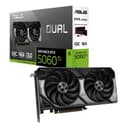
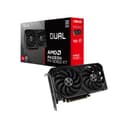
Two 16GB examples from our product database: the ASUS RTX 5060 Ti 16GB Dual OC and the ASUS RX 9060 XT 16GB Dual.
Our verdict
Choose a graphics card in this order: match it to your monitor's resolution and refresh rate, pick enough VRAM (16GB if you game at 1440p or keep cards for years), confirm your power supply meets the maker's recommendation and has the right connectors, check that the exact model fits your case, and then compare features such as upscaling, AV1 encoding and display outputs. Confirm real-world performance in independent reviews before you buy.