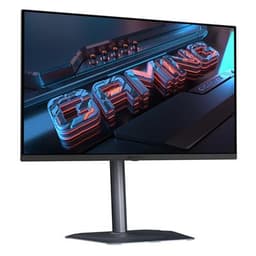
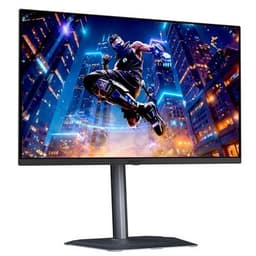
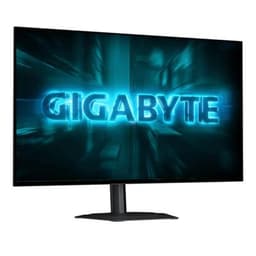
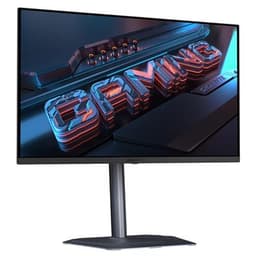
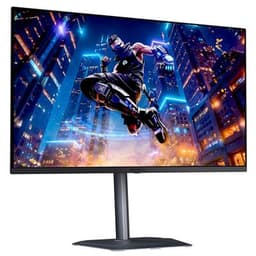
Gigabyte now has a broad range of OLED gaming monitors, and the model names don't make it easy to tell them apart. We've compared six models, covering 27-inch 1440p screens at 240Hz to 360Hz, two 4K QD-OLED monitors and two WOLED alternatives, using the specifications on Gigabyte's own product pages.
Gigabyte OLED monitors at a glance
Model | Panel | Size | Resolution | Max refresh | HDR certification | Typical brightness (Gigabyte) |
|---|
MO27Q3 | QD-OLED | 27in | 2560 x 1440 | 360Hz | DisplayHDR True Black 400 | 250 nits SDR, 1,000 nits HDR (3% APL) |
MO27Q2A | QD-OLED | 27in | 2560 x 1440 | 280Hz | DisplayHDR True Black 400 | 250 nits SDR, 1,000 nits HDR (3% APL) |
MO27Q28G | WOLED | 27in | 2560 x 1440 | 280Hz | DisplayHDR True Black 500 | 335 nits SDR, 1,500 nits HDR (1.5% APL) |
GO27Q24G | WOLED | 27in | 2560 x 1440 | 240Hz | DisplayHDR True Black 400 | 275 nits SDR, 1,300 nits HDR (1.5% APL) |
MO27U2 | QD-OLED | 27in | 3840 x 2160 | 240Hz | DisplayHDR True Black 400 | 250 nits SDR, 1,000 nits HDR (3% APL) |
MO32U2 | QD-OLED | 31.5in | 3840 x 2160 | 240Hz | DisplayHDR True Black 400 | 250 nits SDR, 1,000 nits HDR (3% APL) |
Gigabyte lists a 0.03ms grey-to-grey response time and a 1.5M:1 typical contrast ratio for all six. All have two HDMI 2.1 ports and one DisplayPort 1.4 port, plus USB-C, and Gigabyte lists 130mm of height adjustment on each stand. Note that the brightness peaks are measured at different window sizes (3% for the QD-OLED models, 1.5% for the WOLED models), so they aren't directly comparable. Our QD-OLED vs WOLED explainer covers the panel differences.
Best for most gamers: Gigabyte MO27Q2A
The Gigabyte MO27Q2A is the sensible default: a 27-inch 2560 x 1440 QD-OLED panel at up to 280Hz, a good match for 1440p gaming. Gigabyte lists 99% DCI-P3 colour coverage, VESA ClearMR certification and DisplayHDR True Black 400.
It's also well equipped for a desk setup. Its USB-C port supports DisplayPort Alternate Mode with up to 18W of power delivery, there are two USB 3.2 downstream ports, a pair of 5W speakers and a headphone jack. If you want a single 1440p OLED from Gigabyte and don't need 360Hz, start here.
Best for competitive gaming: Gigabyte MO27Q3
The Gigabyte MO27Q3 uses the same size, resolution and brightness figures as the MO27Q2A, but raises the maximum refresh rate to 360Hz. It also has the same USB-C (18W), USB hub, speakers and 130mm height adjustment, and Gigabyte's page lists a three-year warranty that includes panel burn-in.
Choose it if you play fast shooters and your PC can keep frame rates well above 280fps in those games. Otherwise the MO27Q2A gives you most of the experience. Our 240Hz vs 360Hz vs 480Hz comparison explains when the extra refresh rate is noticeable.
Best for HDR brightness: Gigabyte MO27Q28G
The Gigabyte MO27Q28G is the WOLED alternative at 1440p and 280Hz. On paper it's the brightest monitor here: Gigabyte lists 335 nits typical at full-screen SDR and 1,500 nits typical in HDR at a 1.5% window, with DisplayHDR True Black 500 certification and 99.5% DCI-P3 coverage. It also comes with a factory calibration report (Delta E below 2) and the same USB-C, USB hub and speakers as the QD-OLED models.
Gigabyte lists a three-year warranty that includes panel burn-in. It's in our specs database under the MO27Q28GR part code. Choose it if you play a lot of HDR games or use your PC in a bright room; our glossy vs matte monitor guide covers how screen coating affects reflections.
Simpler WOLED option: Gigabyte GO27Q24G
The Gigabyte GO27Q24G is a more stripped-back 27-inch 1440p WOLED at 240Hz. Gigabyte lists 275 nits SDR and 1,300 nits HDR (1.5% window), DisplayHDR True Black 400 and a "Glossy, Anti-Reflection" surface. Its connections are simpler, with a USB-C port and headphone jack but no speakers listed, and Gigabyte includes a three-year warranty covering panel burn-in. It's worth considering if you want a WOLED panel and don't need speakers or a USB hub.
Best 4K options: Gigabyte MO27U2 and MO32U2
For 4K, Gigabyte offers the MO27U2 at 27 inches and the MO32U2 at 31.5 inches. Both are 3840 x 2160 QD-OLED panels at up to 240Hz, with DisplayHDR True Black 400, ClearMR, USB-C with 18W power delivery and 5W speakers.
The 27-inch MO27U2 packs more pixels into the same space as the 1440p models, which makes text and fine detail sharper at a normal desk distance. The 31.5-inch MO32U2 is better for immersive gaming and for working with several windows side by side. Driving 4K at high frame rates needs a powerful graphics card; see our 27 vs 32-inch monitor comparison and best GPU for 4K guide.
Things to check before you buy
DisplayPort version. All six list DisplayPort 1.4 rather than 2.1. Check the manual for which refresh rates and settings each port supports with your graphics card.
Burn-in warranty. Gigabyte's pages for the MO27Q3, MO27Q28G and GO27Q24G list a three-year warranty including panel burn-in. Check the warranty terms for the other models with the retailer before buying. Our how to prevent OLED burn-in guide covers habits that help.
Firmware. Monitor firmware updates can add or change features; see how to update monitor firmware.
For deals, see our Gigabyte monitor Black Friday 2026 round-up, and for other brands, our best OLED gaming monitors and best 1440p gaming monitors guides.
Our verdict
The Gigabyte MO27Q2A is the Gigabyte OLED most gamers should buy: a 27-inch 1440p QD-OLED at 280Hz with a well-equipped USB-C hub and speakers. Step up to the MO27Q3 only if your PC can make use of 360Hz in competitive games, or choose the WOLED MO27Q28G if HDR brightness matters most, as it has the highest brightness figures Gigabyte lists for any model here. For 4K, pick the MO27U2 for sharpness on a normal desk or the MO32U2 if you want a bigger screen. Whichever you choose, check the burn-in warranty terms and independent reviews.