ASUS's Republic of Gamers range covers almost every kind of gaming monitor, from 24.5-inch esports screens to 4K OLEDs, and the model names don't make it easy to tell them apart. We've picked four current ROG Swift and ROG Strix monitors for different kinds of gamer, using ASUS's official UK specification pages, read on 27 November 2026. Response times are ASUS's grey-to-grey (GTG) ratings.
Quick comparison
| ROG Swift OLED PG27UCDM | ROG Swift OLED PG27AQDP | ROG Strix OLED XG259QWPG Ace | ROG Strix XG27UCS |
|---|
Size | 26.5in | 26.5in | 24.5in | 27in |
Panel | QD-OLED | WOLED | WOLED | Fast IPS |
Resolution | 3840 x 2160 | 2560 x 1440 | 1920 x 1080 | 3840 x 2160 |
Max refresh rate | 240Hz | 480Hz | 540Hz | 160Hz |
Response time (GTG) | 0.03ms | 0.03ms | 0.02ms | 1ms |
Peak HDR brightness | 1,000 nits | 1,300 nits | 1,700 nits | 450 nits |
Surface | Anti-reflection | Anti-glare | Glossy | Anti-glare |
DisplayPort | 2.1 | 1.4 DSC | 1.4 DSC | 1.4 |
HDMI 2.1 | 2 | 2 | 2 | 1 |
USB-C (DP Alt Mode) | Yes, 90W charging | No | No | Yes, 15W |
Height adjustment | 0-110mm | 0-110mm | 0-155mm | 0-120mm |
Warranty | 3 years incl. burn-in | 3 years incl. burn-in | 3 years incl. burn-in | Not listed on spec page |
Best overall: ASUS ROG Swift OLED PG27UCDM
The ASUS ROG Swift PG27UCDM is the most complete all-rounder here. It pairs a 26.5-inch 4K QD-OLED panel with a 240Hz maximum refresh rate, an anti-reflection surface and support for HDR10 and Dolby Vision, with peak HDR brightness rated at 1,000 nits and VESA DisplayHDR 400 True Black certification.
It's also the best-connected monitor in this guide. ASUS lists DisplayPort 2.1, two HDMI 2.1 ports and a USB-C port with DisplayPort Alt Mode and 90W power delivery, plus a built-in KVM switch and a three-port USB-A hub. That means a laptop can share the screen, keyboard and mouse with your desktop over one cable. ASUS's three-year warranty includes panel burn-in, which matters for any OLED you plan to use for desktop work as well as games.
Choose it if: you want 4K sharpness, high refresh and a single cable for a work laptop.
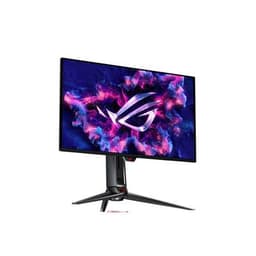
Best for fast 1440p gaming: ASUS ROG Swift OLED PG27AQDP
The ASUS ROG Swift OLED PG27AQDP trades resolution for speed. It's a 26.5-inch 2560 x 1440 WOLED panel that ASUS rates at up to 480Hz, with a 0.03ms GTG response time and up to 1,300 nits peak HDR brightness. It has DisplayHDR 400 True Black, FreeSync Premium and G-SYNC Compatible certification.
1440p is much easier to drive at very high frame rates than 4K, which is why this is the better fit for competitive shooters on a high-end graphics card. It doesn't have USB-C, though, so it's less suited to a shared work and gaming desk. If you're unsure whether you'd notice 480Hz, read 240Hz vs 360Hz vs 480Hz first.
Choose it if: you play fast games at 1440p and have a GPU that can reach very high frame rates.
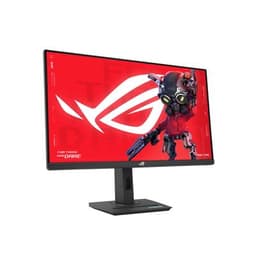
Best for esports: ASUS ROG Strix OLED XG259QWPG Ace
The ASUS ROG Strix OLED XG259QWPG Ace is built for competitive play. It's a 24.5-inch 1080p WOLED panel rated at up to 540Hz with a 0.02ms GTG response time, the fastest figures in this guide. ASUS uses a glossy "TrueBlack Glossy" surface and rates it at 390 nits typical and 1,700 nits peak HDR brightness.
The smaller screen means less head and eye movement, which is why some competitive players prefer 24-25 inches. Its stand also has the most adjustment here, with 155mm of height travel and 45 degrees of swivel either way. A glossy screen shows reflections more than a matte one, so it's best in a room where you can control the lighting. For alternatives from other brands, see our best esports monitors.
Choose it if: you play competitive shooters and value speed over resolution and screen size.
Best non-OLED option: ASUS ROG Strix XG27UCS
The ASUS ROG Strix XG27UCS is the choice if you don't want an OLED. It uses a 27-inch 4K Fast IPS panel rated at up to 160Hz and 1ms GTG, with 400 nits typical brightness, DisplayHDR 400 and ELMB Sync, ASUS's motion-blur reduction feature.
Because it's an IPS panel, burn-in isn't a concern for static desktop work, though its contrast and HDR won't match the OLEDs here. ASUS lists one HDMI 2.1 port, DisplayPort 1.4 and a USB-C port with DisplayPort Alt Mode and 15W power delivery, which can drive a laptop's display but won't charge most laptops at full speed.
Choose it if: you split your time between work and play and want 4K without worrying about burn-in.
How to choose
Resolution or speed? 4K looks sharper but needs a far more powerful GPU to run at high refresh rates. 1440p and 1080p let you use the 480Hz and 540Hz modes.
OLED or IPS? OLED gives near-instant response and per-pixel contrast but can suffer burn-in with static images. ASUS's three-year warranty on the three OLEDs here includes burn-in. See our best OLED gaming monitors for more on how OLED types differ.
Glossy or matte? The XG259QWPG Ace's glossy panel shows richer blacks in a dim room but more reflections in a bright one.
Laptop at the desk? Only the PG27UCDM combines 90W USB-C charging with a built-in KVM switch; the XG27UCS's USB-C supplies just 15W.
Once your monitor arrives, it's worth checking it for dead pixels while you can still return it.
Our verdict
The ASUS ROG Swift OLED PG27UCDM is the best all-round ROG monitor, with a 4K 240Hz QD-OLED panel, DisplayPort 2.1 and 90W USB-C with a KVM switch. Choose the 1440p 480Hz PG27AQDP for fast competitive games on a strong GPU, the 1080p 540Hz XG259QWPG Ace for esports, or the 4K 160Hz IPS XG27UCS if you want to avoid OLED burn-in. All specs are ASUS's own.