OLED monitors give you per-pixel contrast and near-instant pixel response, and the choice in 2026 runs from small esports screens to 32-inch 4K panels. We've picked four for different kinds of player and compared them on the manufacturers' own specifications. Forge PC hasn't tested these monitors, so there are no measurements here, and we haven't listed prices because they're moving daily in the run-up to Black Friday on 27 November.
Before you start, decide on panel type and finish. Our QD-OLED vs WOLED and glossy vs matte explainers cover the trade-offs.
Quick comparison
Monitor | Panel | Resolution / refresh | Inputs | Burn-in cover |
|---|
Alienware AW2726DM | QD-OLED, anti-reflective film | 2560 x 1440, 240Hz | 1x DP 1.4, 2x HDMI (up to 120Hz) | 3-year OLED burn-in warranty |
ASUS ROG Swift OLED PG27AQDP | WOLED, anti-glare | 2560 x 1440, 480Hz | 1x DP 1.4 DSC, 2x HDMI 2.1 | 3 years, including burn-in |
MSI MPG 321URXW QD-OLED | 31.5-inch QD-OLED, anti-reflection | 3840 x 2160, 240Hz | 1x DP 1.4a, 2x HDMI 2.1, USB-C (90W) | 3 years, including burn-in |
ASUS ROG Strix OLED XG259QWPG Ace | 24.5-inch Tandem WOLED, glossy | 1920 x 1080, 540Hz | 1x DP 1.4 DSC, 2x HDMI 2.1 | 3 years, including burn-in |
Best for most people: Alienware AW2726DM
Dell's Alienware 27 240Hz QD-OLED (AW2726DM) is the straightforward pick if you want a 1440p OLED for everything. Dell lists QHD (2560 x 1440) at 240Hz, a 0.03ms response time and 99.3% DCI-P3 colour coverage. It says an anti-burn-in algorithm and a heat-dissipating graphite sheet help with panel longevity, and it backs the monitor with a three-year OLED burn-in warranty. The stand adjusts for tilt, swivel, pivot and height.
The catch: Dell says the two HDMI ports support up to 2560 x 1440 at 120Hz, so use DisplayPort 1.4 from your PC to get 240Hz. See the AW2726DM in our database.
Best high-refresh 1440p: ASUS ROG Swift OLED PG27AQDP
If you play fast shooters at 1440p and have the GPU to drive very high frame rates, the PG27AQDP's 480Hz WOLED panel is the one to look at. ASUS lists 2560 x 1440, an anti-glare surface, VESA DisplayHDR 400 True Black certification, one DisplayPort 1.4 with DSC, two HDMI 2.1 ports and a two-port USB hub. Its viewing area (586.75 x 330.05mm, per ASUS) works out at about 26.5 inches diagonally. ASUS also lists AI assistant features including AI Crosshair and AI Shadow Boost, and a three-year warranty that includes panel burn-in. See the PG27AQDP in our database.
Best 4K: MSI MPG 321URXW QD-OLED
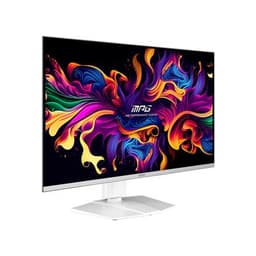
For a big, sharp screen, MSI's MPG 321URXW pairs a 31.5-inch flat QD-OLED panel with 3840 x 2160 at 240Hz. MSI rates it at 250 nits in SDR and up to 1,000 nits peak in HDR (with a 3% window), with DisplayHDR True Black 400. It's the best-connected monitor here: DisplayPort 1.4a, two HDMI 2.1 ports that MSI says run 4K at up to 240Hz, and USB-C with DisplayPort Alt Mode and 90W charging, plus a KVM switch for sharing a keyboard and mouse with a laptop. MSI's warranty is three years including panel burn-in. See the MPG 321URXW in our database, and our best 4K gaming monitor guide for LCD alternatives.
Best for esports: ASUS ROG Strix OLED XG259QWPG Ace
If you've been playing on a 24-inch TN panel for the speed, the XG259QWPG Ace brings OLED to that size. ASUS lists a 24.5-inch 1920 x 1080 Tandem WOLED panel at 540Hz, 0.02ms GTG, 1,700cd/m² peak HDR brightness and 99.5% DCI-P3, with a three-year warranty that includes burn-in. OC3D reported on 29 October that it was up for pre-order in the UK, due on 25 November. If you need 720Hz, the pricier PG259QWS Ace is the step up.
How to choose
Match refresh rate to your PC. A 480Hz or 540Hz monitor only helps if your system produces frame rates in that range. Our best 1440p gaming monitor guide has cheaper 1440p options.
Check the burn-in terms. All four list burn-in cover for three years, but read the warranty terms and use the monitor's panel-care features.
Use the right cable. The Alienware needs DisplayPort for 240Hz, because Dell lists its HDMI ports at up to 1440p 120Hz. Read DisplayPort vs HDMI for gaming.
Considering an ultrawide? See our best ultrawide gaming monitor picks, and OLED vs Mini LED if you mostly work in bright rooms.
Our verdict
The Alienware AW2726DM is the OLED to buy for most people: 1440p at 240Hz with a three-year burn-in warranty. Competitive players with powerful PCs should look at the 480Hz ASUS PG27AQDP, or the 540Hz XG259QWPG Ace for a 24.5-inch esports setup, while the MSI MPG 321URXW is our pick for 4K and the best-connected screen here.