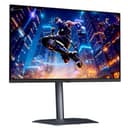
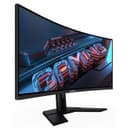
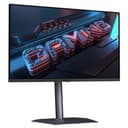
Gigabyte's Black Friday monitor offers have gone live in the UK and US, a week ahead of Black Friday itself on 27 November 2026. TFTCentral rounded up the range on 19 November 2026, listing sale prices at Amazon UK, Overclockers and Currys for nearly 30 monitors, from 24-inch 1080p esports screens to 4K QD-OLEDs and a 49-inch super-ultrawide. This is a news report based on TFTCentral's round-up, which it says includes sponsored promotion by Gigabyte; Forge PC hasn't tested these monitors, and every price below is approximate, as recorded by TFTCentral on 19 November 2026. Prices change quickly at this time of year, so check the retailer before you buy.
When the offers run
TFTCentral says most of the offers run from 16 to 30 November 2026, although some may have started earlier in some regions, and that pricing was correct at the time it published. Retailers can change or end deals at any point, so treat the figures as a guide to what "good" looks like rather than a guarantee.
OLED monitors
The OLED offers span Gigabyte's premium AORUS models and its cheaper M-series and GO models. Approximate UK prices listed by TFTCentral on 19 November 2026:
Monitor | Key specs (per TFTCentral) | Sale price | Was |
|---|
Gigabyte GO27Q24 | 27in, 2560 x 1440, QD-OLED, 240Hz | about £300 | £329.99 |
Gigabyte GO27Q24A | 27in, 2560 x 1440, QD-OLED, 240Hz | about £300 | £359.99 (Overclockers) |
Gigabyte GO27Q24G | 27in, 2560 x 1440, WOLED, 240Hz | about £319 | £359.99 |
Gigabyte MO27Q2A | 27in, 2560 x 1440, QD-OLED, 280Hz | about £328 | £449.99 |
Gigabyte MO27Q28G (matte) | 27in, 2560 x 1440, Tandem WOLED, 280Hz | about £428 | £550 |
Gigabyte MO27Q28GR (glossy) | 27in, 2560 x 1440, Tandem WOLED, 280Hz | about £440 | £549.99 |
Gigabyte MO27Q3 | 27in, 2560 x 1440, QD-OLED, 360Hz | about £496 | £549 |
Gigabyte MO27U2 | 27in, 3840 x 2160, QD-OLED, 240Hz | about £569 | £599.99 |
Gigabyte MO32U2 | 32in, 3840 x 2160, QD-OLED, 240Hz | about £585 | £649.99 |
Gigabyte AORUS FO27Q5P | 27in, 2560 x 1440, QD-OLED, 500Hz | about £625 | £739.99 |
Gigabyte MO32U24 | 32in, 3840 x 2160, Penta Tandem QD-OLED, 240Hz | about £650 | £739.99 |
Gigabyte AORUS CO49DQ | 49in, 5120 x 1440, QD-OLED, 144Hz | about £699 | £828 |
Gigabyte AORUS FO32U2P | 32in, 3840 x 2160, QD-OLED, 240Hz, DisplayPort 2.1 (UHBR20) | about £855 | £1,049.99 (Amazon UK) |
TFTCentral highlights the MO27Q28G/GR as "highly recommended at a great price", describing it as one of the most popular mid-tier OLED monitors, with a brighter and more colourful panel than previous WOLED options. The matte G version has an anti-glare coating and the GR version is glossy; our glossy vs matte guide explains the trade-off, and our QD-OLED vs WOLED guide covers the panel types.
LCD monitors
For a smaller budget, the LCD offers include fast 1080p and 1440p screens and two 34-inch ultrawides. Approximate UK prices from TFTCentral, 19 November 2026:
Monitor | Key specs (per TFTCentral) | Sale price | Was |
|---|
Gigabyte GS24F14A | 23.8in, 1920 x 1080, IPS, 175Hz (overclocked) | about £80 | £89.99 (Overclockers) |
Gigabyte GS25F2A | 24.5in, 1920 x 1080, IPS, 200Hz | about £84 | £89 |
Gigabyte GS27FA | 27in, 1920 x 1080, IPS, 180Hz | about £85 | £99.99 |
Gigabyte G25F2A | 24.5in, 1920 x 1080, IPS, 240Hz | about £90 | £99.85 (Overclockers) |
Gigabyte GS27F2 | 27in, 1920 x 1080, IPS, 240Hz | about £107 | £119.99 |
Gigabyte G27Q2 | 27in, 2560 x 1440, IPS, 210Hz (overclocked) | about £125 | £149.99 |
Gigabyte GS32QCA | 32in, 2560 x 1440, VA, 180Hz | about £160 | £199.99 |
Gigabyte M27Q2 | 27in, 2560 x 1440, IPS, 210Hz (overclocked) | about £190 | £199.99 |
Gigabyte M27Q3 | 27in, 2560 x 1440, IPS, 320Hz (overclocked) | about £219 | £248.99 |
Gigabyte G34WQCP | 34in, 3440 x 1440, VA, 180Hz | about £220 | £239.99 |
Gigabyte G34WQC2 | 34in, 3440 x 1440, VA, 200Hz | about £230 | £259.99 |
Gigabyte M27UP ICE | 27in, 3840 x 2160, 160Hz, dual mode 1080p 320Hz, white | about £270 | £309.95 (Overclockers) |
The M27UP ICE is a white 4K model with a dual-mode function for 320Hz at 1080p, USB-C and a KVM switch, according to TFTCentral, which makes it an interesting option for a white setup. The GS32QCA stands out for anyone who wants a big 1440p screen for not much money; TFTCentral lists its VA panel's contrast ratio spec as 3500:1. Our IPS vs VA vs TN guide explains why that matters.
How to judge these deals
A "was" price is only useful if the monitor actually sold for that recently. Before you buy:
Check the price history. Our guide to checking Black Friday PC deals in the UK shows how to see whether a discount is real.
Compare like for like. Several models look similar on paper (the GO27Q24 and GO27Q24A, for example, share size, resolution, panel type and refresh rate in TFTCentral's listing). Check each retailer's listing for the exact model and its stand, ports and warranty.
Check price promises. Some UK retailers offer to refund the difference if the price falls; see our round-up of Black Friday price guarantees.
Pick the right resolution first. Our best 1440p gaming monitors and best 4K gaming monitors guides help you choose before you chase a discount.
For other brands, see our reports on ASUS OLED monitor deals and MSI's UK Black Friday offers, and our wider look at UK monitor prices before Black Friday.
Our verdict
Gigabyte's Black Friday range is broad, and the strongest-looking UK offers in TFTCentral's list are the 27-inch 1440p OLEDs at around £300 to £330 and the MO27Q28G at about £428, alongside cheap 1440p LCDs such as the G27Q2 at about £125. Prices were recorded on 19 November 2026 and the offers mostly end on 30 November, so check the current price and history at the retailer before you commit.