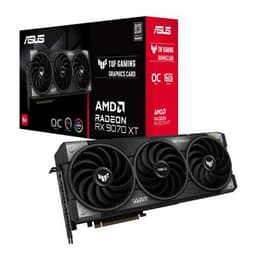
ASUS makes graphics cards with both NVIDIA GeForce and AMD Radeon chips, and sells them in several ranges: the compact Dual series, the mid-range Prime series, the heavier-duty TUF Gaming series, and ROG Strix and ROG Astral at the top. The same GPU can come in very different sizes and with different power needs depending on the range. We've picked six ASUS cards using ASUS UK's official specification pages, read on 27 November 2026.
Quick picks
ASUS card | Memory | Length x height x thickness | Slots | Power connector | ASUS recommended PSU |
|---|
Dual GeForce RTX 5060 8GB OC | 8GB GDDR7, 128-bit | 228 x 123 x 50mm | 2.5 | 1 x 8-pin | 550W |
Dual Radeon RX 9060 XT 16GB | 16GB GDDR6, 128-bit | 202 x 120 x 49mm | 2.5 | 1 x 8-pin | 550W |
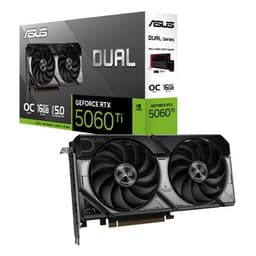
Dual GeForce RTX 5060 Ti 16GB OC | 16GB GDDR7, 128-bit | 229 x 120 x 50mm | 2.5 | 1 x 8-pin | 550W |
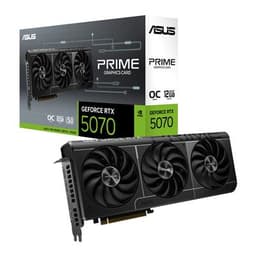
Prime GeForce RTX 5070 12GB OC | 12GB GDDR7, 192-bit | 304 x 126 x 50mm | 2.5 | 1 x 16-pin | 750W |
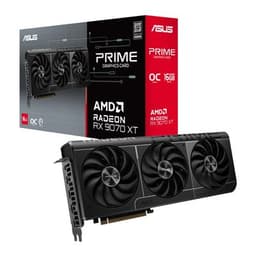
Prime Radeon RX 9070 XT OC | 16GB GDDR6, 256-bit | 312 x 130 x 50mm | 2.5 | 3 x 8-pin | 750W |
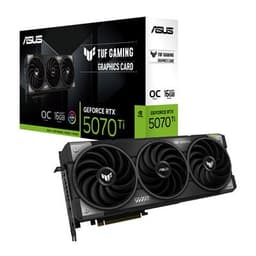
TUF Gaming GeForce RTX 5070 Ti 16GB OC | 16GB GDDR7, 256-bit | 329 x 140 x 62.5mm | 3.125 | 1 x 16-pin | 850W |
All figures are from ASUS. ASUS says its PSU recommendations are based on a fully overclocked GPU and CPU system.
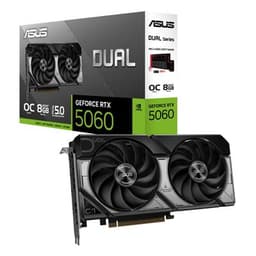
Best for 1080p on a budget: ASUS Dual GeForce RTX 5060 8GB OC
The ASUS Dual GeForce RTX 5060 8GB OC is a short card at 228mm, needs only one 8-pin power connector and has a 550W PSU recommendation, so it suits most existing PCs and smaller cases. ASUS lists a 2,565MHz boost clock in OC mode, 3,840 CUDA cores, 8GB of GDDR7 on a 128-bit bus, one HDMI 2.1b and three DisplayPort 2.1b outputs.
The 8GB of memory is the main limitation. Our RTX 5060 Ti 8GB vs 16GB comparison explains why memory size matters in newer games.
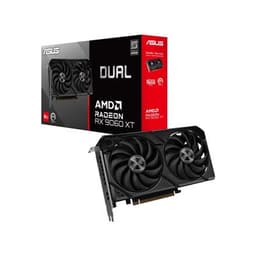
Best 16GB budget card: ASUS Dual Radeon RX 9060 XT 16GB
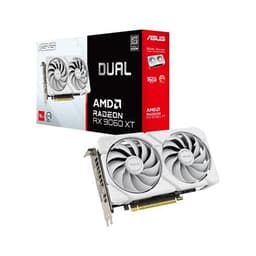
The ASUS Dual Radeon RX 9060 XT 16GB is the shortest card here at 202mm and pairs 16GB of GDDR6 with a single 8-pin connector and a 550W PSU recommendation. ASUS lists up to 3,230MHz boost in default mode (3,250MHz in its GPU Tweak III OC mode) and 2,048 stream processors. It has one HDMI 2.1b and two DisplayPort 2.1a outputs, so three in total rather than four. There's also a white version in our database.
Best NVIDIA 16GB budget card: ASUS Dual GeForce RTX 5060 Ti 16GB OC
If you'd rather have an NVIDIA card with 16GB of memory, the ASUS Dual GeForce RTX 5060 Ti 16GB OC keeps the same compact Dual design at 229mm, one 8-pin connector and a 550W recommendation. ASUS lists a 2,632MHz boost clock in OC mode, 4,608 CUDA cores and 16GB of GDDR7 on a 128-bit bus. Our RX 9060 XT vs RTX 5060 Ti 16GB comparison covers the choice between these two chips.
Best for 1440p: ASUS Prime GeForce RTX 5070 12GB OC
The ASUS Prime GeForce RTX 5070 12GB OC steps up to a 192-bit bus, 6,144 CUDA cores and a 2,587MHz boost clock in OC mode. It's 304mm long but stays at 2.5 slots, and ASUS lists it as SFF Ready compatible. It uses one 16-pin connector, and ASUS recommends a 750W PSU. Our best GPU for 1440p guide has alternatives from other brands.
Best AMD high-end value: ASUS Prime Radeon RX 9070 XT OC
The ASUS Prime Radeon RX 9070 XT OC gives you the full RX 9070 XT chip with 4,096 stream processors, 16GB of GDDR6 on a 256-bit bus and up to 3,010MHz boost in default mode (3,030MHz in OC mode), in a 2.5-slot, 312mm card. Unlike the NVIDIA cards here it uses three 8-pin connectors rather than a 16-pin, which may suit an older power supply that doesn't have a 16-pin cable. ASUS recommends 750W. See our RX 9070 XT vs RTX 5070 Ti comparison before choosing.
Best for high-end builds: ASUS TUF Gaming GeForce RTX 5070 Ti 16GB OC
The ASUS TUF Gaming GeForce RTX 5070 Ti 16GB OC is the biggest card here at 329mm long and 3.125 slots thick. ASUS lists 8,960 CUDA cores, 16GB of GDDR7 on a 256-bit bus, a 2,610MHz boost clock in OC mode, two HDMI 2.1b and three DisplayPort 2.1b outputs, ARGB lighting and an 850W PSU recommendation. A TUF Gaming Radeon RX 9070 XT OC is also available, at 330mm with three 8-pin connectors and an 850W recommendation.
Check your case before buying either TUF card. Our guide to checking a graphics card fits your case explains how to measure length and thickness.
Dual, Prime, TUF or ROG?
Dual cards are the smallest and simplest, which makes them a good fit for compact cases and older PCs with modest power supplies.
Prime cards are longer, but the ones we've picked stay at 2.5 slots, and the RTX 5070 model carries ASUS's SFF Ready label.
TUF Gaming cards are larger and thicker, at 3.125 slots for the two we've listed, with ARGB lighting.
ROG Strix and ROG Astral sit above TUF. We haven't included them because we couldn't compare them on the same basis here.
Before you buy
Check your PSU against ASUS's recommendation and make sure you have the right connectors. Our PSU buying guide explains what to look for.
Measure your case for length and thickness, not just length.
Count your display outputs: the Dual RX 9060 XT has three, and the others have four or five (ASUS lists a four-display maximum for each).
For other brands, see our best graphics card and best Sapphire graphics card guides.
Our verdict
For most people the best ASUS graphics card is the Dual Radeon RX 9060 XT 16GB or Dual GeForce RTX 5060 Ti 16GB OC: both are short, 2.5-slot cards with 16GB of memory, one 8-pin connector and a 550W PSU recommendation from ASUS. Step up to the Prime GeForce RTX 5070 12GB OC or Prime Radeon RX 9070 XT OC for 1440p, or the larger 3.125-slot TUF Gaming GeForce RTX 5070 Ti 16GB OC for a high-end build with an 850W PSU.