Most talk about NPUs is about laptops, but a handful of socketed desktop processors have one built in too. If you're building or upgrading a desktop and want a chip that can hand low-power AI jobs such as webcam effects or background noise removal to a dedicated neural processing unit, the choice comes down to AMD's Ryzen 8000G APUs and Intel's Core Ultra 200S family. This guide uses AMD's and Intel's own specification pages and launch material, read on 28 November 2026.
First, what a desktop NPU is and isn't for
An NPU is a small, efficient AI engine that sits beside the CPU and graphics cores. Our explainer on what an NPU is covers the basics. On a desktop the appeal is efficiency rather than raw speed: Intel's launch presentation for the Core Ultra 200S describes its NPU as "sized for agents, media, and SLMs" (small language models), and Intel says offloading AI work to the NPU can free up a discrete graphics card and cut power use.
Two things to know before you buy:
None of these chips makes a Copilot+ PC. Microsoft's Windows 11 specifications page says Copilot+ PCs need an NPU capable of 40+ TOPS and currently lists only the Ryzen AI 300 and 400 series, Core Ultra 200V and 300V series, and Snapdragon X series. The desktop NPUs below are rated at 13 to 16 TOPS, so features such as Recall and Click to Do won't appear. Our Copilot+ PC vs regular Windows 11 PC comparison explains what you miss.
For local chatbots and image generation, a graphics card matters far more. Intel's own launch slides put an Arc A770 at up to 260 int8 TOPS against 13 for the Core Ultra 200S NPU. If running language models is your goal, start with our best 16GB graphics card for local AI guide and our NPU vs GPU for local AI comparison.
TOPS figures are peak int8 numbers quoted by each manufacturer, and they aren't directly comparable across brands; see TOPS vs TFLOPS for why.
The short list
Processor | Socket | NPU (maker's peak rating) | Integrated graphics | Best for |
|---|
AMD Ryzen 7 8700G | AM5 | Ryzen AI, up to 16 TOPS | Radeon 780M | NPU plus strong integrated graphics |
AMD Ryzen 5 8600G | AM5 | Ryzen AI, up to 16 TOPS | Radeon 760M | Cheaper AM5 build without a graphics card |
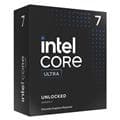
Intel Core Ultra 7 265K | LGA 1851 | Intel AI Boost, 13 TOPS | Intel Graphics, 4 Xe-cores | All-round desktop with a graphics card |
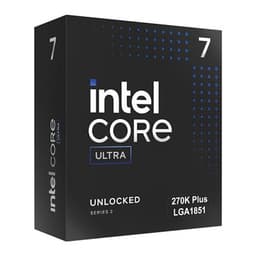
Intel Core Ultra 7 270K Plus | LGA 1851 | Intel AI Boost, 13 TOPS | Intel Graphics, 4 Xe-cores | Newer 24-core Core Ultra 7 |
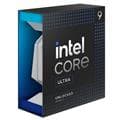
Intel Core Ultra 9 285K | LGA 1851 | Intel AI Boost, 13 TOPS | Intel Graphics, 4 Xe-cores | Flagship Intel build |
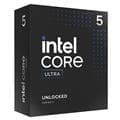
Intel Core Ultra 5 245K / 245KF | LGA 1851 | Intel AI Boost, 13 TOPS | 4 Xe-cores (245K); none (245KF) | Mid-range Intel build |
Figures from AMD's product pages and launch press release, Intel's product specification pages and Intel's Core Ultra 200S launch presentation.
Best for NPU plus integrated graphics: AMD Ryzen 7 8700G
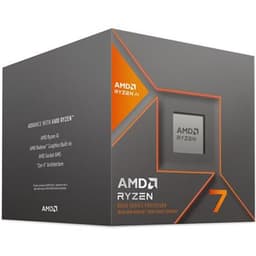
The AMD Ryzen 7 8700G AM5 Wraith Spire has the highest NPU rating in this guide. AMD's specification page lists its AI engine at up to 16 TOPS, alongside 8 Zen 4 cores and 16 threads, a boost clock of up to 5.1GHz, a 65W default TDP and Radeon 780M graphics with 12 graphics cores. When AMD launched the Ryzen 8000G series in January 2024 it described Ryzen AI as the first NPU on a desktop PC processor.
It suits a compact or budget desktop that will run without a graphics card at first, where the NPU and integrated graphics share the AI and display work. The catch is platform age: AMD's page lists PCIe 4.0 rather than PCIe 5.0, and supported memory speed of DDR5-5200 with two modules. For a closer look at the two Ryzen 8000G chips, read our Ryzen 5 8600G vs Ryzen 7 8700G comparison.
Best value AM5 pick: AMD Ryzen 5 8600G
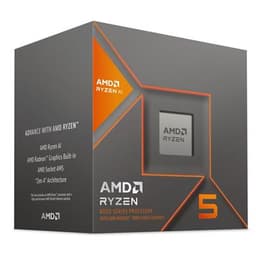
The AMD Ryzen 5 8600G AM5 Wraith Stealth has the same up-to-16-TOPS AI engine rating on AMD's specification page, with 6 cores, 12 threads and Radeon 760M graphics. AMD's launch press release confirms that both the 8700G and 8600G include Ryzen AI.
Be careful with the rest of the range. AMD's product page for the Ryzen 5 8500G doesn't list an AI engine at all, and the launch release names only the 8700G and 8600G as including Ryzen AI, so if you want an NPU, the 8600G is the cheapest Ryzen 8000G chip to look at.
Best all-round Intel pick: Intel Core Ultra 7 265K
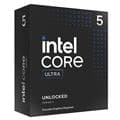
Intel launched the Core Ultra 200S series in October 2024 as its first NPU-equipped desktop processors for enthusiasts. Its launch presentation lists the same 13 TOPS NPU on every K and KF model, with Intel quoting up to 36 platform TOPS when the CPU, integrated graphics and NPU are added together.
The Intel Core Ultra 7 265K 1851 has 20 cores (8 Performance-cores and 12 Efficient-cores) and 4 Xe graphics cores according to Intel's launch material. It's the sensible middle of the range for a desktop that pairs a graphics card for games and heavier AI with an NPU for background tasks. If you're definitely using a graphics card, the Intel Core Ultra 7 265KF 1851 drops the integrated graphics but, according to Intel's presentation, keeps the 13 TOPS NPU.
Newer Core Ultra 7 option: Intel Core Ultra 7 270K Plus
The Intel Core Ultra 7 270K Plus is a 2026 addition to the range. Intel's specification page lists a Q1 2026 launch, 24 cores (8 Performance-cores and 16 Efficient-cores), the same Intel AI Boost NPU at 13 TOPS, 36 overall peak TOPS and support for DDR5 at up to 7200MT/s. So it gives you more cores than the 265K, but no extra NPU capability.
Best flagship: Intel Core Ultra 9 285K
The Intel Core Ultra 9 285K 1851 is Intel's top Core Ultra 200S chip, with 24 cores and a 5.7GHz maximum turbo frequency on its specification page. Its NPU is the same 13 TOPS unit as the cheaper models, so buy it for CPU performance, not AI. Intel's specification page lists Windows Studio Effects support for the NPU and names OpenVINO, Windows ML, DirectML, ONNX Runtime and WebNN as supported AI frameworks.
Mid-range Intel option: Intel Core Ultra 5 245K and 245KF
The Intel Core Ultra 5 245K 1851 has 14 cores (6 Performance-cores and 8 Efficient-cores) and 4 Xe graphics cores, while the Intel Core Ultra 5 245KF 1851 has no integrated graphics. Intel's launch presentation lists both with the 13 TOPS NPU, so they're the least expensive way into an Intel desktop with an NPU.
What you can actually do with a desktop NPU
The NPU only helps if software uses it. Intel lists Windows Studio Effects support for its desktop NPUs, which covers webcam features such as background blur; our guide to Windows Studio Effects on a desktop webcam explains the setup. Developers can also target the NPU through frameworks such as OpenVINO, and our guide to running an LLM on an Intel NPU with OpenVINO shows one way to try it.
To see whether anything is using it, Task Manager can show NPU activity; see how to check NPU usage in Windows 11. Keep the driver current with our guides to updating the Intel NPU driver and installing the AMD NPU driver, and see our list of the best NPU apps for Windows for software that uses it.
Which should you buy?
Choose the Ryzen 7 8700G if you want the highest-rated desktop NPU here and good integrated graphics in a 65W chip.
Choose the Ryzen 5 8600G for a cheaper AM5 build with an NPU, and skip the 8500G if the NPU matters.
Choose the Core Ultra 7 265K or 270K Plus for a gaming or creative desktop with a graphics card, where the NPU is a bonus for background AI tasks.
Choose the Core Ultra 9 285K only if you need its extra CPU cores; the NPU is no faster.
Buy a graphics card instead if local chatbots or image generation are the real goal. Our best CPU for local AI guide covers which processor to pair with one.