If you run large language models or image generators at home, the graphics card does most of the heavy lifting. The CPU still matters, though: it handles any part of a model that doesn't fit in VRAM, it decides how much system memory you can install, and it affects everything else your PC does. These picks are based on AMD's and Intel's official specification pages and Ollama's documentation.
Quick picks
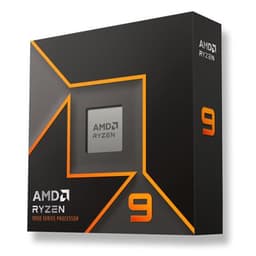
Best overall: AMD Ryzen 9 9950X
Best Intel choice: Intel Core Ultra 9 285K
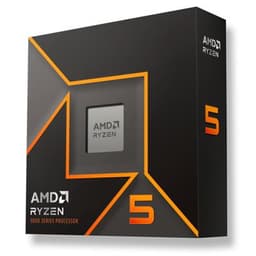
Best budget choice: AMD Ryzen 5 9600X
When the CPU matters for local AI
Apps such as Ollama use your graphics card when it's supported (Ollama's hardware page lists NVIDIA, AMD and Vulkan support), and Ollama documents forcing CPU-only use too. When part or all of a model runs on the CPU, the processor's cores, memory support and maximum RAM come into play. Our guides to running a local LLM without a GPU and how much RAM you need for local AI go into more detail.
1. AMD Ryzen 9 9950X: best overall
AMD lists 16 Zen 5 cores and 32 threads, a boost clock of up to 5.7GHz, 64MB of L3 cache and a 170W default TDP. It supports up to 256GB of DDR5 across two channels, and AMD lists AVX-512 among its supported instruction extensions. It uses the AM5 socket and AMD recommends a liquid cooler.
Why pick it: the most threads in this group, AVX-512 support and a 256GB memory ceiling, for a workstation that also compiles code and renders.
2. Intel Core Ultra 9 285K: best Intel choice
Intel lists 24 cores (8 performance and 16 efficient) and 24 threads, a 5.7GHz maximum turbo, 36MB of Intel Smart Cache, a 125W base power and 250W maximum turbo power. It supports DDR5 up to 6,400 MT/s, two channels and up to 256GB. It includes an Intel AI Boost NPU rated at 13 TOPS, and Intel quotes 36 TOPS (Int8) for the whole processor. Intel lists SSE4.1, SSE4.2 and AVX2 as its instruction set extensions, so it lacks AVX-512.
Why pick it: plenty of cores, faster official memory support and an NPU for apps that use it, on Intel's LGA 1851 platform.
3. AMD Ryzen 5 9600X: best budget choice
AMD lists six cores and 12 threads, up to 5.4GHz, 32MB of L3 cache and a 65W default TDP, with the same 256GB memory ceiling and AVX-512 support as the 9950X. It's a sensible pick if most of your AI work runs on a graphics card and you'd rather spend the money on more VRAM.
What else to check
GPU first: for most local AI builds, budget for a graphics card with enough VRAM before a faster CPU. See best GPU for local LLMs.
Memory: both AM5 and LGA 1851 use two memory channels. AMD's official speeds drop with four DIMMs, so two large modules are usually the better route; see two vs four RAM sticks.
NPU: Intel lists OpenVINO, WindowsML, DirectML, ONNX RT and WebNN as frameworks for its NPU; check whether your apps use them. See NPU vs GPU for local AI.
Our verdict
On paper, the Ryzen 9 9950X is the strongest all-round pick for a local AI desktop thanks to its 16 cores, AVX-512 and 256GB memory support. The Core Ultra 9 285K is a strong Intel alternative with an NPU, and the Ryzen 5 9600X is enough if your GPU does the work. For a complete build, see our best PC for local AI guide.