A PC for local AI is not a special class of computer. It is a normal desktop with enough video memory to hold the model, enough system RAM to stay comfortable, and software that will actually use the graphics card. The expensive part, in November 2026, is that memory — both kinds.
Forge PC hasn't built or timed these systems. The recommendations combine manufacturers' official specifications, Ollama's support documentation, llamaperf's memory guidance, and UK street prices. Graphics-card and processor prices are from SpecPrice, updated at 07:57 GMT on 13 November 2026. Memory prices are from ramprices.uk, updated at 06:41 GMT the same morning. All are approximate. For the card-by-card detail, use our GPU guide for local models. For system memory, the 32GB comfort line in our gaming RAM guide is the amount we would specify here too; the notes below cover where local AI differs.
Quick picks
Pick | What to buy | Why | Key UK prices, 13 Nov 2026 |
|---|
Best overall | AM5 desktop with a 16GB card and 32GB of DDR5 | Fits mid-sized models, stays upgradeable, works for games too | RTX 5060 Ti 16GB £660, or RX 9070 £732; 32GB DDR5 from about £455; Ryzen 5 9600X £160 |
Best for easy software | The same build, with the RTX 5060 Ti 16GB | Official CUDA support in Ollama for the whole RTX 50 series | £659.99 for the card |
Best for memory bandwidth per pound | The same build, with an RX 9070 | 16GB and 640GB/s, cheaper than most 16GB NVIDIA cards with that much bandwidth | £731.99 |
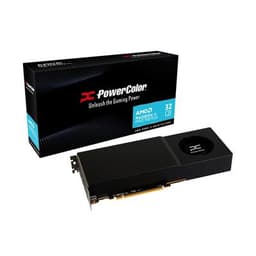
When you need 32GB of VRAM | Radeon AI PRO R9700, plus 32GB or 64GB of system RAM | Cheapest new 32GB card on SpecPrice; RTX 5090 starts at about £7,000 | £1,609.99 for the card |
Skip, despite the price | RTX 5070 | From £598 at AWD-IT, but only 12GB of VRAM | £597.99–£779.99 |
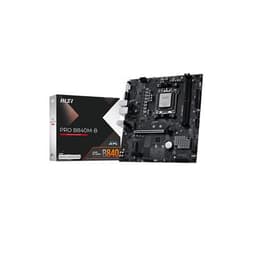
These are parts lists, not a single shop "AI PC" with a total on the box. You still need an AM5 motherboard, a cooler, a case, a 2TB SSD if you can stretch to it, a power supply that meets the card's official figure, and Windows or Linux. Our beginner's build guide and PSU guide cover the rest. AMD has said it will support AM5 through 2029, which is why we would start there rather than on Intel's current LGA 1851 platform.
What actually matters
Three things decide whether a local model is pleasant to use:
VRAM, first. The model's weights have to fit. llamaperf's rule of thumb, and our earlier GPU guide, is that 16GB is the sensible minimum for new cards, and 32GB opens 30-billion-parameter-class models. If the model spills into system RAM, llamaperf says generation "slows sharply."
Memory bandwidth, second. Official figures put the RX 9070 at up to 640GB/s and the 16GB RX 9060 XT at up to 320GB/s. That is why the 9070 is the better AMD 16GB card if you can pay the difference, even though both have 16GB.
Software support, always. Ollama lists every RTX 50-series card as a supported NVIDIA GPU. Its Linux ROCm list includes the RX 9070, 9060 XT and R9700; its Windows ROCm list does not include RX 9000 cards, though Vulkan is enabled by default and covers additional GPUs. If you want the path of least resistance on Windows, NVIDIA is simpler.
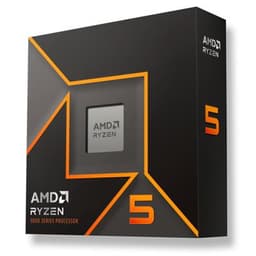
A mid-range AM5 processor is enough for this, because the graphics card does the heavy lifting once the model is loaded. The Ryzen 5 9600X at about £160 is the chip we would start with; save the Ryzen 7 9800X3D (about £350) for a machine that is also a serious gaming PC. Don't buy an expensive CPU to make up for 8GB of VRAM.
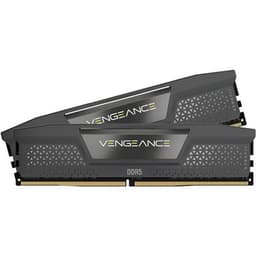
System RAM of 32GB is the comfortable target; 64GB is worth it if you will offload models or keep large projects open. On 13 November the cheapest 32GB DDR5 desktop kit on ramprices.uk was about £455, and the cheapest 64GB desktop kit about £802. That is enough to make 64GB an intentional choice, not a default.
Best overall: a 16GB AM5 desktop
Processor: AMD Ryzen 5 9600X, about £160.
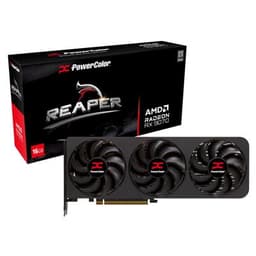
Graphics card: NVIDIA GeForce RTX 5060 Ti 16GB, about £660, if you want CUDA on Windows; or AMD Radeon RX 9070, about £732, if you want 640GB/s and are happy with Linux ROCm or Vulkan on Windows.
Memory: 32GB DDR5 (two sticks), from about £455.
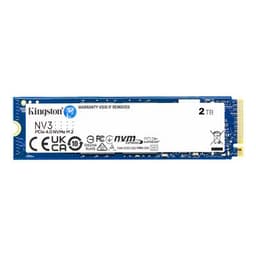
Storage: a 2TB PCIe 4.0 SSD is the comfortable size, because model files are large; see our SSD guide.
Power: NVIDIA's required system power is 600W for the 5060 Ti; AMD's minimum PSU recommendation for the RX 9070 is 650W.
The 16GB RX 9060 XT, at about £580, is the cheaper 16GB alternative, with official bandwidth of up to 320GB/s and a 450W minimum PSU. It is a good way to save money if you accept slower replies with the same size models.
Avoid building this around an RTX 5070. Even when AWD-IT listed one at £597.99 on 13 November (Scan was £779.99), it only has 12GB. For local models, that is the wrong kind of bargain.
This machine will also play games, which is why we would not invent a separate "AI only" case or cooler. A straightforward mid-tower, a modest air cooler and a decent ATX 3.1 power supply are enough. If you also want a strong gaming chip, step up to a 9800X3D and follow the same memory and GPU advice.
When you need 32GB of VRAM
If you know you want 30-billion-parameter-class models in VRAM, or more context without aggressive offload, the realistic new-card choice in the UK is the Radeon AI PRO R9700 at about £1,610. The only other new 32GB card on SpecPrice's cheapest list is the RTX 5090, at about £7,000. The R9700 is on Ollama's Linux ROCm list; on Windows you should expect to use Vulkan unless AMD's official Windows support changes.
Pair it with 32GB of system RAM at a minimum, and 64GB if the budget survives a kit that starts at about £802. The official power figures and case clearance for a workstation card are worth checking on the manufacturer's page before you buy a compact case.
Compact alternatives exist — NVIDIA's RTX Spark desktops use a large pool of shared memory rather than a 32GB board — but they are a different product, with Windows on Arm and no upgrade path, as we set out in our Spark news piece. They are not a substitute for a tower you can upgrade.
What we would not do
Don't buy 8GB cards for this job, including the RTX 5060 and the 8GB 9060 XT, unless you only want small models and already own the card.
Don't spend more on the CPU than on VRAM. Inference is memory-bound on the GPU.
Don't assume 64GB of DDR5 is required. It is useful; at current prices it is also optional.
Don't buy a pre-built "AI PC" without checking the GPU's memory. A flashy NPU badge is not a substitute for 16GB of VRAM on a desktop, as our NPU explainer explains.
Our verdict
The best PC for local AI in the UK right now is an AM5 desktop with a 16GB graphics card, 32GB of DDR5 and a mid-range Ryzen 5, which on 13 November 2026 means about £660 for an RTX 5060 Ti 16GB or about £732 for an RX 9070, about £455 upwards for the memory, and about £160 for a 9600X, plus the usual board, SSD, PSU and case. Choose NVIDIA if you want the simplest Windows software path, or the RX 9070 if you want more bandwidth per pound and will use Linux or Vulkan. Step up to the Radeon AI PRO R9700 at about £1,610 when you genuinely need 32GB of VRAM, not to an RTX 5090 at £7,000. Fit the model in video memory first; everything else is secondary.