Intel's B860 chipset is where most people building around a Core Ultra 200S processor should start. It uses the same LGA 1851 socket as the pricier Z890 boards, takes DDR5 memory and still gives you a PCIe 5.0 graphics slot and a PCIe 5.0 M.2 slot on every board in this guide. The differences between B860 boards come down to the extras: networking, Thunderbolt or USB4, the number of M.2 slots, audio and the quality-of-life features that make building and updating easier.
This guide compares the makers' official specification pages for each board, read on 24 November 2026. We haven't included prices, because we couldn't confirm current UK retailer prices for every board. Check prices at UK retailers such as Scan, Overclockers, Box or AWD-IT before buying, and always confirm the exact board revision on the listing.
If you're still deciding between chipsets, read our B860 vs Z890 comparison first. For a wider look at the platform, including Z890 boards, see our best LGA 1851 motherboard guide.
Our picks at a glance
Award | Motherboard | Size | M.2 slots | Networking | Fast USB-C on rear |
|---|
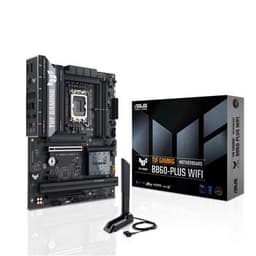
Best overall | ASUS TUF Gaming B860-Plus WiFi | ATX | 3 (1 x PCIe 5.0) | Realtek 2.5GbE, Wi-Fi 7 | USB 20Gbps with DisplayPort |
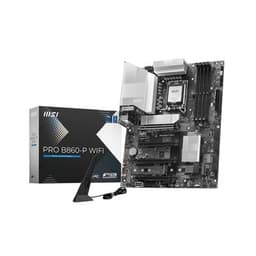
Best connectivity | MSI PRO B860-P WIFI | ATX | 3 (1 x PCIe 5.0) | Realtek 5GbE, Wi-Fi 7 | Thunderbolt 4 (40Gbps) |
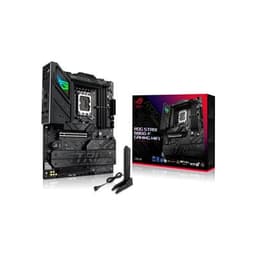
Best premium features | ASUS ROG Strix B860-F Gaming WiFi | ATX | 4 (1 x PCIe 5.0) | Intel 2.5GbE, Wi-Fi 7 | Thunderbolt 4 plus USB 20Gbps |
Best micro-ATX | Gigabyte B860M AORUS Elite WiFi6E | Micro-ATX | 3 (1 x PCIe 5.0) | Realtek 2.5GbE, Wi-Fi 6E | USB4 |
Best for a tight budget | Gigabyte B860M DS3H WiFi6E | Micro-ATX | 2 (1 x PCIe 5.0) | 2.5GbE, Wi-Fi 6E | Not listed in Gigabyte's key features |
All five support Intel Core Ultra (Series 2) processors on LGA 1851. The first four list four DDR5 slots and up to 256GB of memory; check the DS3H's full spec sheet for its memory details. Before you buy any of them, check the board's CPU support list for your exact processor and use our guide to checking CPU and motherboard compatibility.
Best overall: ASUS TUF Gaming B860-Plus WiFi
The TUF Gaming B860-Plus WiFi covers almost everything a typical gaming or home-office build needs, without paying for features most people never use.
According to ASUS, it has:
Memory: four DDR5 slots, up to 256GB, with support quoted up to 8,666+ MT/s when overclocked, plus support for clocked unbuffered DIMMs (CUDIMMs).
Storage: three M.2 slots. M.2_1 runs from the CPU at PCIe 5.0 x4, and the two chipset slots run at PCIe 4.0 x4. There are also four SATA ports.
Expansion: a PCIe 5.0 x16 slot from the CPU, plus a PCIe 4.0 x16 slot (x4 mode) and a PCIe 4.0 x1 slot from the chipset. ASUS notes that the two chipset slots share bandwidth: when the x1 slot is in use, the second x16 slot drops to x2.
Networking: Realtek 2.5Gb Ethernet and 2x2 Wi-Fi 7 with Bluetooth 5.4. ASUS says full Wi-Fi 7 support needs Windows 11 24H2 or later.
Rear I/O: eight USB ports, including a USB 20Gbps Type-C port with DisplayPort Alt Mode, plus DisplayPort and HDMI for the processor's integrated graphics.
Build helpers: a BIOS FlashBack button, Q-LED diagnostic lights, a pre-mounted I/O shield, four 4-pin chassis fan headers and an AIO pump header.
Why it's our pick: the TUF board gets the basics right: three fast M.2 slots, Wi-Fi 7, 2.5GbE and plenty of fan headers. BIOS FlashBack also lets you update the firmware from a USB stick using a button on the rear panel. That's handy if you ever need a newer BIOS for a later processor; ASUS's manual explains how it works.
Things to know: the rear USB-C port is 20Gbps rather than Thunderbolt or USB4. There's a Thunderbolt (USB4) header for an add-in card if you need it later.
Best connectivity: MSI PRO B860-P WIFI
MSI's PRO B860-P WIFI is a plain-looking ATX board, but on paper it has the fastest networking and the fastest rear USB-C port of any board here.
MSI's specifications list:
Networking: Realtek 8126 5Gbps LAN and Intel Wi-Fi 7 with 320MHz channel support, which MSI quotes at up to 5.8Gbps, plus Bluetooth 5.4. 5GbE is only faster than 2.5GbE if your router, switch or NAS also supports it.
Thunderbolt 4: one rear Thunderbolt 4 port at up to 40Gbps, which MSI says can daisy-chain up to three Thunderbolt 4 devices and supports DisplayPort 2.1 output from the integrated graphics.
Storage: three M.2 slots. M.2_1 runs from the CPU at PCIe 5.0 x4, M.2_2 runs from the chipset at PCIe 4.0 x4 and M.2_3 runs from the chipset at PCIe 4.0 x2. There are also four SATA ports.
Expansion: four x16-length slots: one PCIe 5.0 x16 from the CPU and three from the chipset running at PCIe 4.0 x1, x4 and x1.
Memory: four DDR5 slots, up to 256GB. MSI lists maximum overclocked speeds by configuration: up to 8,800+ MT/s with one single-rank module per channel, falling to 5,600+ MT/s with two dual-rank modules per channel.
Fans and diagnostics: a CPU fan header, a combo pump/system fan header, four system fan headers and four EZ Debug LEDs.
Why it's our pick: if your home network or NAS can use more than 2.5Gbps, or you want a Thunderbolt 4 port for a fast external drive or dock without buying an add-in card, this board has both built in.
Things to know: audio is a Realtek ALC897 codec, the most basic on this list. MSI also notes the memory slots have single-sided latches. That's worth knowing if your graphics card sits close to the DIMMs.
Best premium features: ASUS ROG Strix B860-F Gaming WiFi
The ROG Strix B860-F Gaming WiFi is the board to choose if you want Z890-style extras but don't need Z890 itself.
ASUS lists:
Storage: four M.2 slots. M.2_1 runs from the CPU at PCIe 5.0 x4 and three run from the chipset at PCIe 4.0 x4. ASUS notes that M.2_4 shares bandwidth with the second x16 slot, which is disabled when an SSD is fitted in M.2_4.
Rear USB-C: a Thunderbolt 4 port and a separate USB 20Gbps Type-C port, alongside one USB 10Gbps Type-A port and six USB 5Gbps Type-A ports.
Networking: Intel 2.5Gb Ethernet and 2x2 Wi-Fi 7 with Bluetooth 5.4.
Memory: support quoted up to 9,066 MT/s when overclocked, with CUDIMM support.
Audio: the ROG SupremeFX ALC4080 codec with a Savitech amplifier. ASUS quotes 120dB SNR on stereo playback and up to 32-bit/384kHz playback on the front panel.
Build helpers: BIOS FlashBack and Clear CMOS buttons on the rear panel, a start button, Q-LEDs, M.2 Q-Latch and Q-Release, and a PCIe slot release.
Why it's our pick: four M.2 slots, two fast USB-C ports and the best onboard audio here make it a strong all-rounder for a high-end gaming PC.
Things to know: you can't use the fourth M.2 slot and the second x16 slot at the same time. Like the other ASUS board here, ASUS says full Wi-Fi 7 support needs Windows 11 24H2 or later.
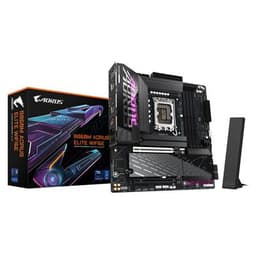
Best micro-ATX: Gigabyte B860M AORUS Elite WiFi6E
For a smaller case, the B860M AORUS Elite WiFi6E packs a lot onto a 24.4 x 24.4cm board.
Gigabyte's specifications include:
USB4: a rear USB4 Type-C port from the CPU, supporting DisplayPort output up to 3840 x 2160 at 144Hz. There's also a full-size DisplayPort, an HDMI port and an unusual front HDMI connector limited to 1920 x 1080 at 30Hz.
Storage: three M.2 slots. One runs from the CPU at PCIe 5.0 x4 and two run from the chipset at PCIe 4.0 x4, one of which takes 22110 drives. There are also four SATA ports.
Expansion: a PCIe 5.0 x16 slot from the CPU and a PCIe 4.0 x16-length slot running at x4. Gigabyte notes that the main x16 slot can only take a graphics card or an NVMe SSD.
Memory: four DDR5 slots, up to 256GB, with overclocked support listed up to DDR5-9200.
Networking: Realtek 2.5GbE and Wi-Fi 6E with Bluetooth 5.3. The Wi-Fi chip depends on the PCB revision: Intel AX211 on rev. 1.0 and Realtek RTL8852CE on rev. 1.1.
Power and fans: two 8-pin CPU power connectors, six fan or pump headers (two of which can run a pump) and a Q-Flash Plus button for BIOS updates.
Why it's our pick: USB4 and three M.2 slots on a micro-ATX board are a strong combination for a compact build. Our best micro-ATX case guide has cases to suit it.
Things to know: it has Wi-Fi 6E rather than Wi-Fi 7. As with any board, check the manual's slot table before deciding which slot your fastest SSD goes in.
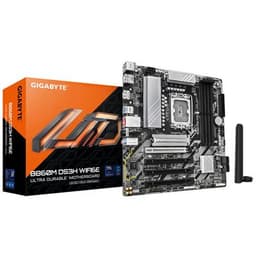
Best for a tight budget: Gigabyte B860M DS3H WiFi6E
If you want to spend as little as possible on the board and put the money into the processor or graphics card instead, the B860M DS3H WiFi6E is the stripped-back option.
Gigabyte's product page for the rev. 1.x board highlights:
one PCIe 5.0 x16 slot and three PCIe 4.0 x1 slots
two M.2 slots: one PCIe 5.0 and one PCIe 4.0
2.5GbE LAN and Wi-Fi 6E
two DisplayPort outputs and an HDMI port for integrated graphics
a "hybrid 5+1+2 phases" VRM, a chipset heatsink and debug LEDs
three addressable RGB headers and one RGB header
Why it's our pick: you still get a PCIe 5.0 graphics slot, a PCIe 5.0 M.2 slot, 2.5GbE and Wi-Fi 6E. That's enough for a straightforward gaming PC.
Things to know: only two M.2 slots, so plan your storage around that. Gigabyte sells rev. 1.x, 2.0 and 2.2 versions of this board, so check the spec page for the revision you're buying.
What to check before you buy a B860 board
CPU support and BIOS version. All these boards support Core Ultra (Series 2) processors, but check the maker's CPU support list for your exact chip. ASUS's pages note that the newer Core Ultra 200S Plus processors need Windows 11 version 25H2 or later for full compatibility. If you might need a BIOS update before first boot, a FlashBack or Q-Flash Plus button saves a lot of hassle. Our guide to updating your BIOS safely covers the rest.
M.2 lane sharing. Several boards disable or slow a PCIe slot when a particular M.2 slot is used. The manual's slot table tells you which.
Rear USB-C. USB 20Gbps, USB4 and Thunderbolt 4 are not the same thing. Check which one a board has if you plan to use fast external drives or docks.
Size. ATX boards need an ATX-capable case; micro-ATX boards fit both micro-ATX and most ATX cases.
Our verdict
For most Core Ultra 200S builds, the ASUS TUF Gaming B860-Plus WiFi is the B860 board to start with. ASUS lists three M.2 slots including PCIe 5.0, Wi-Fi 7, 2.5GbE, a 20Gbps USB-C port and BIOS FlashBack. Choose the MSI PRO B860-P WIFI if you want 5GbE and Thunderbolt 4 built in, or the ASUS ROG Strix B860-F Gaming WiFi for four M.2 slots, Thunderbolt 4 and better onboard audio. For a smaller case, the Gigabyte B860M AORUS Elite WiFi6E adds USB4 to a micro-ATX board, and the Gigabyte B860M DS3H WiFi6E is the bare-bones option. Our picks are based on the makers' specifications, so check current UK prices and the board revision before buying.