Everything here comes from the official Logitech, Razer and Corsair specification pages, read on 24 November 2026. We haven't quoted prices because they change daily around Black Friday, but all four sit at the cheaper end of each brand's range; check current UK prices at retailers before you buy.
Budget mice have come a long way. Even entry-level models now use proper gaming sensors with no built-in acceleration, 1,000Hz polling and switches rated for millions of clicks. What you give up at this price is usually a rechargeable battery, an ultra-light shell, or very high polling rates. If you're still deciding whether to go wireless, our wired vs wireless gaming mouse guide covers the trade-offs.
Our picks at a glance
Pick | Mouse | Connection | Sensor / max DPI | Weight (official) | Buttons | Power |
|---|
Best budget wireless | Logitech G305 LIGHTSPEED | 2.4GHz LIGHTSPEED | HERO, 12,000 DPI | 99g with AA battery | 6 | 1x AA, up to 250 hours |
Best step-up wireless | Logitech G309 LIGHTSPEED | 2.4GHz LIGHTSPEED + Bluetooth | HERO 25K, 25,600 DPI | 86g with AA battery | 7 | 1x AA, up to 300 hours at 1kHz |
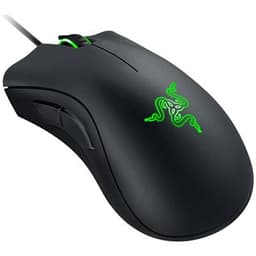
Best budget ergonomic | Razer DeathAdder Essential | Wired | Optical, 6,400 DPI | 96g | 5 programmable | Wired |
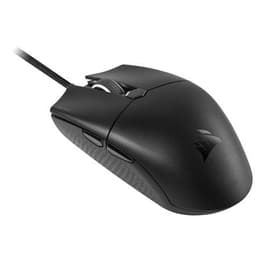
Best lightweight wired | Corsair KATAR PRO XT | Wired (paracord cable) | Optical, 18,000 DPI | 73g | Not listed on Corsair's page | Wired |
Best budget wireless: Logitech G305 LIGHTSPEED
The Logitech G305 LIGHTSPEED has been one of the default recommendations for a cheap wireless gaming mouse for years, and the specs explain why. It uses Logitech's HERO sensor with a range of 200 to 12,000 DPI and a maximum tracking speed of 400 IPS, connected through Logitech's 2.4GHz LIGHTSPEED wireless receiver.
Power comes from a single AA battery rather than a built-in rechargeable cell. Logitech rates it for up to 250 hours of non-stop gaming in Performance mode, or up to nine months of standard use in Endurance mode. The upside is that you never have to wait for it to charge: just swap the battery. The downside is weight. Logitech lists it at 75g without the battery and 99g with one fitted, so it's not a featherweight.
It has six programmable buttons (left and right click, scroll wheel click, forward, back and a DPI button) plus Logitech's mechanical button tensioning system. Logitech lists its dimensions as 116.6 x 62.15 x 38.2mm, making it the smallest wireless mouse here. Advanced settings need Logitech G HUB, though the software is optional.
Choose it if: you want a reliable, cable-free mouse at a low price and don't mind changing an AA battery every so often.
Best step-up wireless: Logitech G309 LIGHTSPEED
The Logitech G309 LIGHTSPEED is a newer and better-specified AA-powered wireless mouse. Compared with the G305, Logitech's specification page lists several worthwhile upgrades:
Two wireless modes: LIGHTSPEED 2.4GHz and Bluetooth LE. Logitech lists a 1kHz (1ms) report rate in LIGHTSPEED HI mode, and 125Hz on Bluetooth, so Bluetooth is best kept for work or a laptop.
A better sensor: HERO 25K, with a range of 100 to 25,600 DPI, more than 400 IPS tracking and more than 40G acceleration, with zero smoothing, acceleration or filtering.
Longer battery life: Logitech quotes 300 hours at 1kHz with an alkaline AA, or 600 hours on Bluetooth.
Lower weight: 86g with an AA battery. If you own a Logitech POWERPLAY wireless charging mouse pad, the G309 can use it instead of a battery, and Logitech says it then weighs just 68g.
It has seven buttons, a left/right tilt scroll wheel and onboard memory for up to five profiles through G HUB. It's slightly bigger than the G305 at 120 x 64 x 39mm.
Choose it if: you want a wireless budget mouse that can also pair with a laptop over Bluetooth, or you want more battery life and a lighter feel than the G305.
Best budget ergonomic: Razer DeathAdder Essential
If you prefer a larger right-handed shape to palm, the Razer DeathAdder Essential is the cheap way into Razer's long-running DeathAdder family. Razer describes it as keeping the classic ergonomic DeathAdder form, and its official dimensions of 127.3 x 72.7 x 42.8mm make it the biggest mouse here.
It's wired, with a 1.8m cable, and uses a 6,400 DPI optical sensor with a 220 IPS maximum speed and 30G maximum acceleration. Those are modest figures next to the Logitechs, but 6,400 DPI is still far more than most people use in games. Razer lists five programmable Hyperesponse buttons and mechanical switches rated for 10 million clicks. Lighting is a single green zone rather than Chroma RGB, and there's no onboard profile memory, so you'll need Razer Synapse running if you want custom settings on a PC. It weighs 96g and comes in black or white.
Choose it if: you have larger hands, use a palm grip and want a comfortable right-handed shape. For more comfort-first options, see our best ergonomic mouse guide.
Best lightweight wired: Corsair KATAR PRO XT
The Corsair KATAR PRO XT is the pick for people who play fast shooters with a claw or fingertip grip and want something light. Corsair lists it at just 73g, with a compact, symmetric shape that it says suits claw and fingertip grips.
It uses an 18,000 DPI optical sensor that you can adjust in 1 DPI steps with three DPI presets. Corsair's QUICKSTRIKE buttons use a spring-loaded design intended to remove any gap between the main buttons and their switches. Rather than a stiff rubber lead, it has a drag-reducing paracord cable, which matters on a wired mouse because cable drag is one of the main things that makes wired mice feel worse than wireless ones. Lighting and macros are handled by Corsair iCUE, and Corsair lists a two-year warranty.
The KATAR PRO XT is small, so it's not the best choice for large hands or palm grip. Pair it with a decent mouse pad (see our best mouse pad guide) to get the most from a light mouse.
Choose it if: you want the lightest mouse here and don't need wireless.
Budget mouse buying tips
Set your DPI and polling rate. Higher DPI isn't better on its own. Most players use a modest DPI with in-game sensitivity tuned to suit. Our guides on changing mouse DPI and sensitivity and changing mouse polling rate explain how.
Turn off Windows mouse acceleration. Windows' "Enhance pointer precision" setting changes how far the cursor moves depending on speed. Many gamers turn it off; see how to turn off mouse acceleration in Windows 11.
Think about shape before specs. Grip style and hand size matter more than sensor figures at this level. The DeathAdder Essential suits palm grips; the KATAR PRO XT and G305 are smaller.
AA vs rechargeable. Both Logitechs use AA batteries. That's cheaper and avoids battery wear, but adds weight. A rechargeable NiMH AA is a sensible middle ground.
Switch type. Some pricier mice use optical switches instead of mechanical ones; our optical vs mechanical mouse switches guide explains the difference.
If your budget stretches further, our main best gaming mouse guide covers premium wireless models.
Our verdict
The Logitech G305 LIGHTSPEED is the best budget gaming mouse for most people: it's wireless, uses Logitech's HERO sensor and is rated for up to 250 hours on one AA battery. If you can stretch a little further, the G309 adds Bluetooth, a 25,600 DPI HERO 25K sensor, up to 300 hours at 1kHz and a lower 86g weight. If you'd rather stay wired, choose the Razer DeathAdder Essential for a larger ergonomic right-handed shape or the 73g Corsair KATAR PRO XT for a light, compact mouse with a paracord cable. Check current UK prices first.