If you have spent good money on a gaming mouse, the surface under it matters more than you might expect. A consistent pad helps the sensor track cleanly, and the surface texture decides how fast your mouse glides and how easily it stops. The good news is that a decent pad can cost less than a takeaway.
Forge PC has not tested these mouse pads. This guide draws on PC Gamer's best mouse pads guide (updated 15 May 2026) and its control-pad testing, Tom's Hardware's tested mouse pad guide, and the manufacturers' own product information. Where we quote prices, they are PC Gamer's "expect to pay" figures as shown on 15 November 2026 or, for Logitech, the official UK store price on the same day, not prices we have tracked over time.
Quick picks
Pick | Surface | Size | Typical UK price | Recommended by |
|---|
SteelSeries QcK Performance | Cloth (Speed, Balance or Control) | 490 x 420mm (Large), 900 x 400mm (XL) | about £36 (L), £45 (XL) | PC Gamer best overall |
SteelSeries QcK Heavy | Thick cloth | Medium, Large, XXL | not checked | Tom's Hardware top pick |
Corsair MM100 | Cloth | 320 x 270mm | about £8 | PC Gamer best budget |
Logitech G440 | Hard plastic | 340 x 280mm | £16.99 (Logitech UK) | PC Gamer best budget hard pad |
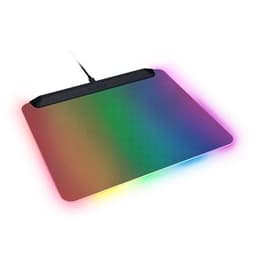
Razer Firefly V2 Pro | Hard, backlit RGB | 360 x 278mm | about £100 | PC Gamer best hard pad; Tom's Hardware best RGB |
QPAD Obsidian Glass | Glass | 420 x 420 x 4mm | about £100 | PC Gamer best glass pad |
Sizes and prices from PC Gamer except where stated. Logitech price from Logitech's UK store, 15 November 2026.
Cloth, hard or glass?
Cloth is the default for most players. It is comfortable, quiet and has some stopping power. Within cloth, "speed" surfaces glide more freely and "control" surfaces add resistance to help you stop precisely.
Hard pads are slicker. PC Gamer says a decent mouse with PTFE feet glides over the Razer Firefly V2 Pro with ease, and that hard pads are much easier to clean.
Glass is the most premium option and the most expensive. PC Gamer lists the QPAD Obsidian Glass as easy to clean, but notes that it requires a sleeve.
Size matters too. Tom's Hardware says a standard "medium" gaming pad is about 450 x 400mm, and many players who use a low mouse sensitivity, moving their whole arm to aim, prefer a larger or full-desk pad.
PC Gamer's top pick offers three cloth surfaces: smooth nylon (Smooth), smooth but slightly textured polyester (Balance) and textured polyester (Control), in Large (490 x 420mm) and Extra Large (900 x 400mm) sizes. PC Gamer praises the low-profile stitched edges and the neoprene foam backing, and says the Control version offers "great stopping power". Its main drawback is price: PC Gamer lists about £36 for the Large and £45 for the XL.
Best thick cloth pad: SteelSeries QcK Heavy
Tom's Hardware's top pick is the QcK Heavy, an extra-thick, non-RGB cloth pad with a micro-woven surface. Tom's says it prefers it for most users because it is more durable than the regular QcK, and offers a better size range and a lower price than the QcK Performance. SteelSeries sells the black QcK Heavy in Medium, Large and XXL sizes and says its thickness adds wrist comfort.
Best budget: Corsair MM100
At about £8 on PC Gamer's figures, the MM100 is the pad to buy if you just need something decent. It is a plain 320 x 270mm cloth pad with a rubber base. PC Gamer says it is dependable, easy to clean and smooth enough for gaming, with one caveat: the edges are not stitched, so they can fray over time.
Best budget hard pad: Logitech G440
Logitech's official UK store listed the G440 at £16.99 and in stock on 15 November 2026. Logitech describes a 280 x 340mm low-friction polyethylene surface on a rigid core with a natural rubber base, with a texture tuned for its own mouse sensors. PC Gamer calls it its office favourite and its pick for a cheaper hard-top pad, saying the simplicity and ultra-smooth surface make it its top choice for speed.
Best hard and RGB pad: Razer Firefly V2 Pro
The Firefly V2 Pro is the luxury option. PC Gamer names it the best hard-top mouse pad, saying a decent mouse with proper PTFE feet glides over it, while Tom's Hardware names it the best RGB mouse pad because the whole pad is backlit. The downside is the price, which PC Gamer puts at about £100 for a single medium size (360 x 278mm, according to Tom's Hardware). The medium Firefly V2 Pro is already in our products database.
For tactical shooters: a control pad
If you mostly play games like Counter-Strike, a dedicated control pad may suit you better. PC Gamer's writer, after four months testing control pads in Counter-Strike, settled on a Zowie cloth pad, saying it "manages to maintain a level of static friction that keeps my crosshair steady when holding angles" while still allowing flicks.
Pair it with the right mouse
A pad cannot fix a poor mouse. Our best gaming mouse guide covers the mice worth buying, and our wired vs wireless mouse comparison explains whether going cable-free makes sense.
Our verdict
For most people, a good cloth pad is the right choice: PC Gamer's pick, the SteelSeries QcK Performance, offers a surface for every style, while Tom's Hardware prefers the thicker and cheaper QcK Heavy. On a tight budget, the Corsair MM100 at about £8 is hard to beat, and PC Gamer's hard-pad favourite, the Logitech G440, £16.99 at Logitech UK on 15 November 2026, is the inexpensive way to try a hard surface. The Razer Firefly V2 Pro is a lovely but expensive hard pad. Forge PC has not tested these pads; recommendations are credited to PC Gamer and Tom's Hardware.