Gigabyte makes boards for both current desktop platforms, from the entry-level A620M Gaming X for AMD to the Z890 AORUS Pro Ice for Intel's Core Ultra chips. The differences that matter day to day are networking, USB, how many fast M.2 slots you get and how much memory headroom the board advertises. We compared six Gigabyte boards that are in the Forge PC specs database using Gigabyte's own specification pages.
The six boards at a glance
Board | Platform | Size | LAN / Wi-Fi | M.2 slots | Fast USB | Top listed DDR5 |
|---|
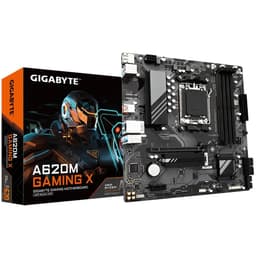
A620M Gaming X | AMD A620 (AM5) | Micro ATX | 1GbE, no Wi-Fi | 1 (PCIe 4.0 x4) | - | 8000 (OC) |
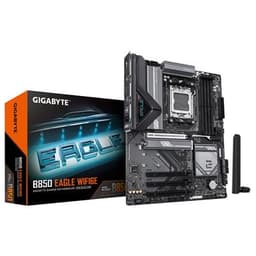
B850 Eagle WiFi6E | AMD B850 (AM5) | ATX | 1GbE, Wi-Fi 6E | 3 (one PCIe 5.0) | USB-C 3.2 Gen 1 | 8200 (OC) |
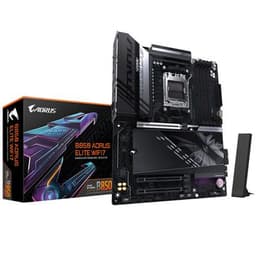
B850 AORUS Elite WiFi7 | AMD B850 (AM5) | ATX | 2.5GbE, Wi-Fi 7 | 3 (one PCIe 5.0) | USB-C 3.2 Gen 2 | 8200 (OC) |
X870 Eagle WiFi7 | AMD X870 (AM5) | ATX | 2.5GbE, Wi-Fi 7 | 3 (one PCIe 5.0) | 2 x USB4 | 8200 (OC) |
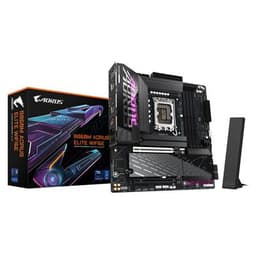
B860M AORUS Elite WiFi 6E | Intel B860 (LGA 1851) | Micro ATX | 2.5GbE, Wi-Fi 6E | 3 (one PCIe 5.0) | 1 x USB4 | 9200 (OC) |
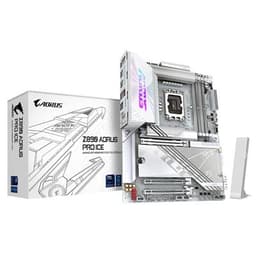
Z890 AORUS Pro Ice | Intel Z890 (LGA 1851) | ATX | 5GbE, Wi-Fi 7 | 5 (one PCIe 5.0) | 2 x Thunderbolt 4 | 9500 (OC) |
All six have four DDR5 slots and list support for up to 256GB of memory (64GB per DIMM), and all six have a Q-Flash Plus button, Gigabyte's dedicated BIOS-update button, which is handy if you buy a board that needs a newer BIOS for your processor. Our BIOS Flashback guide explains how these buttons work. Memory speeds marked OC are Gigabyte's overclocked ceilings, not guaranteed speeds; Gigabyte notes on each spec page that the CPU and memory configuration may affect the supported speed.
Best budget AM5 board: Gigabyte A620M Gaming X
The A620M Gaming X is the simplest board here. Gigabyte lists support for Ryzen 7000, 8000 and 9000 processors on socket AM5, a single PCIe 4.0 x16 graphics slot, one M.2 slot wired to the CPU for PCIe 4.0 x4 SSDs, and gigabit Ethernet with no Wi-Fi. It still lists AMD EXPO and Intel XMP memory profile support and DDR5 up to 8000 (OC).
It suits a budget gaming PC with one graphics card and one SSD, but there's no room to grow on storage without SATA drives and you'll need a Wi-Fi adapter if you can't run a cable. For more choice at this level, see our best A620 motherboards.
Best value B850: Gigabyte B850 Eagle WiFi6E
Moving to B850 brings a PCIe 5.0 x16 graphics slot and a PCIe 5.0 x4 M.2 slot with Ryzen 9000 and 7000 processors, according to Gigabyte. The Eagle WiFi6E has three M.2 slots: two wired to the CPU (PCIe 5.0 x4 and PCIe 4.0 x4) and one on the chipset that runs at PCIe 4.0 x2. Networking is gigabit Ethernet plus Wi-Fi 6E (Intel AX210 on PCB revision 1.0, Realtek RTL8852CE on revision 1.1), and the rear USB-C port is USB 3.2 Gen 1.
That chipset M.2 slot running at x2 and the gigabit LAN are the main compromises next to the AORUS Elite below. Whether they matter depends on how many fast SSDs you plan to fit and whether your home network or internet connection is faster than 1Gbps.
Best all-round AM5 board: Gigabyte B850 AORUS Elite WiFi7
The B850 AORUS Elite WiFi7 is the one we'd pick for most AMD builds. It keeps the PCIe 5.0 x16 slot and PCIe 5.0 x4 M.2 slot, but its third M.2 slot runs at the full PCIe 4.0 x4, Ethernet goes up to 2.5GbE, Wi-Fi moves to Wi-Fi 7 (Realtek RTL8922AE), and the rear USB-C port is upgraded to USB 3.2 Gen 2. There's also an internal USB-C header with USB 3.2 Gen 2x2 support for a fast front-panel port; check your case with our front USB-C header guide. Gigabyte notes that Wi-Fi 7 features require Windows 11 (its spec page specifies "Windows 11 SV3") and that there's no Windows 10 driver.
Best for USB4 on AMD: Gigabyte X870 Eagle WiFi7
The X870 Eagle WiFi7 has two USB4 Type-C ports on the back panel that also carry DisplayPort video at up to 3840x2160 at 240Hz from a processor with Radeon graphics, according to Gigabyte. Otherwise it's similar to the B850 AORUS Elite: 2.5GbE, Wi-Fi 7, a PCIe 5.0 x16 slot and three M.2 slots. One catch: only one M.2 slot is wired to the CPU, and Gigabyte says the chipset's M2B_SB slot drops to x2 when an SSD is fitted in M2C_SB. If you want three fast SSDs, the B850 AORUS Elite's layout is better; if you want USB4 for an external SSD or dock, choose the X870. Our best X870 motherboards list covers other options.
Best compact Intel board: Gigabyte B860M AORUS Elite WiFi 6E
For an Intel Core Ultra build in a smaller case, the B860M AORUS Elite WiFi 6E packs a lot into a 24.4 x 24.4cm Micro ATX board: a PCIe 5.0 x16 slot plus a PCIe 4.0 x4 slot, three M.2 slots (one PCIe 5.0 x4), 2.5GbE, Wi-Fi 6E and a USB4 Type-C port that can output DisplayPort video at up to 3840x2160 at 144Hz. Gigabyte also lists two Thunderbolt add-in card connectors. Memory support goes up to DDR5 9200 (OC) in Gigabyte's list. See our best B860 motherboards for alternatives.
Best high-end Intel board: Gigabyte Z890 AORUS Pro Ice
The Z890 AORUS Pro Ice is the most feature-rich board here and the only one with the Z890 chipset, which Intel lists as supporting CPU, BCLK and memory overclocking. Gigabyte lists five M.2 slots (one PCIe 5.0 x4 and four PCIe 4.0 x4), a PCIe 5.0 x16 graphics slot, two Thunderbolt 4 USB-C ports on the back, Realtek 5GbE, Intel Wi-Fi 7 BE200 and DDR5 support up to 9500 (OC), including CUDIMM modules. It also has two 8-pin CPU power connectors, so make sure your power supply has two EPS cables; our CPU EPS cable guide explains why.
How to choose
For brand-agnostic picks, see our best AM5 motherboards, best B850 motherboards and best LGA 1851 motherboards.
Our verdict
For most AMD gaming PCs, the Gigabyte B850 AORUS Elite WiFi7 is the Gigabyte board to buy: PCIe 5.0 for the graphics card and main SSD, three full-speed M.2 slots, 2.5GbE and Wi-Fi 7. Save with the B850 Eagle WiFi6E or A620M Gaming X if you only need one or two SSDs, or step up to the X870 Eagle WiFi7 for USB4. On Intel, the B860M AORUS Elite WiFi 6E is the sensible compact choice, and the Z890 AORUS Pro Ice is for builders who want overclocking, five M.2 slots and Thunderbolt 4.