A620 is AMD's cheapest AM5 chipset, and an A620 board is the lowest-cost way into a platform that takes Ryzen 7000, 8000 and 9000 processors. The catch is that cheap boards differ a lot: some have four memory slots and two M.2 slots, others have two and one, and at least one limits which CPUs it officially supports by power.
Our picks at a glance
Pick | Best for | Size | Memory slots | M.2 slots | Network | Maker's CPU note |
|---|
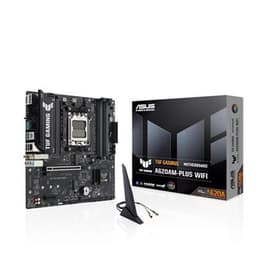
ASUS TUF Gaming A620AM-PLUS WIFI | Best overall | Micro-ATX | 4 (up to 256GB) | 2 (both PCIe 4.0 x4 with Ryzen 7000/9000) | 2.5Gb Ethernet, Wi-Fi 6 | Up to 170 W CPUs |
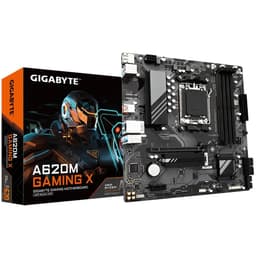
Gigabyte A620M Gaming X | Four DIMMs without paying for Wi-Fi | Micro-ATX | 4 (up to 256GB) | 1 (PCIe 4.0 x4) | 1Gb Ethernet | 8+2+1 phase VRM |
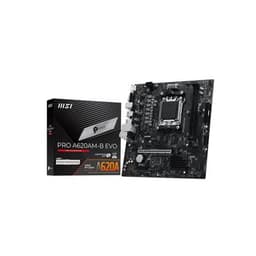
MSI PRO A620AM-B EVO | Cheap board with 2.5Gb Ethernet | Micro-ATX | 2 (up to 128GB) | 1 (PCIe 4.0 x4) | 2.5Gb Ethernet | Ryzen 7000/8000/9000 |
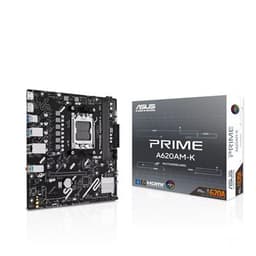
ASUS Prime A620AM-K | Simple Ryzen 5 builds | Micro-ATX (22.6 x 22.1 cm) | 2 (up to 128GB) | 1 (PCIe 4.0 x4) | 1Gb Ethernet | Up to 120 W CPUs |
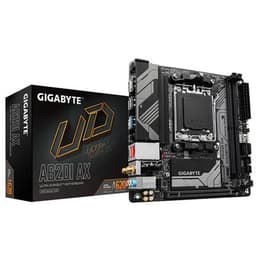
Gigabyte A620I AX | Mini-ITX builds | Mini-ITX | 2 (up to 128GB) | 1 (PCIe 4.0 x4) | 2.5Gb Ethernet, Wi-Fi 6E | Ryzen 7000/8000/9000 |
All figures come from the makers' spec pages. Some boards are sold in several revisions, and specs can change between revisions, so check the exact model and revision before you buy. Some ASUS and MSI models in this list use AMD's A620A chipset, which AMD groups with A620 on its AM5 chipset page.
What every A620 board has in common
AMD's AM5 chipset specifications list A620 with a PCIe 4.0 x16 graphics connection, a PCIe 4.0 x4 NVMe connection from the CPU, no PCIe 5.0 lanes and no Ryzen CPU overclocking. AMD says DDR5 memory overclocking with EXPO is supported "on select chipsets" in the A620 family, and every board in this guide lists EXPO support on its spec page. If you want a PCIe 5.0 SSD or CPU overclocking, look at B850 instead. Our A620 vs B840 comparison explains how the cheapest AM5 chipsets differ, and our best B850 motherboard guide covers the next step up.
Best overall: ASUS TUF Gaming A620AM-PLUS WIFI
The ASUS TUF Gaming A620AM-PLUS WIFI has the most complete feature list here. ASUS lists:
CPU support: Ryzen 9000, 8000 and 7000, up to 170 W CPUs
Memory: 4 DDR5 slots, up to 256GB, with EXPO support
Storage: 2 M.2 slots, both PCIe 4.0 x4 with Ryzen 7000 and 9000 processors, plus 4 SATA ports
Networking: Realtek 2.5Gb Ethernet and Wi-Fi 6 with Bluetooth 5.3
USB: 2 USB 10Gbps Type-A ports at the rear, plus a front USB-C 5Gbps header
Size: micro-ATX, 24.4 x 24.4 cm
Why it's our top pick: it is the only board in this list with two M.2 slots and four memory slots, and the 170 W CPU rating covers the full Ryzen range up to AMD's 170 W chips. Built-in Wi-Fi and 2.5Gb Ethernet mean you won't need an add-in card. ASUS also sells a non-Wi-Fi TUF Gaming A620AM-PLUS; check its own spec page before buying, because we've only checked the Wi-Fi model in detail.
Things to check: ASUS notes that with Ryzen 8000 processors the graphics slot drops to x8 or x4 and the second M.2 slot may run at x2. Gigabyte and MSI list the same graphics-slot limits with Ryzen 8000 chips, because it's a limit of those CPUs rather than of the board.
Best without Wi-Fi: Gigabyte A620M Gaming X
The Gigabyte A620M Gaming X is a good choice if your PC sits next to the router and you'd rather not pay for Wi-Fi. Gigabyte lists for revision 1.0:
Power delivery: an 8+2+1 phase digital VRM
Memory: 4 DDR5 slots, up to 256GB, with EXPO and XMP support
Storage: 1 PCIe 4.0 x4 M.2 slot and 4 SATA ports
Networking: Realtek 1Gb Ethernet
Display outputs: DisplayPort 1.4 and HDMI 2.1 for CPUs with graphics
Extras: Q-Flash Plus, which updates the BIOS without a CPU, memory or graphics card installed
Why it's here: four memory slots leave room to add RAM later, and Q-Flash Plus is useful on an A620 board because AMD says a BIOS update may be required for Ryzen 8000 and 9000 processors on 600-series boards. Our BIOS Flashback guide explains how these buttons work.
Things to check: there's only one M.2 slot, so further drives must use SATA. Gigabyte sells the board in several revisions (1.0, 1.1, 2.0 and 2.1), so check the revision you're buying.
Best cheap board with 2.5Gb Ethernet: MSI PRO A620AM-B EVO
The MSI PRO A620AM-B EVO is a basic board with a faster network port than many rivals. MSI lists:
Memory: 2 DDR5 slots, up to 128GB, with memory overclocking and EXPO
Storage: 1 M.2 slot (PCIe 4.0 x4 from the CPU) and 2 SATA ports
Networking: Realtek RTL8125 2.5Gb Ethernet
Display outputs: HDMI 2.1 and VGA
Extras: EZ Debug LEDs to help when a PC won't start
Size: micro-ATX, 21.8 x 24.4 cm
Why it's here: 2.5Gb Ethernet and debug LEDs are useful on a cheap board, and two memory slots are enough for a 32GB or 64GB kit.
Things to check: it has only two SATA ports and four rear USB 5Gbps ports, with no USB-C at the rear (there is a front USB-C header). Plan your storage around one NVMe drive.
Best for simple Ryzen 5 builds: ASUS Prime A620AM-K
The ASUS Prime A620AM-K is the most basic board here. ASUS lists 2 DDR5 slots (up to 128GB, with EXPO), 1 PCIe 4.0 x4 M.2 slot, 4 SATA ports, Realtek 1Gb Ethernet and four rear USB 5Gbps ports. At 22.6 x 22.1 cm, it's smaller than a full micro-ATX board.
Things to check: ASUS lists support for CPUs up to 120 W only. That suits 65 W and 105 W chips, but not AMD's 170 W processors, so pick another board if you're planning a Ryzen 9. Our CPU and motherboard compatibility guide shows how to check a CPU support list.
Best Mini-ITX A620 board: Gigabyte A620I AX
The Gigabyte A620I AX is a 17 x 17 cm Mini-ITX board for small builds. Gigabyte lists for revision 1.0:
Memory: 2 DDR5 slots, up to 128GB, with EXPO and XMP
Storage: 1 PCIe 4.0 x4 M.2 slot and 2 SATA ports
Networking: Realtek 2.5Gb Ethernet and Realtek Wi-Fi 6E with Bluetooth 5.3
USB: rear USB-C (5Gbps) and USB 10Gbps Type-A, plus a front USB-C header
Extras: Q-Flash Plus button
Why it's here: Wi-Fi 6E, 2.5Gb Ethernet and BIOS flashing without a CPU are good features for the price of an A620 board. Gigabyte notes that the x16 slot can take either a graphics card or an NVMe SSD. See our best Mini-ITX AM5 motherboard guide for more expensive options and our best Mini-ITX case guide for cases.
How to choose
Most budget gaming builds: ASUS TUF Gaming A620AM-PLUS WIFI, for its two M.2 slots, four memory slots and 170 W CPU support.
Wired PC, room to add memory: Gigabyte A620M Gaming X.
Cheapest board with 2.5Gb Ethernet: MSI PRO A620AM-B EVO.
Ryzen 5 build on the tightest budget: ASUS Prime A620AM-K, but note its 120 W CPU limit.
Small-form-factor build: Gigabyte A620I AX.
Whatever you buy, check that the board's BIOS supports your CPU, especially if you're using a Ryzen 9000 chip. Our guide to updating your BIOS safely covers this, and our best budget CPU guide suggests processors to pair with these boards. For a wider shortlist, see the best AM5 motherboards.
Our verdict
The ASUS TUF Gaming A620AM-PLUS WIFI is the A620 board to buy for most budget AM5 builds. ASUS lists four memory slots, two PCIe 4.0 M.2 slots, 2.5Gb Ethernet, Wi-Fi 6 and support for CPUs up to 170 W. The Gigabyte A620M Gaming X is a good wired alternative with four memory slots and Q-Flash Plus. The MSI PRO A620AM-B EVO adds 2.5Gb Ethernet to a basic two-slot board, and the Gigabyte A620I AX covers Mini-ITX. The ASUS Prime A620AM-K is fine for a Ryzen 5 build, but ASUS lists support for CPUs up to 120 W only. Every A620 board lacks PCIe 5.0 and CPU overclocking, so choose B850 if you need either.