Walk into any PC show and half the builds will be in dual-chamber cases: wide, glass-fronted boxes where the motherboard and graphics card sit on display and the power supply, drives and cables are hidden in a second compartment behind them. The other half use a more traditional tower with mesh-front intake fans and the PSU under a shroud. Both work well, but they suit different builds. This comparison uses two current Lian Li cases as reference points, the dual-chamber O11 Dynamic EVO and the conventional LANCOOL 217, with figures from Lian Li's own spec pages. Forge PC hasn't measured temperatures in either case, so we focus on layout, clearances and practical trade-offs.
The two layouts in brief
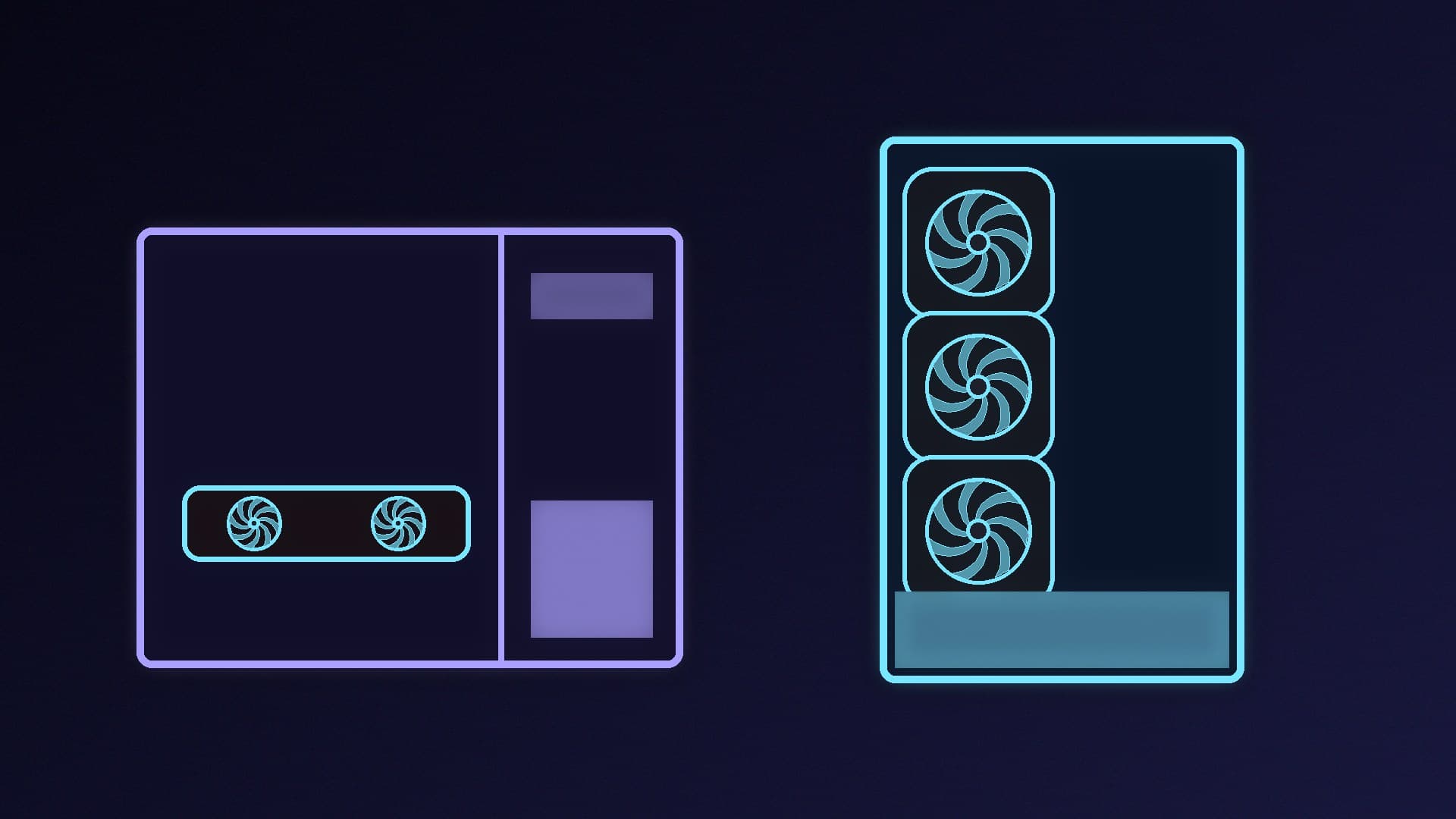
Dual-chamber: the main chamber holds the motherboard, CPU cooler, RAM and GPU. A rear chamber behind the motherboard tray holds the PSU, drives and spare cable length. Glass usually covers the front and side, so fans pull air in from the side or bottom and push it out of the top and rear.
Standard (single-chamber) tower: the PSU and drives sit under a shroud at the bottom of the same chamber. Air comes in through the front panel and leaves through the rear and top. This is the classic layout most cooling advice assumes.
| Lian Li O11 Dynamic EVO (dual-chamber) | Lian Li LANCOOL 217 (standard) |
|---|
Dimensions (D x W x H) | 465 x 285 x 459mm | 482 x 238 x 503mm |
GPU length clearance | 426mm | 380mm |
CPU cooler height clearance | 167mm | 180mm |
Expansion slots | 8 | 7 |
Radiator support | Up to three 360mm radiators | Top: 360 / 280 / 240mm |
Fan mounts | Up to 10 fans (top, side, bottom, rear) | Front, top, above and under the PSU shroud, rear |
Fans included | Not listed on Lian Li's spec page | Five pre-installed (including two 170mm front fans) |
Front panel | Tempered glass | Airflow front with fans |
Extras | Normal and reverse layouts; optional vertical GPU kit | Back-connect motherboard support |
Cooling: different airflow paths
In a standard tower, cool air enters through the front and passes over the drives, GPU and CPU on its way out. It's simple, and cases such as the LANCOOL 217 come ready to go: Lian Li fits five fans at the factory, including two 170mm intakes at the front.
A dual-chamber case has a glass front, so its intake has to come from the side or bottom. The O11 Dynamic EVO has room for up to ten fans and three 360mm radiators, which gives you a lot of flexibility, especially for liquid cooling. The catch is that you have to plan the airflow yourself and you'll probably need to buy fans. Bottom-mounted intakes feeding the GPU and a side or top radiator is a common arrangement. Our guide to setting up case fan airflow explains intake and exhaust balance, and AIO radiator orientation covers where to put a radiator.
Air coolers and big GPUs
Check the clearances. In our two examples, the dual-chamber O11 Dynamic EVO takes much longer graphics cards (426mm vs 380mm), but its CPU cooler limit is lower (167mm vs 180mm). Some large dual-tower air coolers are taller than 167mm, so if you're planning a big air cooler, check its height against the case's limit first. See single-tower vs dual-tower CPU coolers for the trade-offs. Wide dual-chamber cases tend to be designed with AIO coolers in mind.
Building and cable management
Dual-chamber cases make tidy builds easier. The PSU and its cables live in the back compartment, and Lian Li describes the O11 Dynamic EVO's rear chamber as a cable management compartment with hooks. There's no PSU shroud to work around, and the main chamber looks clean through the glass.
Standard towers keep everything in one space, but modern designs hide most of the mess. The LANCOOL 217 also supports back-connect motherboards, which put the main connectors on the rear of the board for an even cleaner front view. Our cable management guide applies to both layouts.
Size and desk space
Dual-chamber cases are wider and often shorter. The O11 Dynamic EVO is 285mm wide against the LANCOOL 217's 238mm, but it's 44mm shorter. Measure your desk or under-desk space, and remember the glass sides look best when they're visible.
Which should you choose?
Choose a dual-chamber case if: you want a showpiece build with a clear view of your parts, plan to use an AIO or custom liquid cooling, have a long GPU, and don't mind buying and arranging extra fans.
Choose a standard tower if: you want strong air cooling with minimal planning, plan to use a tall air cooler, want fans included, or have less desk width to spare.
For specific recommendations, see our best PC case guide. If you're also deciding on motherboard size, read Mini-ITX vs Micro-ATX vs ATX.
Our verdict
A dual-chamber case hides the PSU and cables behind the motherboard, shows off your parts and suits liquid cooling and long GPUs. Lian Li's O11 Dynamic EVO, for example, takes three 360mm radiators and 426mm cards. A standard front-intake tower is easier to cool with air out of the box and usually fits taller air coolers. The LANCOOL 217 ships with five fans and takes 180mm coolers. Pick dual-chamber for looks and liquid cooling, and a standard tower for simple, effective air cooling.