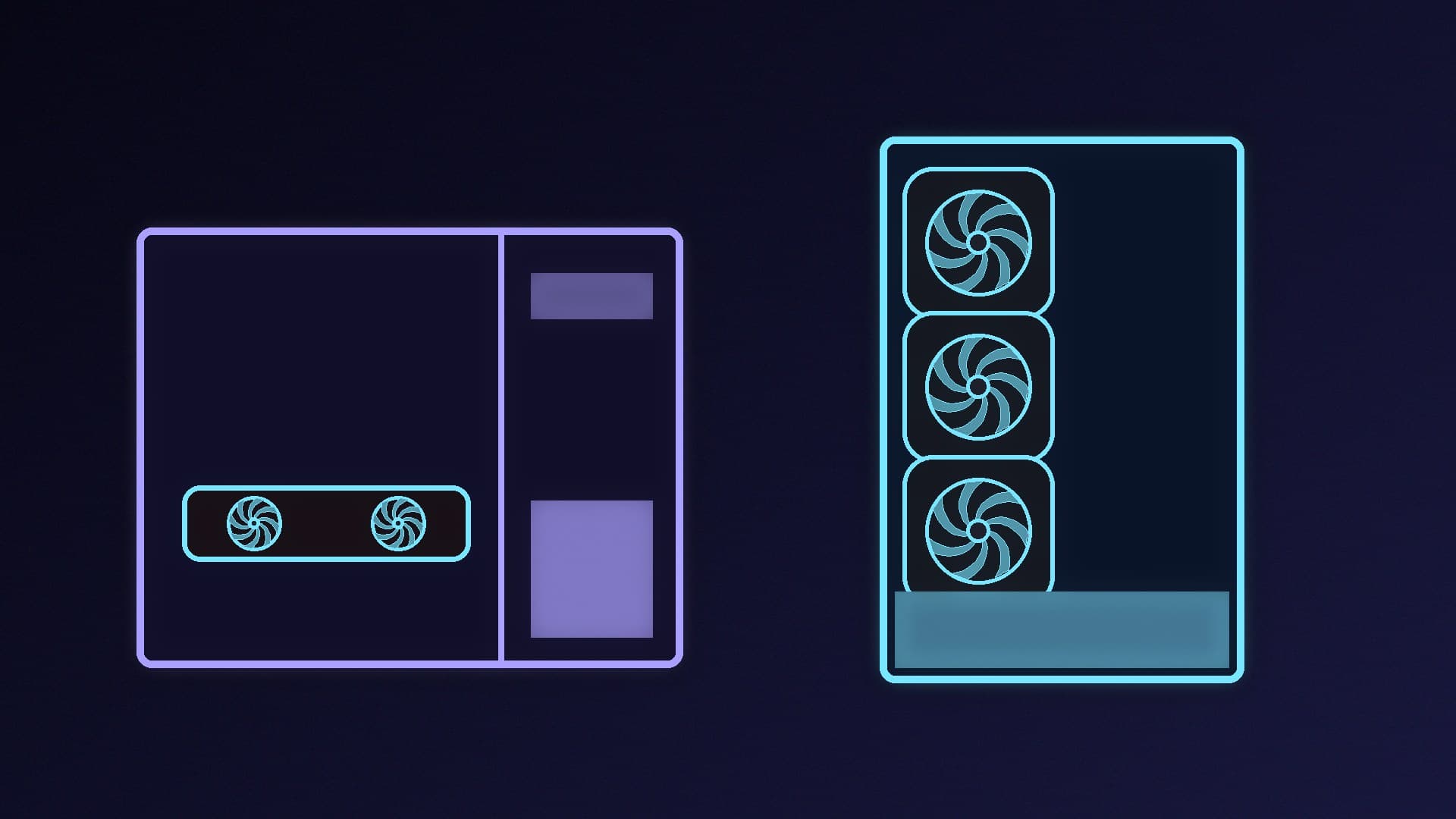
Graphics cards have become some of the best-looking parts in a PC, and a vertical mount turns the card round so you see its face through the side glass instead of its edge. It also takes the weight off the PCIe slot. But vertical mounting adds a riser cable and a bracket, and it puts the card's fans close to a panel. This guide compares the two approaches using the official specifications of vertical GPU kits from Lian Li and Cooler Master. Forge PC hasn't measured temperatures or performance with these kits, and the results depend heavily on your case and card.
How each method works
Horizontal (standard): the card plugs straight into the motherboard's top PCIe x16 slot and screws to the case's rear expansion slots. It's how every case and motherboard is designed to work, and there's nothing extra to buy.
Vertical: the card sits in a bracket parallel to the motherboard, usually in the case's lower expansion slots or a dedicated vertical bay. A riser cable connects it to the motherboard's PCIe slot.
Quick comparison
| Horizontal | Vertical |
|---|
Extra parts | None | Bracket plus riser cable (often sold as a kit) |
Look | You see the card's edge and backplate | You see the full face and fans |
GPU sag | Long, heavy cards can sag; a support bracket helps | The bracket carries the weight |
PCIe connection | Direct to the slot, at the full speed the card and board support | Through a riser, limited by the riser's PCIe generation |
Airflow | Fans face the bottom of the case, with space to draw air | Fans face the side panel, so the gap matters |
Compatibility | Universal | Depends on the case, bracket and card thickness |
The riser cable is the key part
A vertical mount is only as good as its riser. Lian Li's Universal 4-Slot Vertical GPU Kit (VG4-4) includes a 200mm PCIe 4.0 riser. Lian Li says it supports 16GT/s, double the bandwidth of PCIe 3.0. Cooler Master's Vertical Graphics Card Holder Kit V3 also includes a PCIe 4.0 riser.
That matters if you have a PCIe 5.0 graphics card. Through a PCIe 4.0 riser, the link can only run at PCIe 4.0 speeds at most. How much that affects a given card isn't something we've measured, so check independent reviews for your GPU. After installing any riser, check what link speed your card is actually running at with our guide to checking GPU PCIe link speed. A poor riser connection can show up as a lower link speed than expected.
Install carefully. Lian Li warns that the GPU must be fully inserted into the riser socket and the riser fully inserted into the motherboard slot, with the PC powered off, because a short circuit and hardware damage can occur if it's installed incorrectly.
Clearance and airflow
In a vertical mount, the card's fans face the side panel instead of the open space at the bottom of the case. How much room they have depends on the case and bracket. Some cases offer more than one position: Lian Li says the O11 Dynamic EVO's vertical GPU kit can sit in a lower position with 50mm of clearance at the bottom of the case, or an upper position with 90.5mm. More space under and around the card leaves room for bottom fans or radiators.
Cooler Master says its V3 holder is fully ventilated and adjustable in two directions, and it's designed for "flow-through" GPU coolers that pass air through the card. If your card runs hot, give it as much space as your case allows, and keep intake fans feeding it. Our case fan airflow guide explains the basics.
Sag and card weight
Heavy modern cards can bend the PCIe slot over time. Lian Li says its steel VG4-4 bracket holds GPUs up to four slots thick while "eliminating possibilities of sagging". If sag is your only concern, a simple support bracket is cheaper and keeps the direct slot connection. See how to fix GPU sag.
Compatibility checks before you buy
Case support. Check that your case lists vertical mounting and which brackets fit. Lian Li's VG4-4 compatibility list covers specific Lian Li cases such as the O11 Dynamic and LANCOOL ranges. Cooler Master says its V3 fits standard ATX cases and needs four PCI slots in micro-ATX cases.
Card thickness. Make sure the bracket supports your card's slot width. The VG4-4 takes cards up to four slots thick.
Power cable routing. The power connector ends up in a different place, so check that your cable will reach and won't be bent sharply. See how to connect a 12V-2x6 cable safely.
Display cables. In a vertical position, the card's video outputs move. Cooler Master says its V3's modular design makes it easier to connect external monitors.
Which should you choose?
Stay horizontal if: you want the simplest, most direct connection, the best-understood airflow and no extra cost. That suits most builds, especially if you're chasing performance.
Go vertical if: you're building a showpiece with a good-looking card, your case supports it properly, you buy a quality riser (ideally matching your card's PCIe generation), and you can leave enough space between the card and the panel.
Our verdict
Horizontal mounting is the default for good reason: it's a direct PCIe connection with no extra parts and predictable airflow. Vertical mounting shows off the card and stops sag, but it needs a bracket and riser. Kits from Lian Li and Cooler Master include PCIe 4.0 risers, which limit a PCIe 5.0 card to PCIe 4.0 link speeds. The fans also end up facing the side panel, so it suits showpiece builds in cases designed for it. Check the link speed after you install it.