PowerColor's graphics cards use AMD Radeon GPUs, and its current range is split into named lines such as Reaper, Hellhound and Red Devil. The Reaper cards are the PowerColor gaming models in our specs database, so this guide picks the best Reaper card for each type of build, plus PowerColor's 32GB workstation card for local AI. Everything here comes from PowerColor's own product pages. We haven't listed prices because they change daily.
Quick picks
Pick | Card | GPU | VRAM | Power connectors | PowerColor's minimum PSU |
|---|
Best overall | PowerColor Reaper RX 9070 XT 16GB | RX 9070 XT, 4096 stream processors | 16GB GDDR6, 256-bit | Two 8-pin | 750W |
Best balance | PowerColor Reaper RX 9070 16GB | RX 9070, 3584 stream processors | 16GB GDDR6, 256-bit | Two 8-pin | 650W |
Best 12GB option | PowerColor Reaper RX 9070 GRE 12GB | RX 9070 GRE, 3072 stream processors | 12GB GDDR6, 192-bit | Two 8-pin | 650W |
Best for small and budget builds | PowerColor Reaper RX 9060 XT 16GB | RX 9060 XT, 2048 stream processors | 16GB GDDR6, 128-bit | One 8-pin | 500W |
Best for local AI | PowerColor Radeon AI PRO R9700 32GB | AI PRO R9700, 4096 stream processors | 32GB GDDR6, 256-bit | 12V-2x6 (16-pin) | 750W |
All four Reaper cards use a PCIe 5.0 x16 interface and are two slots thick on PowerColor's spec pages.
Best overall: PowerColor Reaper RX 9070 XT 16GB
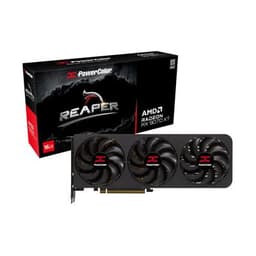
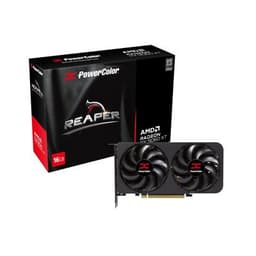
The Reaper RX 9070 XT (model RX9070XT 16G-A) is the highest-specified Reaper card on paper. PowerColor lists 4096 stream processors, 16GB of GDDR6 at 20.0 Gbps on a 256-bit bus, and clocks of up to 2400MHz (game) and 2970MHz (boost). Outputs are one HDMI 2.1b and three DisplayPort 2.1a.
It's a triple-fan card measuring 289 x 111 x 41mm (304 x 127 x 42mm with the bracket), and it takes two 8-pin PCIe power connectors with a 750W minimum system power recommendation. PowerColor says the Reaper cooler uses dual ball bearing fans, a copper base that contacts the GPU and VRAM, and Honeywell PTM7950 thermal material, with fans that start at 60°C and stop below 50°C. For other makers' versions of this GPU, see best RX 9070 XT graphics card.
Best balance: PowerColor Reaper RX 9070 16GB
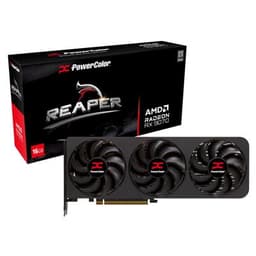
The Reaper RX 9070 (RX9070 16G-A) shares the same board size, 16GB of 20.0 Gbps GDDR6 on a 256-bit bus, PCIe 5.0 x16 interface and display outputs as the XT. The differences on PowerColor's page are fewer stream processors (3584), lower clocks (up to 2070MHz game and 2520MHz boost) and a lower 650W minimum PSU recommendation, still with two 8-pin connectors.
If your power supply sits between 650W and 750W, that lower recommendation is the main practical reason to pick it over the XT. Our RX 9070 vs RX 9070 XT comparison covers the GPU differences in more detail.
Best 12GB option: PowerColor Reaper RX 9070 GRE 12GB
The Reaper RX 9070 GRE (RX9070GRE 12G-A) uses the same 289 x 111 x 41mm triple-fan board, but with 3072 stream processors, 12GB of GDDR6 at 18.0 Gbps on a 192-bit bus, and clocks of up to 2220MHz (game) and 2790MHz (boost). It has the same HDMI 2.1b and three DisplayPort 2.1a outputs, two 8-pin connectors and a 650W minimum PSU recommendation.
The trade-off against the RX 9070 is clear from the spec sheet: 4GB less memory on a narrower bus. Whether 12GB is enough for you is covered in RX 9070 GRE vs RX 9070.
Best for small and budget builds: PowerColor Reaper RX 9060 XT 16GB
The Reaper RX 9060 XT 16GB (RX9060XT 16G-A) is the easiest card here to fit and power. It's a dual-fan design measuring 200 x 100 x 39mm (220 x 120 x 40mm with the bracket), needs one 8-pin connector and has a 500W minimum PSU recommendation. PowerColor lists 2048 stream processors, 16GB of GDDR6 at 20.0 Gbps on a 128-bit bus, and clocks of up to 2620MHz (game) and 3230MHz (boost). There's one HDMI 2.1b and two DisplayPort 2.1a outputs, one fewer DisplayPort than the bigger cards.
PowerColor also sells an 8GB Reaper RX 9060 XT, so check the model name (16G-A) before you buy. Our RX 9060 XT 8GB vs 16GB guide explains the difference, and how to check a graphics card fits your case helps with small builds.
Best for local AI: PowerColor Radeon AI PRO R9700 32GB
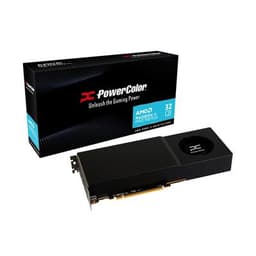
The AI PRO R9700 (AI PRO R9700 32G-B) isn't a Reaper card, but it's the PowerColor model to look at if you want to run larger AI models locally. PowerColor lists 4096 stream processors, 32GB of GDDR6 at 20.0 Gbps on a 256-bit bus, clocks of up to 2350MHz (game) and 2920MHz (boost), four DisplayPort 2.1a outputs and no HDMI. It uses a single 12V-2x6 (16-pin) power connector, a 750W minimum PSU recommendation and a blower-style fan that PowerColor says exhausts heat out of the case, which it describes as ideal for rack-mount and dense multi-GPU setups.
For more local AI options, see best AMD graphics card for local AI.
How to choose a PowerColor card
Check your PSU against PowerColor's minimum. The recommendations range from 500W for the RX 9060 XT to 750W for the RX 9070 XT and AI PRO R9700, and the power connectors differ too: 8-pin on the Reaper cards, 12V-2x6 on the R9700.
Measure your case. The three larger Reaper cards are 289mm long without the bracket; the RX 9060 XT is 200mm.
Count your monitors and ports. The RX 9060 XT has three outputs, the other Reaper cards have four, and the R9700 has DisplayPort only.
For other brands, see best Sapphire graphics card and best ASUS graphics card, or start with how to choose a graphics card.