A micro-ATX motherboard is 24.4cm square, noticeably smaller than a full ATX board, yet all four boards in this guide keep the features most gaming PCs actually use: four DDR5 slots, a full-length graphics card slot and at least two M.2 SSD slots. That makes it the natural choice for compact towers and many of the small cases now on sale. What you give up is mostly expansion slots, so the differences between boards come down to M.2 slots, USB, networking and how much bandwidth each part gets.
This guide compares the official specification pages from ASUS, Gigabyte and MSI, plus AMD's chipset table, all read on 24 November 2026. We haven't included prices, so check current UK listings before you buy.
If you're still deciding on a board size, our Mini-ITX vs micro-ATX vs ATX comparison explains the trade-offs, and our best micro-ATX case guide covers the case side.
Our picks at a glance
Award | Board | Socket / chipset | M.2 slots | Networking |
|---|
Best AM5 micro-ATX | ASUS TUF Gaming B850M-Plus WiFi | AM5 / AMD B850 | 3 (one PCIe 5.0) | 2.5GbE, Wi-Fi 6E |
Best Intel micro-ATX | Gigabyte B860M Aorus Elite WiFi6E | LGA1851 / Intel B860 | 3 (one PCIe 5.0) | 2.5GbE, Wi-Fi 6E |
Best budget AM5 | MSI Pro B840M-P WiFi6E | AM5 / AMD B840 | 2 (PCIe 4.0) | 2.5GbE, Wi-Fi 6E |
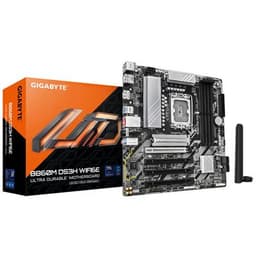
Best budget Intel | Gigabyte B860M DS3H WiFi6E | LGA1851 / Intel B860 | 2 (one PCIe 5.0) | 2.5GbE, Wi-Fi 6E |
All four are in our specifications database: the ASUS TUF Gaming B850M-Plus WiFi, the Gigabyte B860M Aorus Elite WiFi 6E, the MSI Pro B840M-P WiFi6E and the Gigabyte B860M DS3H WiFi6E.
What to look for in a micro-ATX board
The socket first. AM5 boards take AMD Ryzen 7000, 8000 and 9000 desktop processors. LGA1851 boards take Intel Core Ultra (Series 2) desktop chips. Our AM5 vs LGA1851 comparison covers the platform choice.
The chipset. On AM5, AMD's table shows B850 adds a PCIe 5.0 x4 link for an NVMe SSD and processor overclocking, while B840 is limited to PCIe 4.0 and doesn't allow processor overclocking. Our B850 vs X870 comparison covers the step above B850.
M.2 slots and how they're wired. A micro-ATX board has less room for extra slots, so check which M.2 slots come from the processor, which come from the chipset, and whether any share bandwidth. Our guide to checking M.2 slot speed shows how to read the manual.
Expansion. Most micro-ATX boards have one full-speed graphics slot and one or two smaller slots. If you plan to add a capture card, network card or sound card, make sure a usable slot is left once a two- or three-slot graphics card is fitted.
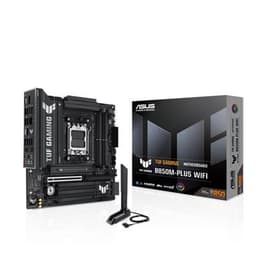
Best AM5 micro-ATX: ASUS TUF Gaming B850M-Plus WiFi
ASUS's tech spec page lists:
Memory: four DDR5 slots, up to 256GB, with support listed up to 8000+MT/s (OC) and AMD EXPO.
Graphics slot: a PCIe 5.0 x16 slot with Ryzen 9000 and 7000 processors (PCIe 4.0 with Ryzen 8000 chips), plus one PCIe 4.0 x1 slot from the chipset.
Storage: three M.2 slots and four SATA ports. With Ryzen 9000 and 7000 chips, M.2_1 supports PCIe 5.0 x4, M.2_2 supports PCIe 4.0 x4, and M.2_3 from the chipset supports PCIe 4.0 x4.
Networking: Realtek 2.5Gb Ethernet and Wi-Fi 6E with Bluetooth 5.3.
USB: 12 rear ports including a 20Gbps USB-C port, plus a front 10Gbps USB-C connector.
Build helpers: BIOS FlashBack button, Q-LED diagnostic lights, M.2 Q-Latch, PCIe Slot Q-Release and a pre-mounted I/O shield.
Why we picked it: it gives an AM5 micro-ATX build both a PCIe 5.0 graphics slot and a PCIe 5.0 M.2 slot, even though AMD's chipset table only lists PCIe 4.0 graphics as the B850 baseline, and it has three M.2 slots in total. The rear 20Gbps USB-C port and front 10Gbps USB-C connector cover fast external drives and modern cases.
The catch: only one extra expansion slot (PCIe 4.0 x1). Ryzen 8000 processors also drop the graphics slot to PCIe 4.0 and change M.2_2's mode, so check ASUS's notes if you're using one of those APUs.
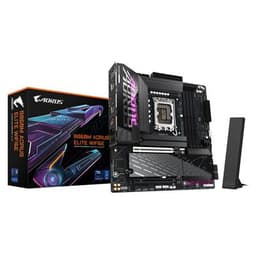
Best Intel micro-ATX: Gigabyte B860M Aorus Elite WiFi6E
Gigabyte's specification page lists:
Memory: four DDR5 slots, up to 256GB (64GB per module), with overclocked speeds listed up to DDR5 9200 and Intel XMP support.
Expansion: a PCIe 5.0 x16 slot from the processor, plus a second full-length slot running at PCIe 4.0 x4 from the chipset.
Storage: three M.2 slots (one PCIe 5.0 x4 from the processor, two PCIe 4.0 x4 from the chipset, one of which takes drives up to 110mm long) and four SATA ports.
USB: a rear USB4 Type-C port that also carries DisplayPort video, two rear USB 3.2 Gen 2 Type-A ports and a USB 3.2 Gen 2 Type-C header for the front of the case.
Networking: Realtek 2.5GbE and Wi-Fi 6E with Bluetooth 5.3. Gigabyte lists different Wi-Fi modules depending on the board revision (Intel AX211 on rev 1.0, Realtek RTL8852CE on rev 1.1).
Extras: a Q-Flash Plus button for BIOS updates from a USB stick, and two Thunderbolt add-in card connectors.
Why we picked it: a rear USB4 port is unusual on a micro-ATX board, and the second full-length PCIe 4.0 x4 slot is more useful than a plain x1 slot for a network or capture card. Three M.2 slots, including PCIe 5.0, round out a strong feature list for an Intel B860 build.
The catch: Gigabyte notes that the main PCIe x16 slot can support either a graphics card or an NVMe SSD, and a single graphics card should go in that slot. The board is also limited to B860, so processor overclocking isn't the focus; our B860 vs Z890 comparison explains what that means.
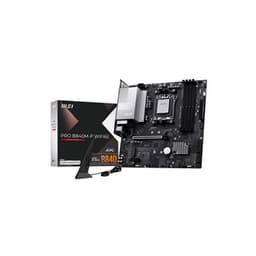
Best budget AM5: MSI Pro B840M-P WiFi6E
MSI's specification page lists:
Memory: four DDR5 slots, up to 256GB, with overclocked speeds listed from 5600 to 8000MT/s and AMD EXPO support. MSI notes the memory slots have single-sided latches.
Expansion: one PCIe 4.0 x16 slot from the processor and one PCIe 3.0 x1 slot from the chipset.
Storage: two M.2 slots, both PCIe 4.0 x4 from the processor, plus four SATA ports.
Networking: Realtek 8125D 2.5G LAN and pre-installed Wi-Fi 6E with Bluetooth 5.3.
Other: HDMI 2.1 output for processors with integrated graphics, EZ Debug LEDs, a rear Clear CMOS button and a Flash BIOS button.
Why we picked it: it covers the essentials for a Ryzen gaming PC, including 2.5GbE, Wi-Fi 6E, four DDR5 slots and two fast M.2 slots, without paying for PCIe 5.0 storage you may not use. Both M.2 slots are wired to the processor rather than the chipset.
The catch: B840 doesn't support processor overclocking, according to AMD's chipset table, and there's no PCIe 5.0 anywhere. Rear USB is limited: one 10Gbps Type-A, one 10Gbps Type-C, two 5Gbps Type-A and four USB 2.0 ports. Audio uses Realtek's ALC897 codec, where the ASUS uses the ALC1220P. Ryzen 8500 and 8300 processors also drop the graphics slot to x4 and M.2_2 to PCIe 4.0 x2.
Best budget Intel: Gigabyte B860M DS3H WiFi6E
Gigabyte's product page for the B860M DS3H WiFi6E (Rev. 1.x) lists:
Storage: two M.2 slots, one PCIe 5.0 and one PCIe 4.0.
Expansion: a PCIe 5.0 x16 slot and three PCIe 4.0 x1 slots.
Networking: 2.5GbE LAN and Wi-Fi 6E.
Display outputs: two DisplayPort outputs and HDMI, for Intel processors with integrated graphics.
Other: a hybrid 5+1+2 phase VRM, debug LEDs, three addressable RGB headers and one RGB header, and Q-Flash Plus.
Why we picked it: it keeps a PCIe 5.0 M.2 slot and PCIe 5.0 graphics slot at the budget end of Intel's B860 range, and the three x1 slots are handy for cheaper expansion cards. Two DisplayPort outputs also make it a good fit for an office or productivity build that uses the processor's graphics.
The catch: only two M.2 slots, and Gigabyte's page lists Rev. 1.x, 2.0 and 2.2 versions of the board, so check the specification page for the exact revision on sale before relying on any detail.
How to choose between them
Pick the platform you want to stay on. If you're buying a Ryzen processor, choose between the ASUS and MSI. For Intel Core Ultra (Series 2), choose between the two Gigabyte boards.
Count your SSDs. If you want three NVMe drives, only the ASUS and the Aorus Elite have three M.2 slots.
Check the second slot. If you'll add a card besides the graphics card, think about what a thick graphics card will cover. The Aorus Elite's second full-length x4 slot and the DS3H's three x1 slots give you more options than one x1 slot.
Check the front of your case. If your case has a front USB-C port, the ASUS, the Aorus Elite and the MSI all list a front USB-C connector. Our guide to checking for a front USB-C header explains what to look for.
Update the BIOS. All four have a button-based way to flash the BIOS from a USB stick (ASUS BIOS FlashBack, MSI Flash BIOS or Gigabyte Q-Flash Plus). Read our guide to updating the BIOS safely before you build.
Our verdict
For an AM5 build, the ASUS TUF Gaming B850M-Plus WiFi is our pick: it pairs a PCIe 5.0 graphics slot and a PCIe 5.0 M.2 slot with three M.2 slots, 2.5GbE, Wi-Fi 6E and a 20Gbps rear USB-C port in a micro-ATX board. On Intel, the Gigabyte B860M Aorus Elite WiFi6E stands out for its rear USB4 port, three M.2 slots and second full-length slot. If you need to save money, the MSI Pro B840M-P WiFi6E covers a Ryzen gaming PC's essentials with PCIe 4.0 throughout, and the Gigabyte B860M DS3H WiFi6E does the same for Intel while keeping PCIe 5.0 for one SSD.