Razer's keyboard range splits into three families. The Huntsman V3 Pro line uses analogue optical switches with adjustable actuation and Rapid Trigger for competitive games. The BlackWidow V4 line uses mechanical switches and leans on macro keys, dials and customisation. The Ornata V3 is the budget-friendly low-profile option with Razer's Mecha-Membrane switches.
Quick picks
Pick | Keyboard | Size | Switches | Why it's here |
|---|
Best for competitive FPS | Razer Huntsman V3 Pro | Full size | Analog Optical Switch Gen-2 | 0.1 to 4.0mm adjustable actuation, Rapid Trigger, PBT keycaps |
Best compact esports pick | Razer Huntsman V3 Pro Tenkeyless | Tenkeyless | Analog Optical Switch Gen-2 | Same switches without the numpad |
Best for small desks | Razer Huntsman V3 Pro Mini | 60% | Analog Optical Switch Gen-2 | Smallest footprint for low-sensitivity players |
Best for macros and MMOs | Razer BlackWidow V4 Pro | Full size | Green (clicky), Yellow (linear) or Orange (tactile) mechanical | Command Dial, dedicated macro keys, USB passthrough |
Best for tinkerers | Razer BlackWidow V4 75% | 75% | Razer mechanical (tactile), hot-swappable | Swap in most 3-pin or 5-pin switches |
Best budget pick | Razer Ornata V3 | Full size | Mecha-Membrane | Low-profile, spill-resistant, magnetic wrist rest |
Best for competitive FPS: Razer Huntsman V3 Pro
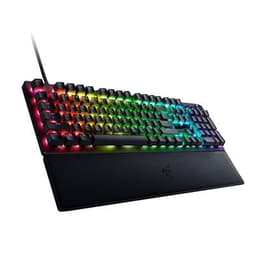
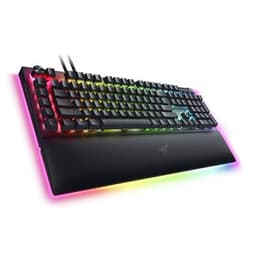
The Razer Huntsman V3 Pro is Razer's flagship esports keyboard. Its Analog Optical Switch Gen-2 lets you set the actuation point anywhere from 0.1 to 4.0mm, and Rapid Trigger mode resets a key as soon as it starts to rise, with Razer quoting reset movement as low as 0.1mm. It also supports Snap Tap, which Razer pairs to the A and D keys by default, plus dual-step actuation. Razer rates the switches for 100 million keystrokes.
The full-size model has an aluminium top case, doubleshot PBT keycaps, onboard storage for up to six profiles, a magnetic leatherette wrist rest and a multi-function digital dial with three dedicated buttons. Polling is 1000Hz. If Rapid Trigger is new to you, our best rapid trigger keyboard guide compares it with rivals from Wooting and others, and Hall effect vs mechanical keyboards explains how adjustable-actuation switches differ from standard ones.
Best compact esports pick: Razer Huntsman V3 Pro Tenkeyless
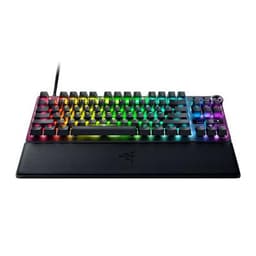
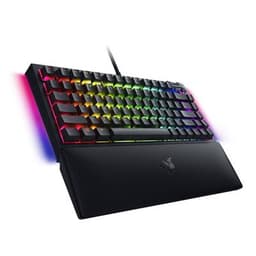
The Huntsman V3 Pro Tenkeyless keeps the same analogue optical switches, 0.1 to 4.0mm actuation range and Rapid Trigger, but drops the numpad to free up mouse space. Razer says its dial is backed by a pair of buttons rather than the full-size model's three. For most FPS players this is the Huntsman to buy, because the extra mouse room is more useful than a numpad. Not sure which size suits you? See TKL vs full-size vs 75% keyboards.
Best for small desks: Razer Huntsman V3 Pro Mini
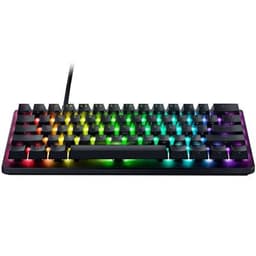
The Huntsman V3 Pro Mini packs the same switch technology into a 60% layout. Razer lists no wrist rest for the Mini, and media controls move to secondary key functions. It's the one to choose if you play at low sensitivity and want as much desk space as possible, but expect to rely on secondary key functions more than on a bigger board. Our best 60% keyboard guide covers the alternatives.
Best for macros and MMOs: Razer BlackWidow V4 Pro
The BlackWidow V4 Pro is the opposite of the Huntsman Mini: a big, feature-packed full-size board. Razer offers it with Green clicky, Yellow linear or Orange tactile mechanical switches. It has the Razer Command Dial, five dedicated macro keys and three macro side buttons, a dedicated media roller with four media buttons, USB passthrough and a wrist rest with Chroma RGB underglow. Razer quotes up to 8000Hz polling. If you play MMOs or use your PC for creative apps with lots of shortcuts, this is the one. Our linear vs tactile vs clicky switches guide will help you pick a switch.
Best for tinkerers: Razer BlackWidow V4 75%
The BlackWidow V4 75% is Razer's enthusiast-style compact board. It's hot-swappable, and Razer says most standard 3-pin or 5-pin mechanical switches are compatible, removable with the included 2-in-1 keycap and switch puller. It keeps a function row and arrow keys, and adds an aluminium top case, PCB and case sound-dampening foam, lubricated stabilisers, a media roller with two buttons, a magnetic plush leatherette wrist rest and up to 8000Hz polling. Razer notes that its warranty doesn't cover internal damage caused by modifications. See hot-swappable vs soldered keyboards and our best 75% keyboard guide for more.
Best budget pick: Razer Ornata V3
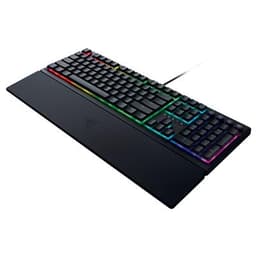
The Ornata V3 uses Razer's Mecha-Membrane switches, which Razer describes as a tactile click with a soft, cushioned touch. It's a low-profile, spill-resistant full-size keyboard with 10 Chroma RGB lighting zones, UV-coated ABS keycaps, dedicated media controls, a magnetic soft-touch wrist rest and 1000Hz polling. It has no onboard memory, so profiles live in Razer Synapse. If you're unsure whether a membrane-style board is right for you, read membrane vs mechanical keyboards.
How we chose
We compared the switch type, size, actuation and polling specs, controls and build details listed on Razer's UK pages. We haven't measured latency or typing feel, and we don't quote prices because they move quickly. For picks across every brand, see our best gaming keyboard guide.
Our verdict
For most competitive players, the Razer Huntsman V3 Pro Tenkeyless is the best Razer keyboard: it has Razer's adjustable 0.1 to 4.0mm analogue optical switches and Rapid Trigger without the numpad. Choose the full-size Huntsman V3 Pro if you want the numpad and wrist rest, the BlackWidow V4 Pro for macros and media controls, the BlackWidow V4 75% if you want to swap switches, and the Ornata V3 if you want a cheaper, low-profile board.