Rapid Trigger, in Wooting's words, "resets and activates keys the instant you move", rather than at a fixed point, and Razer describes it as being for ultra-fast repeated inputs. It needs keyboards that track each key's movement, such as those with Hall effect (magnetic) or analog optical switches. Our picks are based on each maker's official product pages.
New to the technology? See Hall effect vs mechanical keyboards first.
Quick picks
Pick | Best for | Size | Switches | Actuation range |
|---|
Wooting 80HE+ | Best overall | 80% (with F-row and arrows) | Lekker Tikken Medium (Hall effect) | 0.1-4.0mm in 0.1mm steps |
Wooting 60HE v2 | Compact boards | 60% | Lekker Tikken (Hall effect) | Adjustable per key (range not stated on the page read) |
Razer Huntsman V3 Pro Tenkeyless | Razer users | Tenkeyless | Razer Analog Optical Gen-2 | 0.1-4.0mm |
SteelSeries Apex Pro Gen 3 | OLED screen and full size | Full size | OmniPoint 3.0 Hall effect | 0.1-4.0mm |
1. Wooting 80HE+: best overall
Wooting's 80HE+ builds on the original Wooting 80HE, with changes Wooting says came from community and pro-player feedback. Wooting lists Lekker Tikken Medium switches, an FR4 plate and refined internals. Its software lets you set each key's actuation point from 0.1 to 4.0mm in 0.1mm increments, tune Rapid Trigger press and release sensitivity independently, and enable Continuous Rapid Trigger.
Wooting quotes true 8kHz polling with a 0.125ms input speed. The board connects over detachable USB-C, has per-key RGB and an LED indicator bar, and measures 346.34 x 142.8 x 35mm. Wooting lists weights of 822g for the dark ABS ANSI version and 1,920g for the zinc alloy ANSI version, and its page shows a 4-year warranty (marked with terms).
Why pick it: the most detailed Rapid Trigger controls listed among these picks, with dedicated arrow keys and an F-row.
2. Wooting 60HE v2: best compact Rapid Trigger keyboard
If you want more room for your mouse, the 60HE v2 is Wooting's reworked 60% board. Wooting says it adds true 8k polling, a more powerful chip and an optional aluminium case. It uses Lekker Tikken switches, which Wooting says have a full 4mm travel range and a closed bottom for a more muted sound. Wooting lists dimensions of 305 x 115mm, weights of 945g (aluminium) and 606g (ABS) and a 2m USB-C to C cable, and Wooting's page shows the same 4-year warranty.
Why pick it: a smaller footprint without giving up Wooting's analog features. Not sure about the size? See TKL vs full-size vs 75% keyboards.
3. Razer Huntsman V3 Pro Tenkeyless: best from Razer
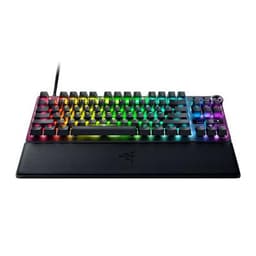
Razer's Huntsman V3 Pro Tenkeyless uses Razer's Analog Optical Switches Gen-2 rather than magnets. Razer lists Rapid Trigger Mode, Snap Tap and adjustable actuation from 0.1 to 4.0mm. It's a natural fit if you already use other Razer peripherals.
Why pick it: a tenkeyless analog board in Razer's ecosystem.
4. SteelSeries Apex Pro Gen 3: best with a screen
SteelSeries' Apex Pro Gen 3 uses OmniPoint 3.0 Hall effect switches with Rapid Trigger and an adjustment range from 0.1mm to 4.0mm. SteelSeries also lists Protection Mode, Rapid Tap and GG QuickSet, and an OLED smart screen that lets you turn Rapid Trigger on and off and change actuation without leaving your game.
Why pick it: on-board controls via the OLED screen, and a full-size layout.
What to check before you buy
Game rules: Razer markets Snap Tap alongside Rapid Trigger. Check the rules of the games and tournaments you play before relying on features that change how opposing keys are handled.
Polling rate: Wooting quotes true 8kHz polling, which it says gives a 0.125ms input speed; see how to change mouse polling rate for how polling settings work.
Layout: UK buyers should check for an ISO layout option; Wooting lists separate ANSI and ISO weights for the 80HE+.
For more general picks, including mechanical boards, see our best gaming keyboard guide.
Our verdict
The Wooting 80HE+ is our pick for most people who want Rapid Trigger: its per-key actuation in 0.1mm steps, independent press and release tuning and 8kHz polling are the most detailed set of controls listed among these picks. Choose the 60HE v2 for a compact board, or Razer's and SteelSeries' options if you prefer their software or SteelSeries' OLED screen.