A dedicated microphone is one of the most noticeable upgrades for anyone who games online, streams or spends a lot of time on calls. But specs such as "supercardioid", "24-bit/48kHz" and "dynamic capsule" don't tell you much on their own. This guide takes the decisions in the order that matters, from how you'll connect it to how you'll mount it, using specifications from Shure, Elgato and Razer as examples.
Quick checklist
Decision | Most people | Consider the alternative if... |
|---|
Connection | USB | You already own, or plan to buy, an audio interface (XLR) |
Capsule | Dynamic in a noisy room, condenser in a quiet one | Your room is treated or very quiet |
Pickup pattern | Cardioid or supercardioid | You record several people around one mic |
Controls | Mute button, gain, headphone jack | You only use it for calls |
Mounting | Desk stand to start | You want the mic close to your mouth and off the desk (boom arm) |
1. USB or XLR?
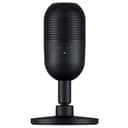
A USB microphone has a built-in preamp and audio interface, so it plugs straight into your PC. Shure, for example, says its MV6 includes its own built-in audio processing and USB interface, so you don't need an external mixer, audio interface or extra drivers. Razer says the Seiren V3 Mini needs no software or drivers to start working. For gaming, Discord and most streaming, USB is the simplest route.
An XLR microphone connects to an audio interface or mixer, which then connects to your PC. It costs more and takes more desk space, but it lets you upgrade the microphone and interface separately. Some microphones offer both: Shure's MV7+ has USB-C and XLR outputs, so you can start on USB and move to an interface later. Our USB vs XLR microphone comparison and how to connect an XLR microphone to a PC guide go into more detail.
2. Dynamic or condenser?
This is the decision that most affects how much of your room you'll hear.
Dynamic microphones are generally less sensitive and pick up less room noise and echo, which suits untreated bedrooms and noisy keyboards. Shure's MV6 Gen 2 uses a dynamic cardioid capsule, combined with what Shure calls Voice Isolation Technology.
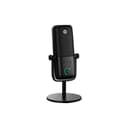
Condenser microphones are more sensitive and capture more detail, but also more of the room. Elgato's Wave:3 MK.2 uses a 16mm condenser capsule, and Razer describes the Seiren V3 Mini's condenser capsule as capturing more detail, especially at higher frequencies.
If you game with a loud mechanical keyboard in a room with hard walls, start with a dynamic mic. If your room is quiet and you want a detailed voice sound, a condenser is a good choice. Our dynamic vs condenser microphone explainer covers this in depth.
3. Pickup pattern
The pickup (polar) pattern describes where a microphone listens. Cardioid is the most common for single-person use: Elgato's spec comparison describes it as capturing sound from the front and rejecting noise from the sides and rear. Supercardioid is tighter still; Razer says the Seiren V3 Mini's supercardioid pattern helps it focus on your voice while suppressing sounds such as typing and mouse clicks. Omnidirectional and figure-8 patterns pick up more of the room and suit several people sharing one microphone.
Whatever the pattern, position matters: point the front of the mic at your mouth and keep your keyboard behind or to the side of it. See our cardioid vs omnidirectional microphone guide.
4. Sample rate and bit depth
Many USB microphones record at 24-bit and 48kHz; Elgato lists those figures for the Wave:3 MK.2. That's more than enough for streaming, calls and video. Higher figures on a spec sheet are not a reason to choose one microphone over another on their own; capsule type, pattern and placement make a bigger difference to how you sound.
5. Onboard controls and processing
Useful features to look for:
A mute control you can see. The Shure MV6 and Razer Seiren V3 Mini both have tap-to-mute, and Razer says the Seiren's LED shows red when muted and green when live. The MV7+ has an LED touch panel that works as a mute control and level meter.
Headphone monitoring. A headphone jack lets you hear yourself without delay. Elgato says the Wave:3 supports real-time monitoring with its processing applied, and Shure lists latency-free monitoring through the MV7+'s 3.5mm jack.
Automatic gain and clipping protection. Shure's Auto Level Mode adjusts gain to keep your voice consistent, and Elgato offers Auto Gain, which it says finds the right gain level for your voice, plus Clipguard protection.
Noise reduction and EQ. Shure lists a Real-time Denoiser, a five-band EQ and Digital Popper Stopper on the MV6, which reduces harsh "p" and "b" sounds without a physical pop filter.
Check what software these features need. Shure uses its MOTIV Mix desktop app (Windows 10 or later, according to Shure), Elgato uses Wave Link, and Razer uses Synapse. For extra clean-up, see our OBS microphone filters guide and best free mic noise suppression software.
6. Mounting and position
A desk stand is fine to start with; Shure includes a 12cm desktop stand and a 2m USB-C cable with the MV6, for example. But a stand usually puts the mic further away and picks up desk knocks and keyboard noise. A boom arm lets you bring the microphone closer to your mouth and off the desk, which helps any microphone sound better. See our best microphone arms.
If your mic sounds too quiet once it's set up, our how to fix a quiet microphone in Windows 11 guide walks through the settings to check.
Our verdict
For most people, a USB microphone is the right choice: it's simple to set up and doesn't need an audio interface. Choose a dynamic USB mic such as the Shure MV6 Gen 2 if your room is noisy or echoey, or a condenser such as the Elgato Wave:3 MK.2 if your room is quiet and you want more detail. Look for a cardioid or supercardioid pattern, a visible mute control and a headphone jack, and treat sample-rate figures as a minor detail. If you might move to an audio interface later, a USB-and-XLR microphone such as the Shure MV7+ keeps that option open. For specific recommendations, see our best USB microphones and best microphones for streaming guides.