A microphone arm is one of the simplest ways to make a desk microphone sound better. Many streaming and podcast mics are designed to be used close to your mouth, and a small desk stand usually leaves them too far away, or right next to your keyboard, where every key press and desk bump goes straight into the mic. An arm clamps to the edge of the desk, holds the mic where you want it, and swings it out of the way when you're done. Our picks are based on the makers' official specification pages, and we've said where a claim comes from the maker rather than an independent test.
Our picks at a glance
| Best overall | Best for heavier studio mics | Best low-profile |
|---|
Model | Elgato Wave Mic Arm MK.2 | RØDE PSA1+ | Elgato Wave Mic Arm LP |
Style | Classic boom arm | Classic boom arm | Low-profile arm |
Mic weight supported | 200g-1.2kg | 94g-1.2kg | Up to 2kg |
Reach | 950mm horizontal, 850mm vertical | 940mm long fully extended | 740mm horizontal, 550mm vertical |
Desk clamp | Up to 60mm | Up to 70mm (clamp), 55mm (desk insert) | Up to 60mm |
Arm weight | 1.8kg (2.1kg with riser) | 1.52kg | 1,723g |
Cable management | Built-in channels (top, push-in) | Integrated, for USB and XLR | Built-in channels (magnetic covers) |
UK price (Elgato UK, 24 Nov 2026) | £89.99 (reduced from £109.99) | Check UK retailers | £69.99 (reduced from £89.99) |
Figures are from Elgato's and RØDE's official product pages, linked in the sources. Prices are approximate, were checked on Elgato's UK store on 24 November 2026 during its Black Friday sale, and may change.
Boom arm or low-profile arm?
Elgato sums up the difference neatly: boom arms are designed for vertical reach, while low-profile arms are designed for horizontal movement.
A classic boom arm rises up from the clamp and then reaches down to the mic, like a desk lamp. It gives you the most freedom to position the mic, including above a monitor or across a wide multi-monitor desk, but the arm itself sits in your eye line and can appear in shot if you stream on camera.
A low-profile arm stays low and comes in from the side, below your shoulder line. It keeps your view of your monitors and your camera shot clear, which is why it's popular with streamers and video callers, but it has less vertical range, so it's best when the mic only needs to sit in front of your mouth rather than above or over things.
What to check before you buy
Weight capacity, including the mount. Every arm has a supported weight range. Add the weight of your microphone and any shock mount or pop filter you'll hang on it, and check that the total sits comfortably inside the range. Elgato's MK.2 also has a minimum of 200g, so a very light mic may not balance properly on it.
Desk clamp size. Measure the thickness of your desk's edge. Elgato's clamps open up to 60mm; RØDE lists a compatible desk depth of up to 70mm with its clamp. If you can't clamp to the edge, or the desk has a lip, RØDE includes a threaded desk mount for a hole through the desk, and Elgato sells a separate Desk Plate for flush tabletop mounting.
Thread size. Mic stands and shock mounts commonly use 5/8-inch or 3/8-inch threads. Both Elgato arms use a 1/4-inch mount with 3/8-inch and 5/8-inch adapters in the box.
Reach and desk layout. Think about where the clamp will go and where the mic needs to end up. Wide desks with several monitors favour a long boom arm; a single monitor and a camera favour a low-profile arm.
Cable management. USB and XLR cables can be clipped into channels on all three arms here, which keeps the cable from tugging on the mic and stops it dangling into shot.
If you're still choosing a microphone, start with our best microphone for streaming guide, and see dynamic vs condenser microphone for which type suits a noisy room.
1. Elgato Wave Mic Arm MK.2: best overall
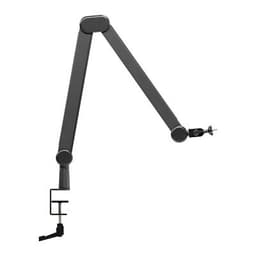
Elgato's Wave Mic Arm MK.2 is a classic spring-loaded boom arm with a dual-arm design, and Elgato recommends it for multi-monitor setups. It has the longest reach of the three on paper, with 950mm of horizontal and 850mm of vertical reach, and both the arm and the head rotate through 360 degrees. A 150mm riser extension is included in the box if you need to lift the whole arm higher, for example to clear a tall monitor.
Elgato rates it for microphones and accessories weighing 200g to 1.2kg, and says it fits popular USB and XLR mics. It uses a 1/4-inch thread with 3/8-inch and 5/8-inch adapters included, so it should suit almost any mic or shock mount. Cables push into built-in channels on top of the arm, and snap-on hinge caps let you change its look. The desk clamp opens to 60mm, and the arm weighs 1.8kg, or 2.1kg with the riser fitted.
If your desk won't take a clamp, Elgato sells its Desk Plate separately (£14.99 on Elgato UK) for mounting the arm on a flat wooden surface. Elgato UK listed it at £89.99, reduced from £109.99, on 24 November 2026.
Who it's for: most people with a typical USB or XLR streaming mic who want the most positioning freedom, especially on wide desks.
Bear in mind: the 200g minimum load means very light microphones may not stay put, and as a tall boom arm it's more visible on camera than a low-profile design.
2. RØDE PSA1+: best for heavier studio mics and quiet operation
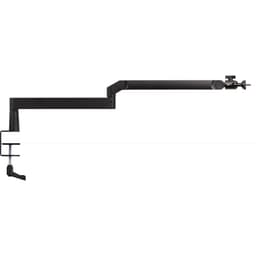
RØDE's PSA1+ is a professional studio boom arm aimed at podcasters, streamers and broadcasters. RØDE's main selling point is noise: it says fully damped internal springs and a neoprene arm cover make the arm completely silent when you move it, and that it isolates the mic from keyboard, mouse and desk noise. Those are RØDE's claims rather than our measurements.
It supports microphones from 94g up to 1.2kg, a wider range at the light end than Elgato's MK.2, and RØDE says it works with any microphone or shock mount that uses a standard thread, including both end-address and side-address mics mounted upright or hanging down. RØDE gives a length of 940mm fully extended, it rotates through 360 degrees, and integrated cable management takes both USB and XLR cables.
Unusually, both a padded desk clamp and a threaded desk mount are included. RØDE lists a compatible desk depth of up to 70mm using the clamp and up to 55mm using the desk insert. The arm weighs 1.52kg, and it comes in black, white and a range of colours. We couldn't find a UK price on RØDE's own site, so check UK retailers.
Who it's for: XLR or broadcast-style setups, anyone who moves the mic during a recording or stream, and desks too thick for a 60mm clamp.
Bear in mind: it's a classic boom arm, so like the MK.2 it sits higher in your view than a low-profile model.
3. Elgato Wave Mic Arm LP: best low-profile arm
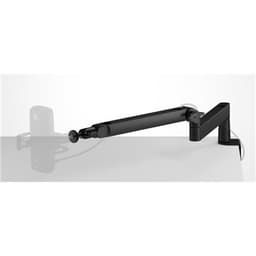
The Wave Mic Arm LP is designed to sit below your shoulder line, so the mic comes in from the side and your monitors and camera shot stay clear. Elgato says it's tension-adjustable and that it can be pushed aside when you need the desk space and swung back when you go live.
It has 740mm of horizontal reach and 550mm of vertical reach, with 360-degree rotation at both the base and the elbow, and a vertical range of 90 degrees up and 60 degrees down at the elbow. Elgato gives a desk clearance of 70mm for the lower arm and 160mm for the upper arm, which is worth checking against your monitor stand. A ball head handles fine positioning.
Its maximum load is 2kg including accessories, higher than either boom arm here, so it can carry a heavier mic and shock mount. Cables go into channels with magnetic covers, the padded clamp opens to 60mm, and it's available in black or white. Like the MK.2, it uses a 1/4-inch mount with 1/4-to-3/8-inch and 1/4-to-5/8-inch adapters included. Elgato UK listed it at £69.99, reduced from £89.99, on 24 November 2026.
Who it's for: streamers and anyone on video calls who wants the mic close but out of shot, on a desk with a single monitor or a monitor arm.
Bear in mind: with 550mm of vertical reach it can't reach up and over things the way a tall boom arm can.
Step up: Elgato's comparison table also lists the Wave Mic Arm Pro, a low-profile arm with a gas piston instead of springs, a 3kg capacity, 750mm of horizontal reach and cable channels underneath, which Elgato recommends for studio environments.
Setting up your mic arm
Clamp the arm close to where you sit, so it doesn't have to stretch to full length to reach you, and attach the mic and shock mount before you adjust the tension, because the weight changes how the arm balances. Route the cable through the arm's channels with a little slack at each joint so it doesn't pull the arm out of position. If the arm sits on the same desk as your keyboard, a shock mount helps keep typing noise out of the mic. Once the mic is placed, our guide to OBS microphone filters covers noise suppression and gain. Using an XLR mic? See how to connect an XLR microphone to a PC, and if you also want to tidy your screens, see our best monitor arm guide.
Our verdict
For most people the Elgato Wave Mic Arm MK.2 is the best microphone arm: it has the longest reach here, a riser and thread adapters in the box, and a 200g-1.2kg capacity that covers most streaming mics, at £89.99 on Elgato UK on 24 November 2026. Pick the RØDE PSA1+ for a broadcast-style setup or a thicker desk, thanks to its damped springs, 94g-1.2kg range and included desk insert. If you stream on camera or just want a clear view of your monitors, the low-profile Elgato Wave Mic Arm LP keeps the mic below your shoulder line and carries up to 2kg.