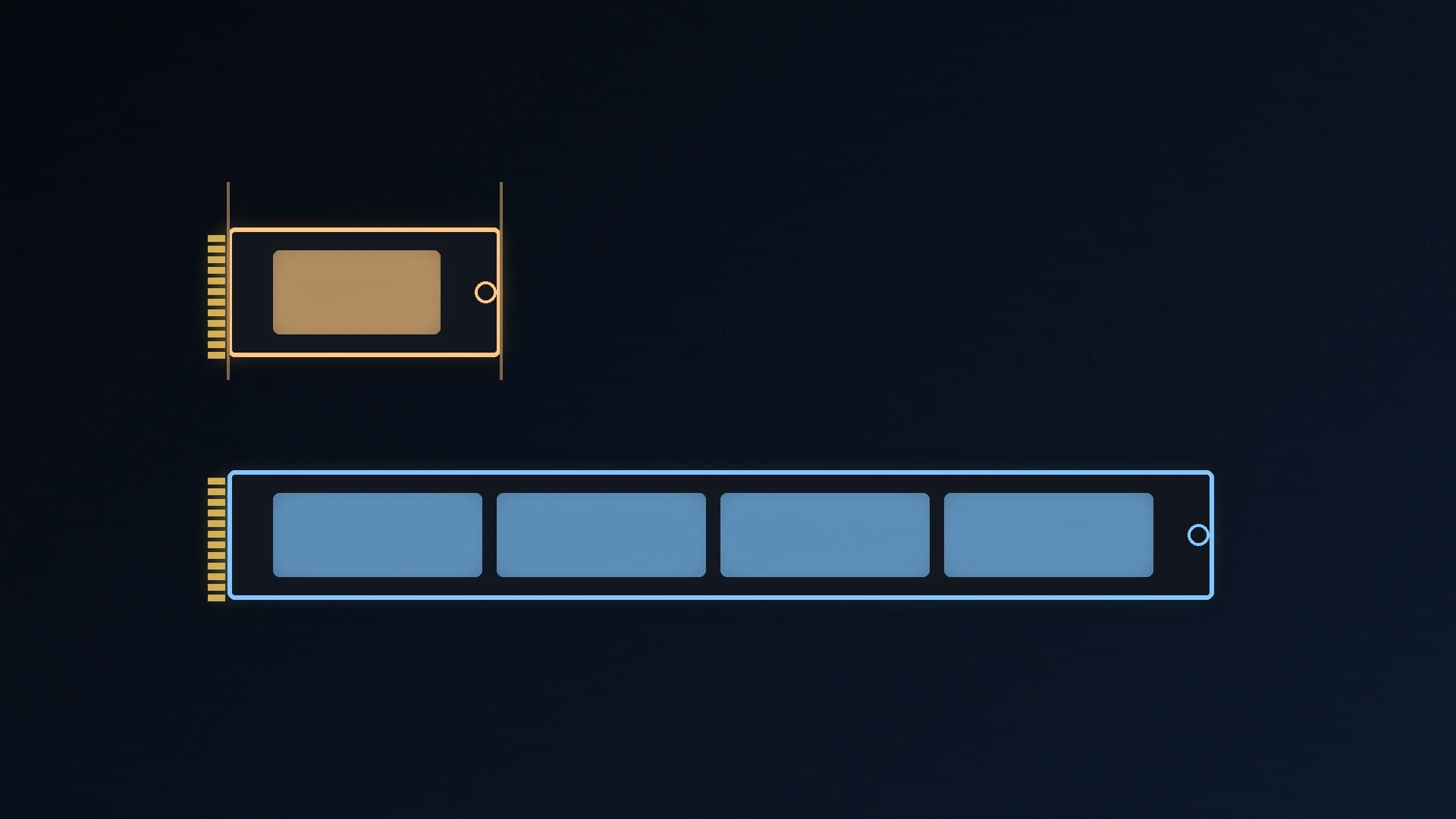
M.2 SSDs come in several lengths, and buying the wrong one is an easy mistake. The good news is that the size code tells you exactly what you're getting, and for most desktop PCs the answer is simple.
Forge PC hasn't tested drives for this comparison. The explanations below come from Kingston's guide to SSD form factors, Samsung's SSD installation FAQ and Crucial's product information.
What the numbers mean
Kingston explains that the M.2 size code is width followed by length, in millimetres: in a 2280 drive, "22" is the width and "80" is the length. So:
Size | Dimensions | Where you'll usually find it |
|---|
2230 | 22 x 30mm | Handheld gaming PCs, some thin laptops and tablets |
2242 | 22 x 42mm | Specialised; some compact devices |
2280 | 22 x 80mm | Desktop motherboards and most laptops |
22110 | 22 x 110mm | Specialised; some workstation boards |
Kingston says the most common types are 2230 and 2280, with 2242, 2260 and 22110 more specialised. Samsung's FAQ notes that its NVMe SSDs use the 2280 form factor.
2230 vs 2280 at a glance
| M.2 2230 | M.2 2280 |
|---|
Length | 30mm | 80mm |
Width | 22mm | 22mm |
Typical devices | Steam Deck, ROG Ally, MSI Claw, some Surface and Dell laptops (per Crucial) | Desktop PCs, most laptops |
Fits a desktop M.2 slot? | Physically yes, if the board has a 2230 mounting point or you use an adapter | Yes, the standard size |
Range of models and capacities | Smaller | Largest |
Does length affect speed?
Not directly. Length is a physical size, not a speed rating. Speed depends on the interface (SATA or NVMe), the PCIe generation and the drive's design. For example, Crucial's P310 2230 is a PCIe 4.0 NVMe drive that Crucial rates at up to 7,100MB/s reads. Smaller boards have less room for components, which is one reason 2230 drives come in fewer models; check the specific drive's spec sheet rather than assuming.
Which size do you need?
Desktop PC: buy a 2280 unless your manual says otherwise. 2280 is the standard desktop size, and some boards also have mounting points for shorter drives. Our guide to installing an M.2 SSD covers screws and standoffs.
Handheld gaming PC: these typically need a 2230 drive. Crucial lists its P310 2230 as compatible with certain handhelds including the Steam Deck, ROG Ally and MSI Claw. Always check your exact model's manual or support page.
Laptop: check the manual or the manufacturer's support site. Some laptops take 2280, some 2242 and some 2230.
Can you fit a shorter drive in a longer slot? Often, if the board has a standoff or screw point at the right distance, or with a bracket adapter. You can't fit a longer drive into a shorter bay.
Two traps that matter more than length
1. SATA vs NVMe. Kingston points out that not all M.2 drives are NVMe; some use SATA. An M.2 SATA drive is much slower than NVMe and won't work in a slot that only supports NVMe. Our NVMe vs SATA SSD comparison explains the difference.
2. Keys. Samsung explains that M.2 slots come in different types: "B-key" slots support SATA or PCIe NVMe using up to two PCIe lanes, while "M-key" slots support NVMe using up to four lanes. Most modern motherboards use M-key slots for SSDs. Check the slot's supported interfaces in your manual.
Also check PCIe generation (see our PCIe 4.0 vs PCIe 5.0 SSD comparison) and whether there's room for a heatsink (SSD heatsink or not?).
Our verdict
M.2 2230 and 2280 SSDs are both 22mm wide; 2230 is 30mm long and 2280 is 80mm. For a desktop PC, buy a 2280: it's the standard size with the widest choice of models and capacities. For handhelds like the Steam Deck, ROG Ally and MSI Claw, and some thin laptops, you'll usually need a 2230. Length doesn't set speed, but SATA vs NVMe and the slot's key and PCIe generation do, so check your manual before buying. Forge PC hasn't tested drives for this comparison. For desktop picks, see our best 1TB SSD guide.