Twelve gigabytes is a common amount of video memory in 2026. It's what you get on a desktop GeForce RTX 5070, an Intel Arc B580, the long-running RTX 3060 12GB, the RTX 5070 Ti Laptop GPU and now the 12GB version of the RTX 5070 Laptop GPU. It's enough to run genuinely capable language models entirely on the GPU, as long as you pick models and settings that leave room for the context cache. These picks are based on the model sizes and capabilities listed in Ollama's model library and Ollama's documentation, read on 28 November 2026. You need some extra memory on top for context.
Our picks at a glance
Pick | Model (Ollama tag) | Listed size | Inputs | Max context |
|---|
Best all-rounder | Gemma 4 12B (gemma4:12b) | 7.7-8.0GB | Text, image | 256K |
Biggest model that fits comfortably | Ministral 3 14B (ministral-3:14b) | 9.1GB | Text, image | 256K |
Best for coding and agents | MiMo-V2.6 9B (mimo-v2.6:9b-q4_K_M) | 6.6GB | Text, image | 256K |
Best for long context | Nemotron 3 Nano 4B (nemotron-3-nano:4b) | 2.8GB | Text | 256K |
Best higher-precision option | Gemma 4 E4B at 8-bit (gemma4:e4b-it-q8_0) | 9.0GB | Text, image | 128K |
Sizes are for the standard 4-bit (Q4_K_M) builds unless the tag says otherwise.
How much of 12GB can a model use?
The model file is only part of the memory bill. Ollama also needs room for the context cache, which grows with the context length, and its documentation warns that a larger context length increases the memory a model needs. By default Ollama uses a 4k-token context on GPUs with less than 24GiB of VRAM, but it recommends at least 64,000 tokens for web search, agents and coding tools.
As a rule of thumb, a model of 6-9GB leaves room for a useful context window on a 12GB card, while a 10-11GB model leaves almost none. Our explainer on context length and VRAM goes into the maths, and KV cache quantisation in Ollama can shrink the cache if you need more room.
Best all-rounder: Gemma 4 12B
Ollama describes Gemma 4 as designed for reasoning, agentic workflows, coding and multimodal understanding. The 12B model is listed at 8.0GB in its standard 4-bit build and 7.7GB to 8.0GB across its default builds, with a quantisation-aware-trained (QAT) build at 7.2GB. All of these accept text and images and support a context window of up to 256K tokens.
That size suits 12GB well: around 4GB is left for the context cache, which is enough to raise Ollama's context length well beyond its 4k default. On an 8GB card the same model is a tight squeeze, which is why it's a good reason to choose 12GB over 8GB. Our guide to running Gemma 4 locally covers setup.
Biggest model that fits comfortably: Ministral 3 14B
The Ministral 3 family is, in Ollama's words, designed for edge deployment on a wide range of hardware. The 14B model is listed at 9.1GB in its 4-bit build, accepts text and images, supports tools and has a context window of up to 256K tokens.
At 9.1GB it's about as large as we'd go on a 12GB card while still leaving room for a modest context window. It's the pick if you want the most parameters you can run entirely on the GPU. Don't try the 8-bit version on 12GB: Ollama lists it at 15GB.
Best for coding and agents: MiMo-V2.6 9B
Ollama describes MiMo-V2.6-Distill-Qwen-9B as Xiaomi MiMo's 9B model for code and agent workflows. The 4-bit build is 6.6GB and the 8-bit build is 10GB; both accept text and images, and the model supports tools and thinking.
The 4-bit build is the better fit for coding on 12GB, because coding assistants and agents work best with a long context. Ollama recommends at least 64k tokens for these tools, and the 6.6GB model leaves the most memory for that among our full-size picks. For more coding options see our best local coding models.
Best for long context: Nemotron 3 Nano 4B
Nemotron 3 Nano 4B is listed at just 2.8GB in its 4-bit build and 4.2GB at 8-bit, with tools, thinking and a context window of up to 256K tokens. It's text-only.
It's far smaller than our other picks, so it won't match them on difficult questions, but its small size leaves most of a 12GB card free for the context cache. That makes it a good choice for summarising long documents or keeping long chats going. Watch the tag: nemotron-3-nano:latest points to a much larger build, listed at 18GB to 24GB, which won't fit in 12GB, so ask for nemotron-3-nano:4b by name.
Best higher-precision option: Gemma 4 E4B at 8-bit
The smaller Gemma 4 E4B is listed at 6.6GB in 4-bit and 9.0GB in 8-bit (Q8_0), accepting text and images with up to 128K tokens of context. On a 12GB card you can afford the 8-bit build, which keeps more of the original model's precision than 4-bit, as our quantisation explainer explains. It's worth trying if you find small 4-bit models make too many mistakes, though Gemma 4 12B in 4-bit is a similar size.
What won't fit
gpt-oss 20B: OpenAI's open-weight model is listed at 14GB, so on a 12GB card part of it runs on the CPU and system RAM.
Qwen3.8 27B and Qwen3.6 27B: listed at 17-18GB in 4-bit; these need a 24GB card.
Gemma 4 26B: the smallest builds listed are 16GB.
Ollama's documentation says you can check whether a model fits by running ollama ps while it's loaded: the PROCESSOR column should show 100% GPU. Our guide to checking Ollama is using your GPU explains what to do if it doesn't.
Which 12GB card?
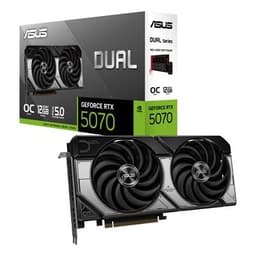
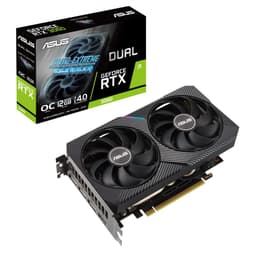
If you haven't bought a card yet, our best 12GB graphics cards for local AI covers the options, including the ASUS Dual GeForce RTX 5070 12GB OC, the Intel Arc B580 Limited Edition and the ASUS Dual GeForce RTX 3060 12GB OC V2. On a laptop, see our best laptops for local AI. With 8GB or 16GB instead, our best local LLMs guide has picks for those sizes.