You don't need to spend £100 or more on a keyboard to play games well. Below that price, most keyboards from the big gaming brands use membrane or hybrid switches rather than full mechanical ones, but they still offer RGB lighting, media keys, anti-ghosting and full-size UK layouts. Our picks are based on each manufacturer's official specifications, linked in the sources, and we don't make claims about feel or noise beyond what the makers state, because we haven't measured them.
Our picks at a glance
Pick | Switch type (maker's spec) | Stand-out features (maker's spec) | Price checked (24 Nov 2026, approx.) |
|---|
Corsair K55 Core RGB | Rubber dome | 300ml spill resistance, 10-zone RGB, 12-key rollover, 1,000Hz | About £30 at Corsair UK (Black Friday deal, usually about £40) |
SteelSeries Apex 3 | Membrane ("whisper quiet") | IP32 water and dust resistance, magnetic wrist rest, metal media roller | Check UK retailers |
Razer Ornata V3 | Razer Mecha-Membrane (hybrid) | Low-profile, magnetic wrist rest, 10 Chroma RGB zones, Snap Tap | From about £70 at RazerStore UK |
Prices change often, especially around Black Friday, so treat these as a guide only.
Best cheap gaming keyboard: Corsair K55 Core RGB
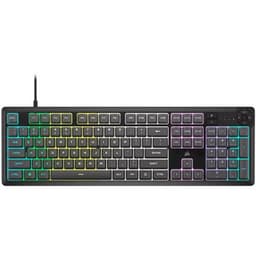
The Corsair K55 Core RGB has the lowest UK price we could confirm of our three picks, and it covers the basics well. Corsair lists:
Switches: rubber dome (membrane), 110 keys, full-size layout, UK layout available
Rollover: 12-key selective rollover (12KRO)
Report rate: 1,000Hz
Lighting: ten-zone RGB backlighting
Extras: dedicated media buttons, a Windows lock key, brightness buttons and adjustable height
Spill resistance: rated to survive a 300ml spill
Software and warranty: supported in Corsair iCUE, with onboard memory; two-year warranty
Connection: wired USB 2.0 Type-A, tangle-free rubber cable
Why it's our top budget pick: it has a full UK layout, dedicated media controls, spill resistance and a 1,000Hz report rate. On 24 November 2026, Corsair's UK store listed it at £29.99 as a Black Friday deal, down from £39.99.
Things to know: "ten-zone RGB" means the lighting is set in zones rather than per key, so you can't light individual keys. 12-key rollover is plenty for gaming, but it isn't full n-key rollover.
Best for spills and quiet typing: SteelSeries Apex 3
SteelSeries' Apex 3 is a full-size membrane keyboard that SteelSeries markets as "whisper quiet". SteelSeries lists:
Water and dust resistance: rated IP32
Wrist rest: magnetic, with a soft-touch finish
Media controls: a clickable metal roller plus dedicated media keys
Cable routing: three channels in the frame, so the cable can leave from one of three positions
Lighting: RGB
Why it's here: if your keyboard shares a desk with drinks, or you game in a shared room, an IP32-rated board with quiet membrane switches is a sensible choice. The magnetic wrist rest and metal volume roller are useful extras at this price.
Things to know: IP32 isn't waterproofing. SteelSeries says the Apex 3's internal electronics are sealed and that it is safe from everyday accidents such as spills, but you can't submerge it or put it in a dishwasher. The SteelSeries page we checked lists the US version, so make sure the one you buy has a UK layout. Prices vary between retailers, so compare before you buy.
Best low-profile option: Razer Ornata V3
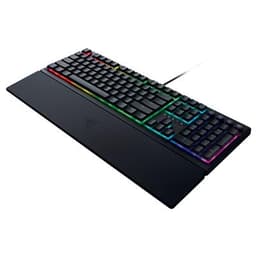
The Razer Ornata V3 costs more than the other two, but it's the most interesting design here. Razer lists:
Switches: Razer Mecha-Membrane, a hybrid that Razer says combines clicky, tactile feedback with the cushioned feel of a membrane switch
Profile: low-profile keys and a slim chassis
Keycaps: UV-coated for better fade and scratch resistance
Lighting: 10 Razer Chroma RGB zones
Extras: backlit dedicated media keys and a magnetic soft-touch wrist rest
Software: supports Razer Snap Tap through Razer Synapse 4. When two chosen keys are held, the latest input takes priority
Warranty: Razer offers up to two years of warranty
Why it's here: if you prefer the lower key height of a laptop-style keyboard but still want a clicky feel, the Ornata V3 is a good fit. RazerStore UK listed it from £69.99 on 24 November 2026.
Things to know: the switches are clicky, so they won't suit a quiet room. Snap Tap is useful in some games, but check whether the competitive games you play allow it before you use it in ranked matches.
What you give up on a budget keyboard
Mechanical switches. All three picks use membrane or hybrid switches. Mechanical keyboards offer more switch choice, and hot-swappable models let you change switches without soldering. Our membrane vs mechanical keyboard comparison explains the trade-offs, and our guide to linear vs tactile vs clicky switches helps if you're thinking of moving to mechanical.
Per-key lighting. Budget boards usually light the keys in zones. That's fine for most people, but you can't highlight individual keys.
Full n-key rollover. Cheap keyboards often support a limited number of simultaneous key presses. That's enough for gaming, but fast typists may notice it occasionally.
Wireless. All three picks are wired. If you want to remove the cable, see our best wireless gaming keyboard guide, though wireless costs more.
How to choose a budget gaming keyboard
Check the layout. For a UK keyboard, check that the listing says UK or ISO layout, with the tall Enter key and £ symbol. Some cheaper keyboards are sold only in a US layout.
Decide on size. All three picks are full-size with a number pad. If you want more room for your mouse, our TKL vs full-size vs 75% comparison explains the alternatives.
Consider spill resistance. If drinks often end up on your desk, a spill-resistant board such as the Corsair K55 Core RGB or SteelSeries Apex 3 is worth having.
Check the software. Lighting and macros are set up in each brand's app (Corsair iCUE, SteelSeries GG or Razer Synapse). If you already use one brand's mouse or headset, choosing the same brand keeps everything in one app.
If your budget can stretch further, our best gaming keyboard guide covers mechanical and analogue keyboards, and our best TKL gaming keyboard guide covers compact options.
Our verdict
For most people on a tight budget, the Corsair K55 Core RGB is the one to buy: a full-size UK-layout keyboard with 12-key rollover, a 1,000Hz report rate, media buttons and 300ml spill resistance, listed at about £30 on Corsair's UK store on 24 November 2026. The SteelSeries Apex 3 is the better choice if you want quieter keys, IP32 resistance and a magnetic wrist rest. If you can spend about £70, the Razer Ornata V3 adds low-profile hybrid switches and Snap Tap. If you want a mechanical keyboard, see our best gaming keyboard guide.