Skip to content

VersusNetworking

Intel Wi-Fi 7 BE200 vs BE201: Which M.2 Card Works in Your PC?

Intel's BE200 and BE201 share the same Wi-Fi 7 specs: 2x2, 320MHz, 4096-QAM, 5.8Gbps and Bluetooth 5.4. The BE200 uses standard PCIe and USB and suits most desktop upgrades; the BE201 uses Intel's CNVio3 interface and only works in systems designed for it.

By , Senior Hardware Editor

4 min read

Intel Wi-Fi 7 BE200 vs BE201: Which M.2 Card Works in Your PC?

If you're upgrading a desktop or mini PC to Wi-Fi 7 with an M.2 module, you'll quickly find two Intel cards with almost identical names and specifications: the BE200 and the BE201. Both are 2x2 Wi-Fi 7 modules with 320MHz channels, 4096-QAM, a 5.8Gbps maximum and Bluetooth 5.4. The difference is how they connect to the rest of the PC, and it decides whether the card works at all. This comparison is based on Intel's specification pages and its support article on Integrated Connectivity (CNVi).

The short answer

  • BE200: a self-contained card that connects over standard PCIe and USB, according to Intel. It's the one to buy for most desktop upgrades, adapter cards and mini PCs with a standard M.2 Key E slot.

  • BE201: a "companion RF" module that uses Intel's CNVio3 interface. Part of the Wi-Fi hardware lives in the Intel processor or chipset, so it only works in a system designed for CNVio3. Buy it only if your motherboard or system maker lists it as supported.

Specifications compared

Intel Wi-Fi 7 BE200

Intel Wi-Fi 7 BE201

Launched

Q3 2023

Q2 2024

Streams

2x2

2x2

Bands

2.4GHz, 5GHz, 6GHz

2.4GHz, 5GHz, 6GHz

Max speed (Intel)

5.8Gbps (320MHz, 4096-QAM)

5.8Gbps (320MHz, 4096-QAM)

Bluetooth

5.4

5.4

Form factors

M.2 2230, M.2 1216

M.2 2230, M.2 1216

System interface

M.2: PCIe, USB

M.2: CNVio3

Operating systems (Intel)

Windows 11, Windows 10, Linux

Windows 11, Windows 10, Linux

Extra listings

-

FIPS compliance, vPro support, MU-MIMO, OFDMA

On paper they're the same radio. Intel lists the same bands, streams, channel width and maximum speed for both. The BE201 page also lists FIPS compliance and support under Intel vPro, which matter in business PCs rather than home gaming builds.

Why the BE201 won't work in every M.2 slot

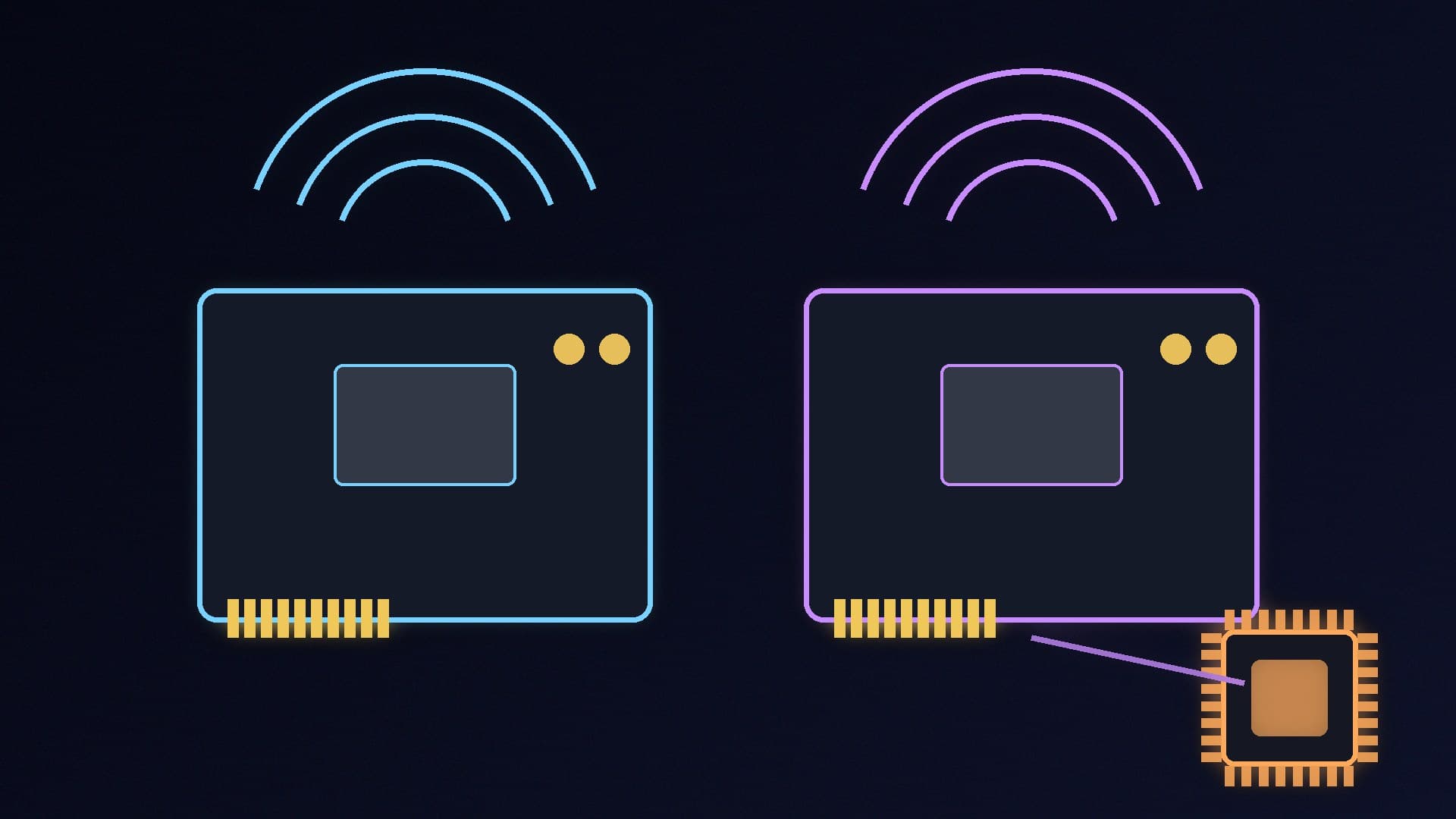
Intel's support article explains that Integrated Connectivity "moves key elements of Wi-Fi and Bluetooth technology into Intel processors". The CNVi part is built into the processor, and the M.2 card is a companion RF module that completes it. Intel's article covers the earlier CNVi modules such as the AX211 and AX201 and says they "can only be used with select Intel processors/chipset on systems/motherboards that is specifically designed to support it". It adds that although they physically fit a standard M.2 Key E socket, "they are only compatible with a system designed for the CNVi".
Intel's support article predates the BE201, but Intel lists the BE201's interface as CNVio3 (a CNVi interface) rather than PCIe and USB, so the same rule applies: it needs a platform built for it. So the slot fitting the card proves nothing: an AMD system, or an Intel system without CNVio3 support, can't use a BE201. Intel's CNVi article tells you to check compatibility with your system or motherboard manufacturer, and that's the safe route for the BE201 too. Look for the board's Wi-Fi module or CNVi support in its specifications, or check whether the maker sells the board with a BE201 already fitted.

The BE200 doesn't depend on the processor in the same way, because its interface is ordinary PCIe and USB. It still needs a working M.2 Key E slot (or a PCIe adapter card), an operating system Intel lists, and a current driver. Intel lists Windows 10 as well as Windows 11 for both cards, but Microsoft supports Wi-Fi 7 from Windows 11 24H2, as our Wi-Fi 7 MLO guide explains.

Which should you buy?

  • Upgrading a desktop's M.2 Wi-Fi slot or using an M.2-to-PCIe adapter: BE200, unless your motherboard maker specifically lists the BE201.

  • AMD system: not the BE201. Intel's CNVi articles describe the technology as part of Intel processors.

  • Replacing a factory-fitted BE201 in a newer Intel PC: a like-for-like BE201 is the obvious choice; check the system maker's parts list first.

  • No M.2 Key E slot at all: a PCIe add-in card or USB adapter is simpler. See our best Wi-Fi 7 PCIe cards and best USB Wi-Fi adapters.

Not sure you need Wi-Fi 7 at all? Our Wi-Fi 7 vs Wi-Fi 6E comparison covers when the upgrade makes sense.

Our verdict

The Intel BE200 and BE201 share the same Wi-Fi 7 specs on Intel's pages, so the choice comes down to compatibility. The BE200 uses standard PCIe and USB and is the one to buy for most desktop upgrades. The BE201 uses Intel's CNVio3 interface, which relies on hardware in the Intel platform, so it only works in systems designed for it. Fitting the slot isn't enough: check your motherboard or system maker's support list before buying a BE201.

The bottom line

The Intel BE200 and BE201 share the same Wi-Fi 7 specs on Intel's pages, so the choice comes down to compatibility. The BE200 uses standard PCIe and USB and is the one to buy for most desktop upgrades. The BE201 uses Intel's CNVio3 interface, which relies on hardware in the Intel platform, so it only works in systems designed for it. Fitting the slot isn't enough: check your motherboard or system maker's support list before buying a BE201.

Sources

  1. 01Intel, Intel Wi-Fi 7 BE200 specifications
  2. 02Intel, Intel Wi-Fi 7 BE201 specifications
  3. 03Intel Support, What Are the Intel Integrated Connectivity (CNVi) and Companion RF (CRF) Module?

About the author

Callum Reid

Senior Hardware Editor

Callum leads GPU, CPU and platform architecture coverage at Forge PC. Before joining the editorial desk, he spent nine years specifying, assembling and stress-testing custom gaming and workstation systems in the UK, with a focus on PCIe bandwidth, VRM thermal design, DDR5 memory tuning and 1440p/4K frame-time consistency.

More from Callum Reid

Read next

How to Set Up Wi-Fi 7 MLO on Your PC and Router

How-To

How to Set Up Wi-Fi 7 MLO on Your PC and Router

Wi-Fi 7 MLO lets a PC connect over two or three bands at once. You need an MLO-capable Wi-Fi 7 router, a Wi-Fi 7 adapter and Windows 11 24H2 or later. Set two bands to 802.11be, enable the MLO network, then check Network band in Settings shows more than one band.

Marcus Thorne5 min

Best NAS Hard Drive in 2026: 5 Drives for Home and Small-Office NAS

Best Picks

Best NAS Hard Drive in 2026: 5 Drives for Home and Small-Office NAS

The best NAS hard drives on official specs: WD Red Plus for most home NAS boxes (CMR, up to 8 bays, 180TB/year), Seagate IronWolf for health monitoring and data recovery cover, Toshiba N300 for up to 12 bays, WD Red Pro for heavy workloads, and Seagate IronWolf Pro for up to 32TB.

Hannah Vance6 min

Wi-Fi vs Non-Wi-Fi Motherboard: Is Built-In Wi-Fi Worth It?

Versus

Wi-Fi vs Non-Wi-Fi Motherboard: Is Built-In Wi-Fi Worth It?

A Wi-Fi motherboard adds a pre-installed M.2 Key E wireless module with Bluetooth and antennas, and keeps wired Ethernet; MSI's B850 TOMAHAWK MAX WIFI lists Wi-Fi 7 and Bluetooth 5.4. Buy non-Wi-Fi only if you'll always be wired and the saving is meaningful.

Callum Reid3 min

How to Set Up Ethernet Backhaul on Mesh Wi-Fi for a Gaming PC

How-To

How to Set Up Ethernet Backhaul on Mesh Wi-Fi for a Gaming PC

To set up Ethernet backhaul on a TP-Link Deco mesh, set all units up wirelessly first, place the satellite, then cable it to the main Deco's LAN port or a switch on it (Router mode) or any unit or the main router (Access Point mode). Check the network map, then plug your PC into the satellite.

Marcus Thorne6 min