ASUS sells motherboards under three main families: Prime for straightforward builds, TUF Gaming for durable mid-range boards, and ROG Strix for higher-end features. Using ASUS's official specification pages, we've picked the best ASUS boards for AM5 and Intel LGA1851 builds, from full ATX down to Mini-ITX.
Quick picks
Pick | Board | Platform | Size | Wi-Fi | M.2 slots |
|---|
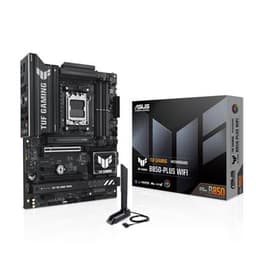
Best overall | TUF Gaming B850-Plus WiFi | AM5, B850 | ATX | Wi-Fi 7 | 3 (1x PCIe 5.0) |
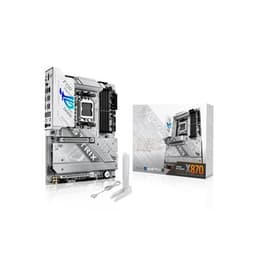
Best high-end AM5 | ROG Strix X870-A Gaming WiFi | AM5, X870 | ATX | Wi-Fi 7 | 4 (2x PCIe 5.0) |
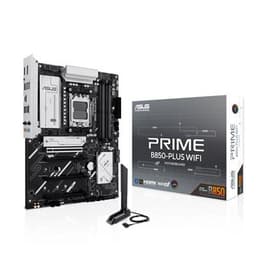
Best value AM5 | Prime B850-Plus WiFi | AM5, B850 | ATX | Wi-Fi 6E | 3 (1x PCIe 5.0) |
Best micro-ATX | TUF Gaming B850M-Plus WiFi | AM5, B850 | micro-ATX | Wi-Fi 6E | 3 (1x PCIe 5.0) |
Best Mini-ITX | ROG Strix B850-I Gaming WiFi | AM5, B850 | Mini-ITX | Wi-Fi 7 | 2 (2x PCIe 5.0) |
Best for Intel | TUF Gaming B860-Plus WiFi | LGA1851, B860 | ATX | Wi-Fi 7 | 3 (1x PCIe 5.0) |
Best Intel Z890 | Prime Z890-P | LGA1851, Z890 | ATX | none listed | 4 |
PCIe 5.0 M.2 figures for AM5 boards apply to Ryzen 9000 and 7000 processors. ASUS lists lower PCIe speeds with Ryzen 8000 desktop chips, so check the spec page if you're using one.
Best overall: ASUS TUF Gaming B850-Plus WiFi
The ASUS TUF Gaming B850-Plus WiFi is the ASUS board most AM5 builders should look at first. ASUS lists four DDR5 slots (up to 256GB), a PCIe 5.0 x16 graphics slot, three M.2 slots with the first running at PCIe 5.0 x4, and four SATA ports. Networking is 2x2 Wi-Fi 7 plus Realtek 2.5Gb Ethernet, and the rear panel has a 20Gbps USB-C port.
It also has the build-friendly extras that matter day to day: PCIe Slot Q-Release for removing the graphics card, M.2 Q-Latch for tool-free SSD installs, a Thunderbolt (USB4) header for an add-in card, and a DIGI+ VRM with DrMOS. One catch from ASUS's spec page: the third full-length slot shares bandwidth with M.2_3 and is disabled when that M.2 slot is in use.
Best high-end AM5: ASUS ROG Strix X870-A Gaming WiFi
The ASUS ROG Strix X870-A Gaming WiFi is the pick if you want more fast storage and USB4. ASUS lists four M.2 slots, two of which support PCIe 5.0 x4, plus two rear USB4 (40Gbps) Type-C ports, Wi-Fi 7 and 2.5Gb Ethernet. It also uses ASUS's PCIe Slot Q-Release Slim and M.2 Q-Release features.
Read the footnotes before you fill it, though. ASUS says that when M.2_2 is occupied, the main PCIe 5.0 x16 slot runs at x8, and M.2_3 shares bandwidth with the second x16 slot. There are only two SATA ports, so it's less suited to builds with lots of 2.5in drives.
Best value AM5: ASUS Prime B850-Plus WiFi
The ASUS Prime B850-Plus WiFi keeps the essentials of the TUF board in a simpler package. ASUS lists four DDR5 slots (up to 256GB), a PCIe 5.0 x16 slot, three M.2 slots (M.2_1 at PCIe 5.0 x4), four SATA ports, 2.5Gb Ethernet and a Thunderbolt (USB4) header. The main differences on paper are Wi-Fi 6E rather than Wi-Fi 7 and a 10Gbps rather than 20Gbps rear USB-C port. ASUS notes that two of its PCIe 3.0 slots share bandwidth with SATA ports 1 and 2.
Best micro-ATX: ASUS TUF Gaming B850M-Plus WiFi
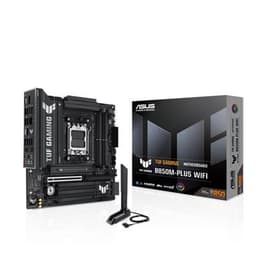
The ASUS TUF Gaming B850M-Plus WiFi packs a lot into a 24.4 x 24.4cm board: four DDR5 slots (up to 256GB), a PCIe 5.0 x16 slot, three M.2 slots (M.2_1 at PCIe 5.0 x4), four SATA ports, 2x2 Wi-Fi 6E, Realtek 2.5Gb Ethernet and a 20Gbps rear USB-C port. It also keeps Q-Release, Q-Latch and the DrMOS-based DIGI+ VRM. It's a strong choice for smaller micro-ATX cases; see our ATX vs micro-ATX vs Mini-ITX guide if you're unsure which size you need.
Best Mini-ITX: ASUS ROG Strix B850-I Gaming WiFi
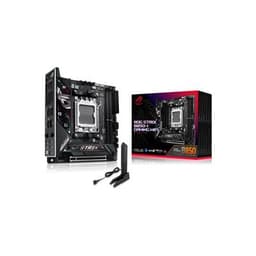
The ASUS ROG Strix B850-I Gaming WiFi is ASUS's B850 option for small-form-factor builds. On a 17 x 17cm board, ASUS lists two DDR5 slots (up to 128GB), a PCIe 5.0 x16 slot with Q-Release Slim, and two M.2 slots that both run at PCIe 5.0 x4 with Ryzen 9000 and 7000 CPUs. You also get Wi-Fi 7, 2.5Gb Ethernet and a 20Gbps USB-C port. As with any Mini-ITX board, you give up expansion: there are only two SATA ports and two memory slots.
Best for Intel: ASUS TUF Gaming B860-Plus WiFi
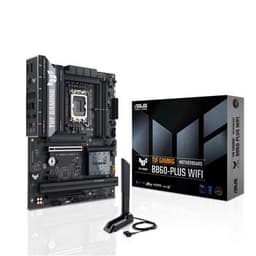
For Intel Core Ultra 200S (Series 2) builds on LGA1851, the ASUS TUF Gaming B860-Plus WiFi mirrors the TUF B850 board's feature set. ASUS lists four DDR5 slots (up to 256GB), a PCIe 5.0 x16 slot, three M.2 slots with M.2_1 at PCIe 5.0 x4, four SATA ports, Wi-Fi 7, Realtek 2.5Gb Ethernet, a 20Gbps rear USB-C port, a Thunderbolt (USB4) header, Q-Release, Q-Latch and a DrMOS VRM.
Best Intel Z890: ASUS Prime Z890-P
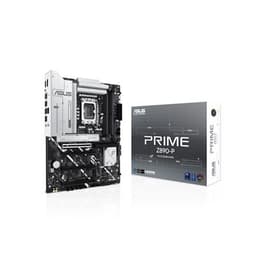
If you want Intel's Z890 chipset rather than B860, the ASUS Prime Z890-P is a no-frills way in. ASUS lists four DDR5 slots (up to 256GB), a PCIe 5.0 x16 slot, four M.2 slots with M.2_1 at PCIe 5.0 x4, four SATA ports, 2.5Gb Ethernet, a 20Gbps rear USB-C port and a Thunderbolt (USB4) header. ASUS's spec page lists no Wi-Fi, so budget for a Wi-Fi 7 PCIe card if you need wireless. Our B860 vs Z890 comparison explains when the Z890 premium is worth paying.
How we chose
We compared ASUS's official tech spec pages for the ASUS boards already in the Forge PC products database, looking at platform, size, memory support, PCIe and M.2 layout, networking, USB and build features. We favoured boards with PCIe 5.0 M.2 storage, 2.5Gb Ethernet and modern Wi-Fi, and we've flagged bandwidth-sharing footnotes that can catch people out. For other brands, see our best B850 motherboards and best MSI motherboards guides, and update the BIOS before installing a newer CPU using our safe BIOS update guide.