AI voice changers have moved on from the robot and chipmunk filters of old. Modern voice conversion models re-voice your speech in a different timbre while keeping what you said and how you said it, and the best free ones run entirely on your own PC. That means no subscription, no uploads and, if you have a decent graphics card, real-time conversion for Discord, streams and games. We've picked the best free, local AI voice changers for PC in 2026, based on each project's documentation, release pages and download listings, and added hardware advice for each. Where a speed or latency figure appears, it's the developer's own and credited.
All of these tools can imitate voices, so use them responsibly. Stick to your own voice or voice models you have permission to use, and don't impersonate real people.
Our picks at a glance
Pick | Best for | Runs on | Latest version (checked 28 Nov 2026) |
|---|
Applio | Best overall | GPU (NVIDIA CUDA, some AMD setups, Apple MPS) | Desktop v1.0.9 / Gradio 3.7.2, 19 Nov 2026 |
RVC WebUI | Training your own voice model | NVIDIA GPU; AMD/Intel packages too | 2.3.260718, published 21 Jul 2026 |
w-okada VCClient | Real-time only, or a second PC | NVIDIA CUDA; DirectML for AMD; CPU | 2.1.4-alpha, Jun 2025 |
Beatrice 2 | Low-spec PCs and DAW users | CPU (VST plugin) | 2.0.0-rc.3 |
Seed-VC | Tinkerers who want zero-shot conversion | GPU strongly recommended | Archived on GitHub |
1. Applio: best overall
Applio is an open-source voice conversion tool that, according to its documentation, uses retrieval-based voice conversion (RVC). Its README describes it as "a simple, high-quality voice conversion tool, focused on ease of use and performance". It's the most complete package here. The Applio Desktop app covers file and batch conversion, real-time microphone conversion, text to speech, model downloads and inspection, training, a voice blender and an audio separator, all in one window. There's also the original browser-based Gradio version, with a compiled Windows build on Hugging Face.
The best thing about Applio for most people is the setup. Desktop's first run installs and verifies its own Python environment and engine, and offers Install / Repair if a dependency check fails, so you're not left wrestling with CUDA versions. Its real-time page is also unusually practical, with step-by-step latency tuning and advice on routing your converted voice into another app through a virtual audio cable. The source code and model weights are MIT-licensed, according to the README.
The catch is that the README now says Applio "will no longer receive frequent updates", with work focusing on security patches, dependency updates and occasional features. It's still being maintained, though: there were three Desktop releases between 31 October and 19 November 2026.
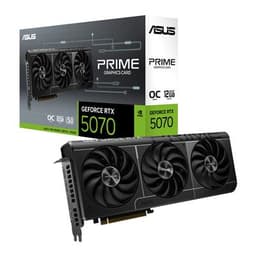
Hardware: Applio's docs say NVIDIA CUDA, supported AMD configurations and Apple MPS have different requirements, and that real-time shares the GPU with any other GPU work. Our suggestion is a mid-range NVIDIA card with some VRAM to spare, such as the ASUS RTX 5070 12GB Prime OC, especially if you'll be gaming at the same time. Follow our Applio setup guide to get started.
2. RVC WebUI: best for training your own voice model
The Retrieval-based-Voice-Conversion-WebUI from the RVC Project is the original RVC project. w-okada's tutorial calls it "original-RVC" and points people to it for training models. It's split into a training and inference web interface (go-webui.bat) and a separate real-time voice changing GUI (go-realtime_gui.bat).
Its strength is training. The README lists "easy + fast training, even on poor graphics cards" and recommends at least 10 minutes of low-noise speech. It also says the RMVPE pitch extraction algorithm gives the best results and is faster with lower resource use than Crepe_full. The July 2026 release 2.3.260718 brought FCPE pitch extraction, automatic GPU detection for inference mode and precision, and a switch to PyMSS for vocal separation. The release notes also say the real-time GUI now supports CUDA graph acceleration, with the algorithm's inference latency metric up to 4.7 times faster and GPU usage around 20-30% lower, based on the project's own RTX 4090D testing. There's even a real-time VST2/VST3 plugin for Windows.
On latency, the README says RVC has achieved 170ms end to end, or 90ms with ASIO input and output devices, while noting that this depends heavily on hardware driver support. Our guide on how to set up ASIO audio drivers in Windows explains what ASIO is.
Hardware: the release offers complete packages for NVIDIA GPUs before the RTX 50 series, for RTX 50 series cards and for AMD/Intel GPUs. If you install from source, the README says RTX 50 cards need the CUDA 12.8 PyTorch build and older NVIDIA cards the CUDA 11.8 one, while AMD and Intel systems use the CPU dependency set, with DirectML possible on Windows. The interface is less polished than Applio's, and the release notes are mostly in Chinese.
3. w-okada VCClient: best for real-time only or a second PC
w-okada's Realtime Voice Changer, known as VCClient, does one thing: live voice conversion. It supports RVC and, in its v2 builds, Beatrice v2 models, and its v1 builds also handled MMVC, so-vits-svc and DDSP-SVC. Its standout feature is a server-client design. The README says you can run the conversion server on a different PC to minimise the impact on demanding work, such as gaming commentary, on your main machine.
The tutorial gives you plenty of control, including a CHUNK size, EXTRA context length, a choice of pitch (F0) detectors from the CPU-based dio and harvest to the GPU-enabled crepe and rmvpe, and a Server audio mode that lets VCClient control the microphone and speaker directly to minimise latency. It also shows the delay as buf + res, which makes tuning easier.
The downside is age. The newest general Windows builds on its Hugging Face page are the 2.1.4-alpha CUDA and DirectML packages from June 2025, followed by a Beatrice-only 2.2.2-beta in August 2025. See our Applio vs w-okada comparison for how the two stack up.
Hardware: the README says the standard Windows build can run on a reasonably high-performance CPU without a GPU, or use DirectML for AMD and NVIDIA GPUs, while the CUDA build is faster on NVIDIA. The tutorial adds that AMD GPUs only work with ONNX models. The 2.1.4-alpha CUDA download is about 3.8GB.
4. Beatrice 2: best for low-spec PCs and DAW users
Beatrice is a different kind of voice changer. It's a free VST plugin, so it runs inside a DAW or another VST host rather than as a standalone app. The project's website describes it as lightweight (running on a single CPU thread), small (about 35MB) and low latency, at about 0.05 seconds measured with external recording equipment. The listed requirements are Windows 10 or 11 and an Intel Core 4th-generation or later processor, or an N100.
Beatrice 2 is currently a release candidate, version 2.0.0-rc.3, for Windows and Arm-based Macs. The site says it doesn't just pitch-shift, so it can keep your speaking habits and intonation, and even convert singing. Its model training toolkit is open source. The official models are character voices, and the original Beatrice 1 editions come with their own licence terms, so read those before using them in public. The website is in Japanese, so you may need a translator.
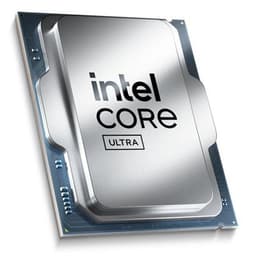
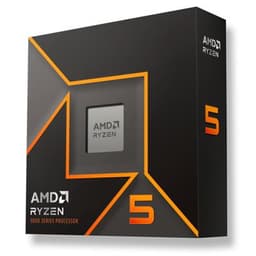
Hardware: because it runs on the CPU, Beatrice is the pick if you don't have a suitable graphics card or want to keep the GPU free for games. Any modern desktop processor, such as the AMD Ryzen 5 9600X or Intel Core Ultra 5 245K, is far beyond the listed minimum (our suggestion).
5. Seed-VC: for tinkerers who want zero-shot conversion
Every pick above needs a trained model of the target voice. Seed-VC's README says it can do zero-shot voice conversion, cloning a voice from 1 to 30 seconds of reference speech without any training, and it supports real-time conversion and singing voice conversion. The README quotes an algorithm delay of about 300ms plus about 100ms of device-side delay. In the developer's tests on an RTX 3060 Laptop GPU, the recommended tiny-model settings gave 430ms of latency. The README strongly recommends a GPU for real-time use.
It comes with two big caveats. First, Seed-VC is a Python project that you run from the command line, for example with its real-time-gui.py script, so it's for people comfortable with Python. Second, the GitHub repository has been archived and was last updated in April 2025, so don't expect fixes. Zero-shot cloning also makes misuse easier, so the consent rule matters even more here.
Which one should you choose?
Want the easiest all-rounder? Applio.
Want to train the best model of your own voice? RVC WebUI, or Applio's built-in training.
Want live conversion handled by a second PC? w-okada VCClient.
No decent GPU, or working in a DAW? Beatrice 2.
Want to experiment with zero-shot cloning? Seed-VC, with care.
Whichever you pick, you'll need a virtual audio device to send the converted voice into Discord or OBS. See our Voicemeeter vs SteelSeries Sonar comparison. If you're after text-to-speech rather than live conversion, our Kokoro vs Piper comparison covers the best local options.