AMD's machine-learning upscaler, which launched as FSR 4, is now called AMD FSR Upscaling and sits inside a wider "Redstone" feature set. Some games offer it directly in their menus, but many only support the older FSR 3.1, and for those you switch it on in AMD Software: Adrenalin Edition. This guide shows which Radeon cards support it, how to turn on the AMD FSR Upscaling and Frame Generation toggles, and what to check if it doesn't work. It's based on AMD's official FSR page and GPUOpen guidance.
What changed: FSR 4 is now FSR Upscaling
AMD says FSR 4 has been renamed FSR Upscaling to better distinguish between the features that now make up FSR "Redstone". AMD lists four Redstone features:
FSR Upscaling: the ML-based upscaler formerly called FSR 4, which reconstructs a sharper image from a lower-resolution frame.
FSR Frame Generation: predicts and inserts new frames between rendered ones.
FSR Ray Regeneration: restores ray-traced detail from sparse samples.
FSR Radiance Caching: predicts how light moves through a scene for real-time global illumination.
AMD describes Redstone as a suite of features that game developers implement in their games. The two that AMD Software has toggles for are FSR Upscaling and FSR Frame Generation. Some games still label the upscaler "AMD FSR 4" in their settings, and AMD says that's the same technology. If frame generation is new to you, our DLSS, FSR and frame generation explainer covers the basics.
Step 1: Check your hardware
AMD's hardware compatibility table for FSR "Redstone" lists:
Hardware | What AMD supports |
|---|
Radeon RX 9000 Series graphics and above | FSR "Redstone" |
Radeon RX 6000 and RX 7000 Series graphics | Upscaling only |
Ryzen AI Max and Ryzen AI 9 processors | Upscaling only |
Ryzen Z2 Extreme and Z2 A handhelds | Upscaling only |
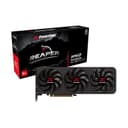
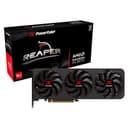
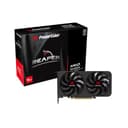
So an RX 9000 card, such as the PowerColor RX 9070 XT Reaper, RX 9070 Reaper or RX 9060 XT Reaper, gets the full feature set, while RX 6000 and RX 7000 owners get ML-based upscaling but not the other Redstone features. That's a change from launch: AMD's Adrenalin 25.3.1 release notes said FSR 4 support was exclusive to RX 9070 Series cards.
Not sure which card you have? See how to find your graphics card model in Windows 11.
Step 2: Update AMD Software: Adrenalin Edition
The toggles live in AMD Software, so install the latest driver for your card first. Our guide to updating graphics drivers walks through it. AMD's GPUOpen blog says updating AMD Software: Adrenalin Edition is what unlocks access to the driver upgrade feature.
Step 3: Check whether your game supports it
AMD describes two ways to get ML-based FSR Upscaling:
Native support. Some games integrate it directly. Pick it in the game's graphics menu (it may be called AMD FSR 4) and you don't need to touch AMD Software.
Driver upgrade. Other games have AMD FSR 3.1 or higher built in, and AMD Software can swap DLLs to upgrade them to ML-based upscaling. If the game has AMD FSR 3.1.4 or higher with frame generation, AMD says you can also upgrade to ML-based frame generation.
The driver route doesn't work in every FSR 3.1 game. When AMD announced FSR 4 in over 85 games in September 2025, it said the driver upgrade only works with DirectX 12 games that integrate a signed FSR 3.1 DLL according to its developer guidelines, and that it's not compatible with FSR 3.1 games that run on Vulkan or use third-party plug-ins or other non-standard integrations. AMD's FSR page links to its current list of supported games.
Step 4: Turn on the toggles in AMD Software
AMD's steps for games that need the driver upgrade are:
Make sure you have at least one supported game installed.
With the game not running, open AMD Software: Adrenalin Edition and click the Gaming tab.
Click the Graphics sub-tab to open the global graphics settings.
Turn on AMD FSR Upscaling, and AMD FSR Frame Generation if you want it.
AMD also recommends enabling Radeon Anti-Lag 2 in games that support it. Our Reflex vs Anti-Lag comparison explains what it does.
Step 5: Turn on FSR 3.1 in the game
Launch the game, open its graphics or video settings and turn on AMD FSR 3.1 if it isn't already on. You can then choose an FSR upscaling quality preset from the in-game menu. AMD's GPUOpen post explains that the driver overrides the game's FSR 3.1 implementation with the newer upscaler, which is why you still select FSR 3.1 in the game.
If it doesn't work
The toggle is missing or greyed out. Check your card is on AMD's compatibility list and that you're on a current driver.
The game ignores it. The game may use Vulkan, a plug-in or an unsigned FSR 3.1 integration, which AMD says the driver upgrade doesn't support. Check AMD's supported games list.
You changed the setting with the game open. AMD's instructions are to change the toggles with the game closed, so quit and relaunch.
No frame generation option. ML-based frame generation through the driver needs a game with FSR 3.1.4 or higher frame generation, and AMD lists RX 6000 and RX 7000 cards as upscaling only.
Your game has no FSR frame generation. AMD Fluid Motion Frames is a separate AMD feature with its own setting; see our AMD Fluid Motion Frames guide.