Our picks are based on the memory figures and hardware support published by the openai/whisper, faster-whisper and whisper.cpp projects, plus NVIDIA, AMD and Intel's official specifications. The one benchmark we cite is faster-whisper's own, and it's credited as such.
Whisper is OpenAI's open-source speech recognition model, and it's the engine behind many of the local transcription and subtitling apps we've covered in our best local speech-to-text apps guide. It will run on a CPU, but a graphics card makes long recordings far more practical. The good news is that Whisper is much less demanding than a large language model, so you don't need a flagship GPU. What you do need is enough video memory for the model size you want, and a card that your chosen Whisper app actually supports.
Quick picks
Pick | Graphics card | VRAM | Best for |
|---|
Best overall | NVIDIA GeForce RTX 5060 Ti 16GB | 16GB GDDR7 | Every Whisper app, every model size |
Best budget | NVIDIA GeForce RTX 5060 8GB | 8GB GDDR7 | faster-whisper and the turbo model |
Best AMD | AMD Radeon RX 9060 XT 16GB | 16GB GDDR6 | whisper.cpp on Vulkan or ROCm |
Best Intel | Intel Arc B580 12GB | 12GB GDDR6 | whisper.cpp with OpenVINO or Vulkan |
For heavy batch work | NVIDIA GeForce RTX 5070 Ti 16GB | 16GB GDDR7 | Big transcription backlogs alongside other AI work |
How much VRAM does Whisper need?
It depends on both the model size and the software you run it with.
The official openai/whisper project lists approximate VRAM requirements of about 1GB for the tiny and base models, about 2GB for small, about 5GB for medium, about 10GB for large and about 6GB for turbo. It says turbo runs about eight times faster than large, against roughly 1x for large itself, though its relative speeds were measured on an NVIDIA A100 data-centre GPU, so they're only a rough guide.
Other implementations use less memory. faster-whisper's README publishes a benchmark transcribing 13 minutes of audio with the large-v2 model on an NVIDIA RTX 3070 Ti 8GB:
Implementation (faster-whisper's own benchmark) | Precision | Time | VRAM used |
|---|
openai/whisper | fp16 | 2m23s | 4,708MB |
whisper.cpp (Flash Attention) | fp16 | 1m05s | 4,127MB |
faster-whisper | fp16 | 1m03s | 4,525MB |
faster-whisper, batch size 8 | fp16 | 17s | 6,090MB |
faster-whisper | int8 | 59s | 2,926MB |
faster-whisper, batch size 8 | int8 | 16s | 4,500MB |
whisper.cpp's README lists memory use of about 3.9GB for its large model and about 2.1GB for medium.
The practical takeaway: 8GB is enough for the large model in faster-whisper or whisper.cpp, but not for the large model in the original openai/whisper package, which OpenAI puts at about 10GB. 12GB to 16GB gives you room for any implementation, batched transcription, or another AI app running at the same time. For the wider picture, see our VRAM guide.
Software support matters as much as VRAM
The three main Whisper engines support different hardware, according to their own documentation:
faster-whisper runs on NVIDIA GPUs. Its README says GPU execution requires NVIDIA's cuBLAS and cuDNN libraries for CUDA 12.
whisper.cpp has the broadest support. Its README covers NVIDIA GPUs through CUDA, any graphics card whose driver supports Vulkan, AMD GPUs through HIP/ROCm, Intel GPUs (integrated and discrete) through OpenVINO, and the NPU in AMD Ryzen AI 300 and 400 Series processors.
openai/whisper, the original Python package, is the reference version, but it's the most memory-hungry of the three in faster-whisper's benchmark.
So NVIDIA cards work with everything, while AMD and Intel owners should plan around whisper.cpp or apps built on it. We compare the two leading engines in whisper.cpp vs faster-whisper.
Best overall: NVIDIA GeForce RTX 5060 Ti 16GB
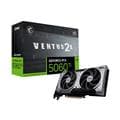
Example card in our database: MSI RTX 5060 Ti 16GB Ventus 2X OC Plus
The 16GB RTX 5060 Ti is the safest all-round choice for Whisper. NVIDIA lists it with 16GB of GDDR7 on a 128-bit memory interface and 4,608 CUDA cores. That 16GB comfortably clears the roughly 10GB OpenAI quotes for the large model in its own package, and leaves plenty of room for batched faster-whisper runs, which used about 6GB on an 8GB card in faster-whisper's benchmark.
Because it's an NVIDIA card, it works with faster-whisper, whisper.cpp's CUDA build and openai/whisper, so you can use whichever app you prefer. Make sure you buy the 16GB version: NVIDIA also sells the RTX 5060 Ti with 8GB.
Best budget: NVIDIA GeForce RTX 5060 8GB
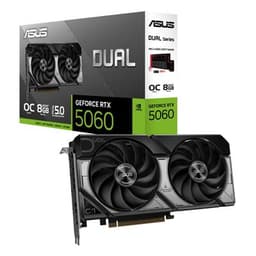
Example card in our database: ASUS RTX 5060 8GB Dual OC
If Whisper is your main AI workload and you want to spend less, an 8GB RTX 5060 is enough with the right software. NVIDIA lists it with 8GB of GDDR7 and 3,840 CUDA cores. faster-whisper's own benchmark ran the large-v2 model on another 8GB NVIDIA card, an RTX 3070 Ti, using between 2.9GB and 6.1GB depending on precision and batch size.
The catch is the original openai/whisper package: its large model needs about 10GB by OpenAI's figure, so stick to turbo (about 6GB) or smaller models there, or use faster-whisper or whisper.cpp instead. 8GB also leaves little room for local LLMs, so if you plan to branch out, the 16GB pick is the better buy.
Best AMD: AMD Radeon RX 9060 XT 16GB
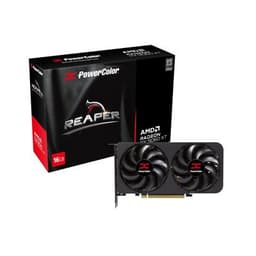
Example card in our database: PowerColor RX 9060 XT 16GB Reaper
AMD lists the RX 9060 XT with up to 16GB of GDDR6 on a 128-bit interface. It's a good choice if you'd rather not buy NVIDIA, provided you use whisper.cpp or an app built on it. whisper.cpp's README documents both a Vulkan build, which needs only a graphics driver with Vulkan support, and a HIP build for AMD's ROCm platform.
faster-whisper's GPU mode isn't an option, as it needs NVIDIA's CUDA libraries. Check that your chosen transcription app offers a Vulkan or ROCm backend before you buy. Our guide to running local AI on AMD Radeon GPUs covers the wider software picture.
Best Intel: Intel Arc B580 12GB
Example card in our database: Intel Arc B580 Limited Edition 12GB
Intel lists the Arc B580 with 12GB of GDDR6 on a 192-bit interface, 456GB/s of memory bandwidth and OpenVINO support. whisper.cpp can run Whisper's encoder on Intel GPUs through OpenVINO, and its README notes the first run on an OpenVINO device is slow while the model is compiled for your hardware. Vulkan is the other route.
12GB is plenty for any Whisper model in whisper.cpp. As with AMD, faster-whisper's GPU mode isn't available, so you're relying on whisper.cpp-based apps.
For heavy batch work: NVIDIA GeForce RTX 5070 Ti 16GB
Example card in our database: MSI RTX 5070 Ti 16GB Ventus 3X OC
Most people don't need more than an RTX 5060 Ti for Whisper. But if you transcribe large archives, such as podcasts, lectures or video libraries, or you want to run Whisper alongside local LLMs and image generation, the RTX 5070 Ti is a sensible step up. NVIDIA lists it with 16GB of GDDR7, a 256-bit memory interface (twice the width of the RTX 5060 Ti's) and 8,960 CUDA cores. We haven't measured how much faster it transcribes, so buy it for the extra headroom rather than for a specific speed gain.
What about no graphics card at all?
Whisper's smaller models are light enough for a CPU, and whisper.cpp lists memory use of under 1GB for the tiny, base and small models. On laptops and mini PCs with an AMD Ryzen AI 300 or 400 Series processor, whisper.cpp can also offload Whisper's encoder to the NPU on Windows 11 or Linux, according to its README. That's a reasonable option for occasional dictation or short recordings, but a dedicated graphics card is still the better tool for long files.
Our verdict
For most people, the NVIDIA GeForce RTX 5060 Ti 16GB is the best graphics card for Whisper: 16GB covers every model size in every major Whisper engine, and NVIDIA support means faster-whisper, whisper.cpp and openai/whisper all work. The 8GB RTX 5060 is enough if you stick to faster-whisper, whisper.cpp or the turbo model. AMD and Intel owners can get good results from the RX 9060 XT 16GB or Arc B580 12GB, but should plan around whisper.cpp-based apps.