It contains no benchmark, clock speed or performance figures of our own. It's based on NVIDIA's NVIDIA App page, FAQ and system requirements, AMD's AMD Software: Adrenalin Edition page and Guru3D's official MSI Afterburner download page, all checked on 26 November 2026.
Overclocking or undervolting a graphics card used to mean installing a third-party utility. Today, both NVIDIA and AMD build tuning into their own driver apps, and the long-running enthusiast favourite is still free. Pushing a card past its stock settings can make it unstable, so change one thing at a time and check the games you actually play. If you're more interested in cutting power and heat than adding clocks, read our guide to how to undervolt a GPU first.
Quick list
Pick | Best for | GPU support | Price |
|---|
NVIDIA App automatic GPU tuning | One-click tuning for GeForce RTX owners | GeForce RTX 20, 30, 40 and 50 Series (NVIDIA's requirements) | Free |
AMD Software: Adrenalin Edition | Built-in tuning for Radeon owners | AMD Radeon | Free |
MSI Afterburner | Manual overclocking, undervolting and curve editing | NVIDIA and AMD, per Guru3D | Free (freeware) |
1. NVIDIA App: best for GeForce RTX owners who want it simple
NVIDIA's FAQ says the NVIDIA App's System tab lets you "enable one-click automatic GPU Tuning and performance panel", alongside display settings such as G-SYNC and scaling. NVIDIA describes the app as a unified GPU control centre that also keeps your drivers up to date, and its overlay can show real-time FPS, GPU and CPU utilisation, FPS 1% low and latency, which helps when checking whether a tuned card behaves in games.
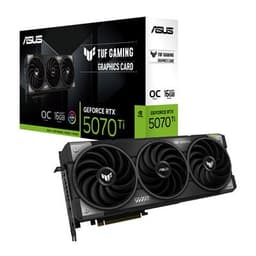
NVIDIA's system requirements list Windows 10 or 11, GeForce driver 551.52 or later and GeForce RTX 20, 30, 40 and 50 Series GPUs, such as the ASUS RTX 5070 Ti 16GB TUF Gaming OC. If you already use the NVIDIA App for drivers, it's the obvious place to start. For how it compares with Afterburner's monitoring and control, see NVIDIA App vs MSI Afterburner.
2. AMD Software: Adrenalin Edition: best for Radeon owners
AMD says its AMD Performance Tuning feature lets you get more from Radeon graphics "with custom performance tuning and adjustments all right within AMD Software", with "no need for additional software, no need for extra downloads". That's the same app that handles Radeon driver updates, game stats and features such as FSR and Radeon Chill, so there's nothing extra to install.
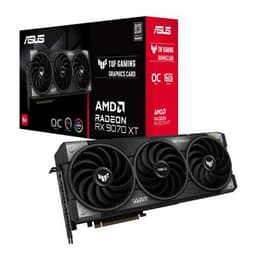
If you have a current Radeon card such as the ASUS RX 9070 XT 16GB TUF Gaming OC, start here before reaching for a third-party tool.
3. MSI Afterburner: best for manual tuning and undervolting
MSI Afterburner is the enthusiast's choice. Guru3D, which hosts the official download, lists it as freeware for 64-bit Windows and says it supports graphics cards from NVIDIA and AMD. The current 4.6.7 Beta 3 (build 17352, dated 19 June 2026 on Guru3D's page) focuses on the Voltage/Frequency Curve Editor, adding a Help button listing its shortcuts, thermal curve analysis, a thermal curve dump on Ctrl + F5, curve import and export, and automated curve flattening aimed at undervolting and overclocking.
Guru3D calls it one of the most popular graphics card tuning utilities available, and the curve editor is the reason to choose it over the driver apps. Guru3D also warns that many websites host Afterburner downloads with malware in the installer, and says only Guru3D.com and MSI.com are allowed to distribute it, so download it from one of those two. Our step-by-step guide covers how to overclock a GPU with MSI Afterburner.
Which should you choose?
GeForce RTX owner who wants a quick result: NVIDIA App's automatic GPU tuning.
Radeon owner: AMD Software's built-in performance tuning.
Anyone who wants manual control, voltage/frequency curves or undervolting: MSI Afterburner, downloaded from Guru3D or MSI.
Our verdict
Start with the tuning built into your driver app: NVIDIA App's one-click automatic GPU tuning on GeForce RTX cards, or AMD Software's performance tuning on Radeon. Move to MSI Afterburner, downloaded only from Guru3D or MSI, when you want manual overclocks or a voltage/frequency curve undervolt. All three are free.