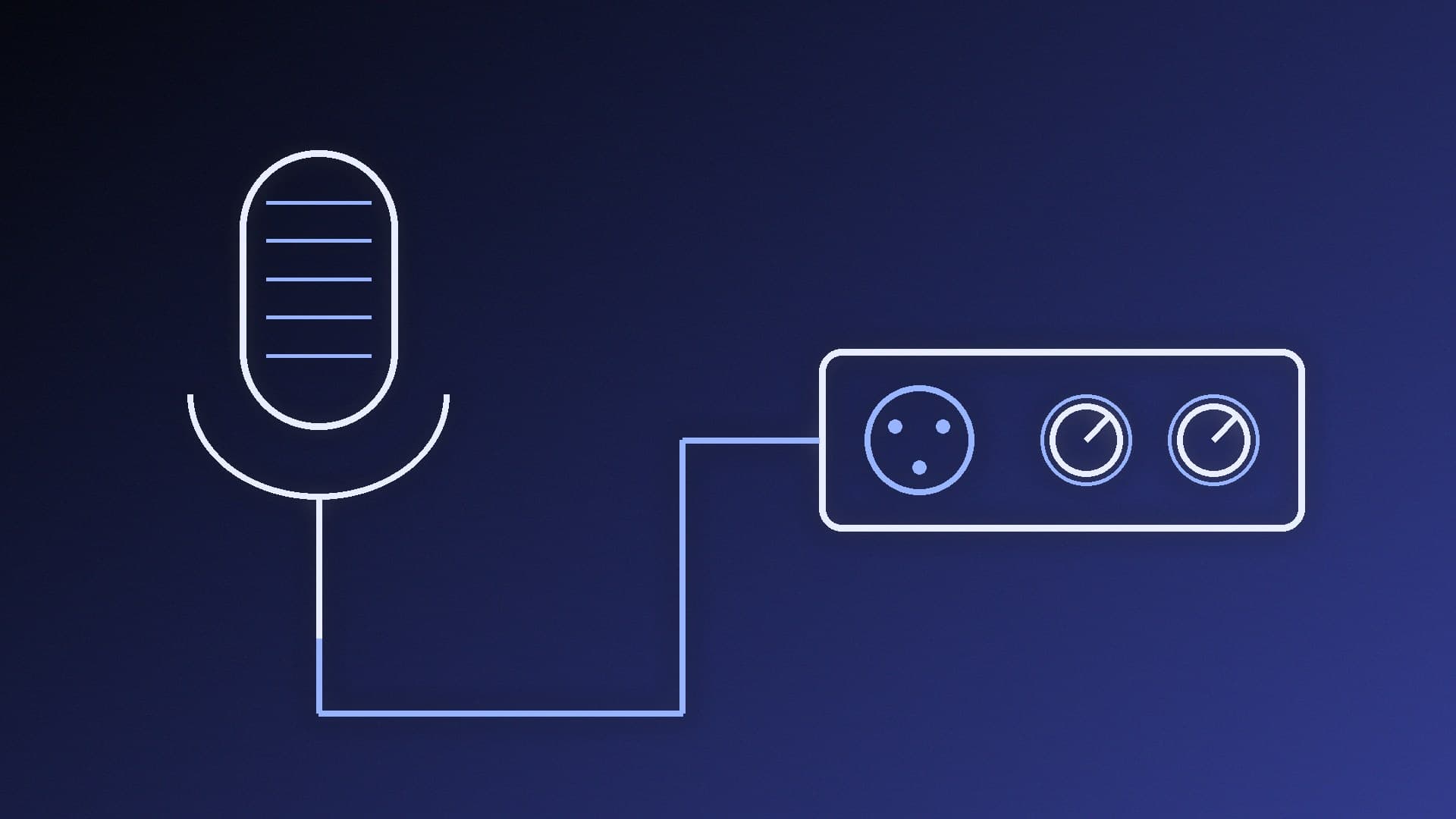
An XLR microphone can't plug straight into a PC. It needs an audio interface: a small box with a microphone preamp, phantom power for condenser mics and a converter that turns the analogue signal into digital audio over USB. For streaming, the things that matter are how many mics you need, how much gain the preamp gives you, whether the interface can help set your level for you, and whether its software fits your setup.
If you're still deciding between a USB mic and an XLR mic, start with our USB vs XLR microphone comparison, and see dynamic vs condenser microphones for the mic itself.
Quick picks
Pick | Best for | Mic inputs | Gain (maker's figure) | Level help |
|---|
Focusrite Scarlett Solo 4th Gen | Most solo streamers | 1 | 57dB | Gain halos |
Focusrite Vocaster One | Talk streams and podcasts | 1 | 70dB | Auto Gain |
Elgato Wave XLR MK.2 | Wave Link and Stream Deck users | 1 | 80dB | Clipguard 2.0 |
Focusrite Scarlett 2i2 4th Gen | Two mics, or mic plus instrument | 2 | 69dB | Auto Gain, Clip Safe |
SSL 2 MKII | Two mics, two pairs of headphones | 2 | 64dB | None listed |
Universal Audio Volt 1 / Volt 2 | Musicians who also stream | 1 / 2 | 55dB | None listed |
MOTU M2 | On-device level meters | 2 | See MOTU | None listed |
Audient EVO 4 | Automatic gain on two inputs | 2 | See Audient | Smartgain |
Focusrite Scarlett Solo 4th Gen: best for most solo streamers
The Scarlett Solo is the simplest way to run one XLR mic into a PC. Focusrite lists one mic preamp with phantom power, one instrument input, two line outputs and one headphone output, with a 57dB gain range, 24-bit/192kHz conversion and a USB-C connector running the USB 2.0 protocol. It's bus-powered (Focusrite lists 900mA), so there's no separate power supply.
Two features are useful for streamers. Loopback gives you virtual inputs for capturing audio from apps on your computer, as Focusrite describes it, and Focusrite's Dynamic Gain Halos around the gain control show when your level is in the green or tipping into the red. Focusrite lists a 113dB (A-weighted) dynamic range for the mic input. It measures 143 x 96 x 46.5mm (W x D x H) and weighs 382g.
Focusrite Vocaster One: best for talk streams and podcasts
The Vocaster One is built for voice rather than music. Focusrite lists a 70dB mic gain range, Auto Gain (press a button, start talking and it sets your level), a mute button, and four voice presets switchable in its Vocaster Hub software. It also has a phone input and output (mono, needing a 3.5mm TRRS cable that isn't included) for taking calls on air, and a camera output for sending audio to a camera via a 3.5mm TRS cable. Focusrite says it needs a USB port that can supply 900mA, and supports Windows on Intel, AMD and Arm64 processors.
Elgato Wave XLR MK.2: best for Wave Link and Stream Deck users
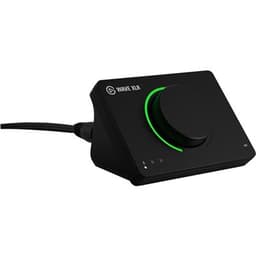
If your setup already runs on Elgato gear, the Wave XLR MK.2 fits straight in. Elgato lists 80dB of gain, 48V phantom power, 24-bit/48kHz audio and Clipguard 2.0, which it describes as multi-layered protection that prevents distortion. Elgato's Wave FX processor handles effects on the device, and Elgato says its Wave Link 3.0 software, used for mixing and routing, comes with Voice Focus noise suppression. It has a capacitive mute button, a 3.5mm headphone output and a USB-C connection, and works with Stream Deck for one-touch control. Elgato lists Windows 11 (64-bit) or newer, macOS Sonoma 14.2 or newer, a 900mA maximum power draw and a weight of 320g.
Focusrite Scarlett 2i2 4th Gen: best for two mics
The 2i2 doubles up: two mic preamps with phantom power, two instrument inputs and two line inputs. Focusrite lists a wider 69dB gain range than the Solo, plus Auto Gain and Clip Safe, which adjusts gain automatically if you're in danger of clipping. Conversion is 24-bit/192kHz over USB-C (USB 2.0 protocol), it's bus-powered and it has Loopback. It's larger, at 180 x 117 x 47.5mm and 595g. For the differences in detail, see the Solo vs 2i2 comparison we're publishing alongside this guide.
SSL 2 MKII: best for two people on headphones
Solid State Logic's SSL 2 MKII is a 2-in/2-out USB-C interface with two SSL-design mic preamps, a 64dB gain range, 48V phantom power and a high-pass filter. It has two headphone outputs on the front, which is handy if a guest needs to monitor too, plus stereo loopback. SSL lists 32-bit/192kHz converters and a USB 2.0 Type-C connector, and includes both USB-C to C and C to A cables in the box.
Universal Audio Volt 1 and Volt 2: best for musicians who also stream
UA's Volt 1 (1-in/2-out) and Volt 2 (2-in/2-out) each give you 55dB of available gain per preamp, switchable 48V phantom power and a Vintage Mic Preamp mode that UA says is inspired by its 610 tube console. Both have MIDI in and out, 24-bit/192kHz conversion and a USB 2.0 port with a USB-C connector, and UA describes them as bus-powered and class-compliant with macOS, Windows, iPad and iPhone (iOS 14+).
MOTU M2: best for on-device meters
MOTU's M2 has two combo inputs with independent gain, 48V phantom power and monitor switches for each input, plus a 160 x 128 pixel colour LCD with input and output level meters, which is handy when you can't see your software. It has balanced TRS and mirrored RCA outputs, MIDI in and out, and a USB-C port (USB 2.0, audio class compliant). MOTU lists sample rates up to 192kHz, bus power and a 0.61kg weight.
Audient's EVO 4 has two EVO mic preamps, a JFET instrument input and a headphone output, and is USB bus-powered. Its headline feature is Smartgain, which Audient says analyses your signal and sets levels automatically on both inputs at once.
How to choose
One mic, mostly talking: the Scarlett Solo or Vocaster One. Choose the Vocaster One if you want Auto Gain and phone or camera outputs.
Elgato ecosystem: the Wave XLR MK.2, for Wave Link and Stream Deck control.
Two mics: the Scarlett 2i2, SSL 2 MKII, Volt 2, MOTU M2 or EVO 4.
Check power: Focusrite and Elgato list 900mA for several of these bus-powered interfaces, so make sure the USB port you use can supply it.
Once it's plugged in, our guide to setting up OBS microphone filters covers the software side, and our best microphones for streaming guide covers the mic.
Our verdict
For most streamers with one XLR mic, the Focusrite Scarlett Solo 4th Gen is our pick: it has the essentials, Loopback and clear gain halos in a small bus-powered box. Choose the Vocaster One for talk-heavy streams with Auto Gain and phone and camera outputs, the Elgato Wave XLR MK.2 if you use Wave Link or a Stream Deck, and the Scarlett 2i2 4th Gen or SSL 2 MKII if you need two mic inputs.