Local AI models are big files, and a collection of them fills a drive quickly. Drive speed can affect how quickly they load into memory. This guide picks drives for a local AI PC using Samsung's official UK spec pages, since Samsung offers PCIe 4.0 and PCIe 5.0 options with published endurance figures across a range of capacities.
Quick picks
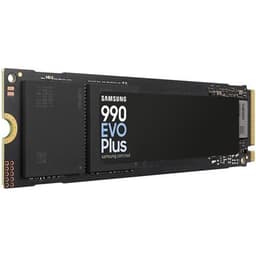
Best value: Samsung 990 EVO Plus (1TB, 2TB or 4TB)
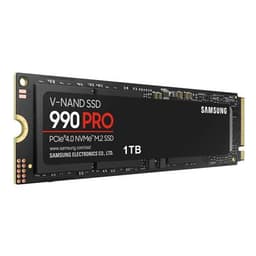
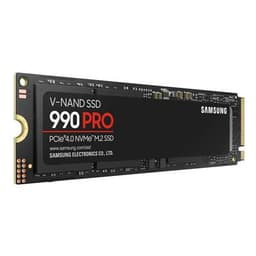
Best PCIe 4.0 with DRAM cache: Samsung 990 PRO (1TB or 2TB)
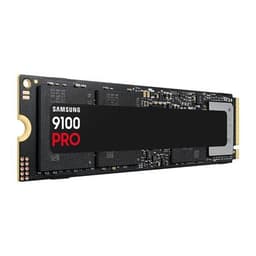
Best PCIe 5.0: Samsung 9100 PRO 4TB
Drive | Interface | Sequential read | Cache | Endurance |
|---|
990 EVO Plus 1TB | PCIe 4.0 x4 / 5.0 x2 | Up to 7,150MB/s | HMB | 600TBW |
990 EVO Plus 2TB | PCIe 4.0 x4 / 5.0 x2 | Up to 7,250MB/s | HMB | 1,200TBW |
990 EVO Plus 4TB | PCIe 4.0 x4 / 5.0 x2 | Up to 7,250MB/s | HMB | 2,400TBW |
990 PRO 1TB | PCIe 4.0 x4 | Up to 7,450MB/s | 1GB LPDDR4 | 600TBW |
990 PRO 2TB | PCIe 4.0 x4 | Up to 7,450MB/s | 2GB LPDDR4 | 1,200TBW |
9100 PRO 4TB | PCIe 5.0 x4 | Up to 14,800MB/s | 4GB LPDDR4X | 2,400TBW |
All have a five-year limited warranty.
How much space do you need?
That depends on how many models you keep and how big they are. For a breakdown, see how much storage you need for local AI. If you plan to try lots of models, a larger capacity gives you more room.
You don't have to put models on your Windows drive. Ollama's FAQ says models are stored in C:\Users\%username%\.ollama\models on Windows by default, and you can set the OLLAMA_MODELS environment variable to use a different folder. See how to move Ollama models to another drive and how to manage Ollama models.
Samsung 990 EVO Plus: best value
The 990 EVO Plus is rated at up to 7,250MB/s sequential reads at 2TB and 4TB (7,150MB/s at 1TB) and up to 6,300MB/s writes. It doesn't have its own DRAM cache, using Host Memory Buffer instead. Samsung says it supports PCIe 4.0 x4 or PCIe 5.0 x2. The 4TB model is rated at 2,400TBW, which suits a drive dedicated to a large model library.
Samsung 990 PRO: PCIe 4.0 with DRAM cache
The 990 PRO is rated at up to 7,450MB/s reads and 6,900MB/s writes, with 1GB of DRAM cache at 1TB and 2GB at 2TB. Samsung also lists higher random-read figures than the 990 EVO Plus. It's the pick if your model drive is also your working drive for projects and apps.
Samsung 9100 PRO 4TB: best PCIe 5.0
The 9100 PRO is Samsung's PCIe 5.0 drive, rated at up to 14,800MB/s reads and 13,400MB/s writes at 4TB with 2,400TBW. It needs a PCIe 5.0 M.2 slot to reach those figures; see PCIe 4.0 vs PCIe 5.0 SSDs.
What to check before you buy
Our verdict
For most local AI PCs, the Samsung 990 EVO Plus 2TB or 4TB is the one to buy: its sequential speeds are close to the 990 PRO's, it's efficient by Samsung's figures and the 4TB model has 2,400TBW of endurance for a model library. Choose the 990 PRO if you want a DRAM cache for a busy working drive, and the 9100 PRO 4TB if your board has a PCIe 5.0 M.2 slot.