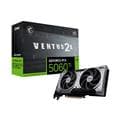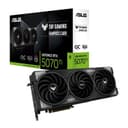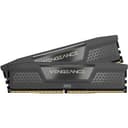
Generating images with AI on your own PC means no subscriptions, no queue and no prompts sent to someone else's server. Tools such as ComfyUI run open models like Stable Diffusion and Black Forest Labs' Flux. But image models have grown quickly, and the hardware needed has grown with them.
This guide explains what matters, using official figures. Forge PC hasn't run its own image-generation tests. Memory and timing figures come from NVIDIA's published testing and are credited. UK prices are the lowest new prices on SpecPrice on 12 November 2026 (updated 13:40 GMT) and are approximate.
The short version
Video memory (VRAM) is the main limit. NVIDIA's figures show the full FLUX.1 [dev] pipeline needs about 15GB at FP8 even in a low-memory mode.
16GB is the sensible minimum for Flux. A 16GB card can run FP8 Flux in low-VRAM mode, according to NVIDIA's numbers.
RTX 50-series cards can use FP4, which NVIDIA says brings Flux down to about 11GB in low-VRAM mode and is much faster on an RTX 5090.
32GB of system RAM, ideally 64GB, and a 2TB SSD make life easier, because the model files are very large.
How big is Flux?
According to Black Forest Labs' model card, FLUX.1 [dev] is a 12-billion-parameter model. In a May 2025 technical blog, NVIDIA broke down the full pipeline at 16-bit precision:
Component | Size (FP16, NVIDIA) |
|---|---|
CLIP text encoder | 246MB |
T5 text encoder | 9.52GB |
Diffusion transformer | 23.8GB |
VAE | 168MB |
Total | about 33.7GB |
That's why you can't simply load the full-precision model onto a typical graphics card.
How much VRAM you need
NVIDIA's blog also measured GPU memory use in its TensorRT demo, both normally and in a "low-VRAM" mode that loads each part of the pipeline only when it's needed:
Precision | Default mode | Low-VRAM mode |
|---|---|---|
FP16 | 39.3GB | 23.9GB |
BF16 | 35.7GB | 23.9GB |
FP8 | 24.6GB | 14.9GB |
FP4 | 21.67GB | 11.1GB |
What that means in practice:
12GB cards fall short of the FP8 figure. Using FP4 would need an RTX 50-series card, because NVIDIA says FP4 relies on Blackwell's fifth-generation Tensor Cores. The RTX 5070 is the only 12GB card in the current RTX 50 line-up.
16GB cards can run FP8 Flux in low-VRAM mode (14.9GB), with little to spare, and FP4 on RTX 50-series cards.
24GB to 32GB cards can hold the 16-bit pipeline in low-VRAM mode (23.9GB), leaving more room for higher resolutions and extras such as ControlNet.
These figures are for NVIDIA's own demo. Other tools manage memory differently, but they give a realistic sense of scale.
How much faster is a high-end card?
NVIDIA's own timings for a FLUX.1 [dev] image with 30 steps on an RTX 5090 were about 10.9 seconds at FP16 (in low-VRAM mode), 6.7 seconds at FP8 and 3.9 seconds at FP4. It measured an RTX 4090 at FP8, in low-VRAM mode, at about 10.6 seconds. These are NVIDIA's numbers, not independent tests, but they show how much precision and memory matter.
Older and smaller models
Older models are much smaller. Hugging Face lists Stability AI's SDXL base model at about 3 billion parameters, roughly a quarter of FLUX.1 [dev]'s 12 billion, so it needs far less memory. If you mainly want SDXL-era models, a cheaper card may do. If you want to use Flux and newer models, plan for 16GB.
NVIDIA or AMD?
NVIDIA has invested heavily in image generation. Its blog describes ComfyUI support for Blackwell and dedicated NVIDIA nodes for ComfyUI. The FP4 savings above apply only to RTX 50-series cards. AMD's Radeon cards can run image-generation tools too, but the optimised workflows and FP4 path NVIDIA describes are NVIDIA-specific. Check your preferred software's AMD support before buying a Radeon mainly for image generation.
Graphics cards to consider (UK prices, 12 November 2026)
Card | VRAM | Lowest UK price | Notes |
|---|---|---|---|
GeForce RTX 5060 Ti 16GB | 16GB | £659.99 | Cheapest 16GB card with FP4 support |
Radeon RX 9060 XT 16GB | 16GB | £579.98 | Cheapest 16GB card, but no NVIDIA FP4 path |
GeForce RTX 5070 Ti | 16GB | £1,215.00 | Faster 16GB card with FP4 |
GeForce RTX 5080 | 16GB | £1,499.99 | Still 16GB |
Radeon AI PRO R9700 | 32GB | £1,609.99 | Cheapest new 32GB card; check software support |
GeForce RTX 5090 | 32GB | £6,999.98 | Fastest, but extremely expensive |
Avoid the 8GB versions of the RTX 5060 Ti and RX 9060 XT for Flux. For the wider picture on card choice, see our VRAM guide and our best graphics card guide.
System RAM and storage
System RAM: low-VRAM modes work by moving model parts in and out of the graphics card, and the T5 text encoder alone is 9.52GB at FP16. We'd treat 32GB of system memory as the minimum for comfortable Flux use and 64GB as the comfortable target. DDR5 is expensive at the moment, as our RAM guide explains, so don't overspend on speed.