Skip to content

Best PicksMouse

Best Razer Gaming Mouse 2026: Viper, DeathAdder and Basilisk Picks

Our pick of Razer gaming mice for 2026, based on Razer's official specs: the light symmetrical Viper V4 Pro, the ergonomic DeathAdder V4 Pro, the previous-generation Viper V3 Pro, the feature-rich Basilisk V3 Pro 35K with Bluetooth, and the entry-level DeathAdder Essential. Includes advice on choosing by grip and polling rate.

By , Buying Guides & Peripherals Editor

3 min read

Best Razer Gaming Mouse 2026: Viper, DeathAdder and Basilisk Picks

Our picks at a glance

  1. 1
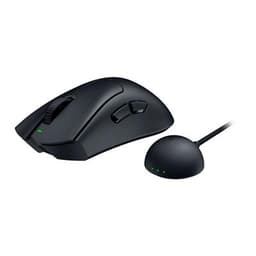
    Razer Viper V4 Pro Gaming Mouse Black
    Razer Viper V4 Pro Gaming Mouse Black
  2. 2
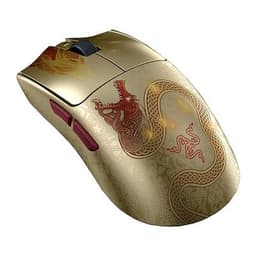
    Razer DeathAdder V4 Pro Mouse Black
    Razer DeathAdder V4 Pro Mouse Black
  3. 3
    Razer Viper V3 Pro
    Razer Viper V3 Pro
  4. 4
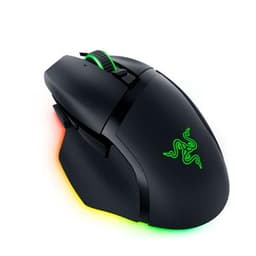
    Razer Basilisk V3 Pro 35K Mouse Black
    Razer Basilisk V3 Pro 35K Mouse Black
  5. 5
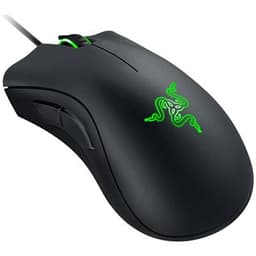
    Razer DeathAdder Essential Mouse Black
    Razer DeathAdder Essential Mouse Black

Razer sells everything from cheap wired mice to 8000 Hz wireless esports flagships, and the names can be confusing. These picks are based on Razer's official product pages and specifications, checked on 26 November 2026.

Best symmetrical wireless mouse: Razer Viper V4 Pro

The Razer Viper V4 Pro is Razer's lightest flagship here, at 49 g by Razer's figures (50 g for the White Edition). It uses the Focus Pro 50K Optical Sensor Gen-3, rated at 50K DPI, 930 IPS and 90 G, along with Razer Optical Mouse Switches Gen-4 and HyperSpeed Wireless Gen-2 with up to 8000 Hz polling. Its symmetrical shape and separated side buttons make it the pick for claw and fingertip grips. We compare it with Logitech's rival in Razer Viper V4 Pro vs Logitech Pro X Superlight 2.

Best ergonomic wireless mouse: Razer DeathAdder V4 Pro

The Razer DeathAdder V4 Pro keeps the right-handed DeathAdder shape. Razer says it's more than 10% lighter than its predecessor, quoting 57 g for the White Edition and 58 g for the Esports Green Edition. It uses the Focus Pro 45K Optical Sensor Gen-2 (45K DPI, 900 IPS, 85 G), Gen-4 optical switches and the same 8000 Hz HyperSpeed Wireless Gen-2 platform. Choose it if you prefer to rest your palm on a sculpted mouse. Our best wireless gaming mouse picks give more options if neither suits you.

Best previous-generation flagship: Razer Viper V3 Pro

The Razer Viper V3 Pro is the previous symmetrical flagship. Razer lists the Focus Pro 35K Optical Sensor Gen-2 with 35,000 DPI, 750 IPS and 70 G, Optical Mouse Switches Gen-3 and HyperPolling 8000 Hz support. It's worth considering if you see it for noticeably less than the V4 Pro.

Best for buttons and features: Razer Basilisk V3 Pro 35K

The Razer Basilisk V3 Pro 35K is the feature-heavy option rather than an ultralight esports mouse. Razer lists the Focus Pro 35K Optical Sensor Gen-2 (35,000 DPI, 750 IPS), Optical Mouse Switches Gen-3, both HyperSpeed Wireless and Bluetooth, and battery life of up to 140 hours on HyperSpeed Wireless. It suits players who want a feature-rich mouse that can also connect over Bluetooth, rather than the lightest possible esports shape.
Best budget pick: Razer DeathAdder Essential

The Razer DeathAdder Essential is an entry-level take on the classic DeathAdder shape. Razer lists a 6,400 DPI optical sensor and five independently programmable Hyperesponse buttons. Razer doesn't list the flagships' HyperSpeed Wireless or 8000 Hz polling for it, but it's an easy way to get the ergonomic DeathAdder shape on a tight budget.

How to choose

Start with shape and grip. Symmetrical Vipers generally suit claw and fingertip grips, while the DeathAdder's right-handed ergonomic shape suits palm grips. Our palm vs claw vs fingertip grip guide can help you decide. Next, decide whether you need wireless and 8000 Hz polling. Razer's pages chart battery life against polling rate, and higher rates generally use more battery, and our guide to changing mouse polling rate covers the settings. For non-Razer alternatives, see our best gaming mouse picks.

Our verdict

For most competitive players, the Razer Viper V4 Pro is the Razer to buy if you like a light symmetrical mouse, and the Razer DeathAdder V4 Pro if you want an ergonomic palm-grip shape. The Basilisk V3 Pro 35K is the choice for extra buttons and Bluetooth, the Viper V3 Pro is a strong previous-generation option, and the entry-level DeathAdder Essential covers tight budgets.

The bottom line

For most competitive players, the Razer Viper V4 Pro is the Razer to buy if you like a light symmetrical mouse, and the Razer DeathAdder V4 Pro if you want an ergonomic palm-grip shape. The Basilisk V3 Pro 35K is the choice for extra buttons and Bluetooth, the Viper V3 Pro is a strong previous-generation option, and the entry-level DeathAdder Essential covers tight budgets.

Sources

  1. 01Razer, Viper V4 Pro product page
  2. 02Razer, DeathAdder V4 Pro product page
  3. 03Razer, Viper V3 Pro product page
  4. 04Razer, Basilisk V3 Pro 35K product page
  5. 05Razer, DeathAdder Essential product page

About the author

Hannah Vance

Buying Guides & Peripherals Editor

Hannah edits Forge PC's buying guides and component roundups across gaming monitors, mechanical keyboards, mice, cases and power supplies. She specialises in OLED and Mini-LED panel characteristics, low-latency wireless peripherals, acoustic damping and value-for-money component selection for UK PC builders.

More from Hannah Vance

Read next

Razer DeathAdder V4 Pro vs Viper V4 Pro: Which Razer Flagship Mouse?

Versus

Razer DeathAdder V4 Pro vs Viper V4 Pro: Which Razer Flagship Mouse?

Razer's DeathAdder V4 Pro and Viper V4 Pro share HyperSpeed Wireless Gen-2, 8000 Hz polling and Gen-4 optical switches, but differ in shape, weight and sensor. The DeathAdder is a right-handed ergonomic mouse; the Viper is a lighter 49 g symmetrical mouse with the newer Focus Pro 50K Gen-3 sensor. Compared on Razer's official specs.

Callum Reid3 min

Logi Bolt vs Unifying: Which Logitech Receiver Do You Need?

Versus

Logi Bolt vs Unifying: Which Logitech Receiver Do You Need?

Logi Bolt and Unifying are Logitech's two USB receivers for keyboards and mice, and they don't work with each other. Bolt is based on Bluetooth Low Energy technology; Unifying is Logitech's own 2.4GHz protocol. Both pair up to six devices per receiver. Check the logo under each device, buy matching replacement receivers and use two USB ports if you have both types.

Callum Reid4 min

How to Replace Mouse Skates: Removing Old Feet and Fitting New Ones

How-To

How to Replace Mouse Skates: Removing Old Feet and Fitting New Ones

Replace mouse skates when the mouse feels slow, catches on the mat or the feet peel. Buy skates for your exact model, prise the old ones off with a thin plastic tool, clean off all adhesive with rubbing alcohol and a microfibre cloth, let it dry, then press each new skate firmly for about 10 seconds and remove the protective film.

Marcus Thorne6 min

Glass vs Cloth Mouse Pad: Which Is Better for PC Gaming?

Versus

Glass vs Cloth Mouse Pad: Which Is Better for PC Gaming?

Cloth mouse pads are cheaper, quieter, portable and come in every size, so they suit most gamers. Glass pads like the Razer Atlas offer a very smooth, wipe-clean surface but cost more, need a flat desk and, Razer says, original or PTFE mouse feet. A hard pad like the Logitech G440 is a cheaper low-friction option.

Callum Reid5 min