A 24GB graphics card, such as a used GeForce RTX 3090 or RTX 4090 or a Radeon RX 7900 XTX, opens up a class of local language models that smaller cards can't hold: the 24B-31B models that sit between small chat models and data-centre giants. These picks are based on the model sizes and features listed in Ollama's model library and Ollama's documentation, read on 28 November 2026. You need extra memory on top for context.
Our picks at a glance
Pick | Model (Ollama tag) | Listed size | Inputs | Max context |
|---|
Best all-rounder | Qwen3.8 27B (qwen3.8:27b) | 18GB | Text, image | 256K |
Best for coding agents | Devstral Small 2 24B (devstral-small-2:24b) | 15GB | Text, image | 384K |
Biggest model that fits | Gemma 4 31B (gemma4:31b) | 19-20GB | Text, image | 256K |
Best for reasoning with long context | gpt-oss 20B (gpt-oss:20b) | 14GB | Text | 128K |
Best general assistant | Mistral Small 3.2 24B (mistral-small3.2:24b) | 15GB | Text, image | 128K |
Sizes are for the default tags shown, which are 4-bit builds.
How much of 24GB can a model use?
The model file is only part of the memory bill; Ollama also needs room for the context cache, and its documentation warns that a larger context length increases the memory a model needs. Ollama sets its default context length by VRAM: 4k tokens below 24GiB, and 32k tokens for 24-48GiB. A 24GB card gets the larger default, and Ollama recommends at least 64,000 tokens for web search, agents and coding tools.
As a rule of thumb, a model of 14-18GB leaves a useful 6-10GB for context on a 24GB card, while a 20GB model leaves only about 4GB. Our explainer on context length and VRAM goes into the maths, and KV cache quantisation can shrink the cache if you need more room.
Best all-rounder: Qwen3.8 27B
In Ollama's words, Qwen3.8 delivers substantial gains across coding, professional work, research and long-horizon agentic tasks. The 27B model is listed at 18GB in its standard 4-bit build, accepts text and images and supports up to 256K tokens of context.
At 18GB it's too big for a 16GB card but fits a 24GB card with about 6GB left for context. That makes it the model to start with if you've bought 24GB for local AI. Don't try the 8-bit build: Ollama lists it at 30GB. Our Qwen3.8 guide covers setup.
Best for coding agents: Devstral Small 2 24B
Ollama describes Devstral Small 2 as a 24B model that excels at using tools to explore codebases, editing multiple files and powering software engineering agents. Its 4-bit build is listed at 15GB, it accepts text and images, and its listed context window is 384K tokens, the longest in this guide.
That combination suits 24GB well. On a 16GB card a 15GB model leaves almost nothing for context, but on 24GB about 9GB is free, enough for the long context coding tools need. If you prefer a text-only coding model, Ollama lists Qwen3-Coder 30B, described as built for agentic and coding tasks, at 19GB. See our best local coding models for more.
Biggest model that fits: Gemma 4 31B
The largest Gemma 4 model is listed at 19GB to 20GB for its default tag, 19GB for its quantisation-aware-trained (QAT) build and 20GB for the 4-bit Q4_K_M build. It accepts text and images with up to 256K tokens of context, and Ollama describes Gemma 4 as well suited to reasoning, agentic workflows, coding and multimodal understanding.
It's the biggest model in this guide that fits entirely on a 24GB card, but only 4-5GB is left for context, so it's best for shorter chats rather than long documents. Gemma 4 26B, listed at 16-19GB, is a smaller option in the same family. Our guide to running Gemma 4 locally covers both.
Best for reasoning with long context: gpt-oss 20B
Ollama describes gpt-oss as OpenAI's open-weight models designed for powerful reasoning, agentic tasks and versatile developer use cases. The 20B model is listed at 14GB and supports up to 128K tokens of context; it's text-only.
On a 16GB card gpt-oss 20B is a tight fit. On 24GB it leaves about 10GB for context, so you can use far more of its 128K window. See how to run gpt-oss locally.
Best general assistant: Mistral Small 3.2 24B
Ollama describes Mistral Small 3.2 as an update to Mistral Small that improves function calling and instruction following, with fewer repetition errors. The 24B model is listed at 15GB in 4-bit, accepts text and images and supports up to 128K tokens of context. Like Devstral Small 2, it fits a 24GB card with room to spare, and it's a good alternative to Qwen3.8 if you want a slightly smaller everyday model.
What won't fit
Qwen3.6 35B-A3B: listed at 23-24GB in 4-bit, the whole card.
8-bit builds of the 27B-31B models: listed at 30-34GB.
gpt-oss 120B: listed at 65GB.
Larger models can still run with part of the model in system RAM, but more slowly; our guide to running MoE models on low VRAM with llama.cpp covers one approach. Ollama's documentation says you can check whether a model fits by running ollama ps while it's loaded; our guide to checking Ollama is using your GPU explains what to look for.
Which card?
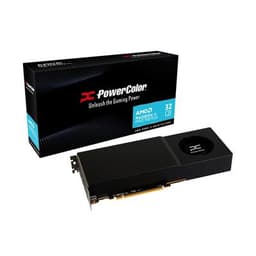
If you're shopping for a 24GB card, our best 24GB graphics cards for local AI guide covers the options. Cards with 32GB, such as the NVIDIA GeForce RTX 5090 Founders Edition or the PowerColor Radeon AI PRO R9700 32GB, hold every pick here with more room for context. With 16GB instead, see our best local LLMs for 16GB of VRAM.